EasyManua.ls Logo

KIP 2080 - Explanation for Copy Job

KIP 2080
252 pages
Print Icon
To Next Page IconTo Next Page
To Previous Page IconTo Previous Page
Loading...
A75UM2E1 (Ver. E.2)
2-4
2.3 Explanation for Copy Job
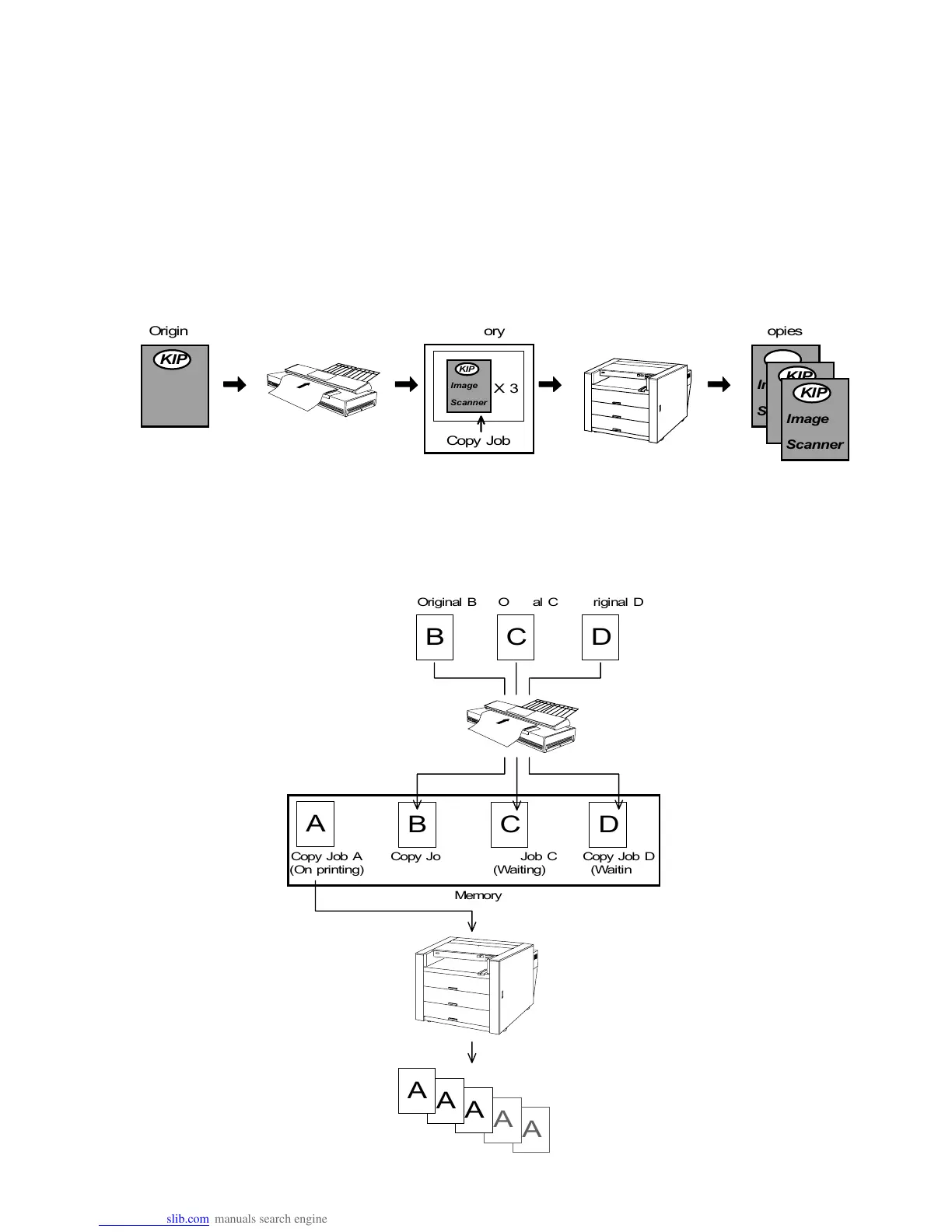
There are 2 kinds of jobs such as Copy Job and Set Copy Job.
The Copy Job consists of the image data of one original.
The Set Copy Job consists of image data of some sheets of original.
This section explains only Copy Job.
As for the Set Copy Job, refer to “Explanation for Set Copy Job” on the page 3-100.
When you scan the original, its image data and the information of decided settings such as Copy Count
are stored in the memory as 1 Copy Job.
Then, the image data is printed out from the printer obeying the decided settings.
Even if the printer is printing out the former Copy Job (Copy Job A in the figure), it is possible to put
several Copy Jobs (Copy Jobs B, C and D in the figure) into the memory by scanning next originals
successively.
These Copy Jobs are not printed out until the former one is printed out completely.
Imag e
Scanner



KIP
Image
Scanner


KIP
Image
Scanner


KIP
Image
Scanner


KIP
Image
Scanner


KIP
Original Memory Copies
Copy Job
X3
A
B C D




A



A








A








A





A
B C D
Original B Original C Original D
Memory
Copy Job A
(On printing)
Copy Job B
(Waiting)
Copy Job C
(Waiting)
Copy Job D
(Waiting)
X5 X3 X5 X2

Table of Contents

Related product manuals