A75UM2E3 (Ver. E.2)
2-11
2.6 Copying by the Sheet Media Feeding
When you do copying by the sheet media feeding, it is needed to decide sheet size setting and
material setting according to the used sheet media.
There are 2 ways to decide the sheet size such as “automatic sheet size selection” and “manual sheet
size selection”.
We will introduce the way of copying by the “manual sheet size selection” here since it is simpler than
“automatic sheet size selection”.
As for the “automatic sheet size selection”, refer to “Automatic sheet size selection (Auto Sheet Size
Mode)” on the page 3-11.
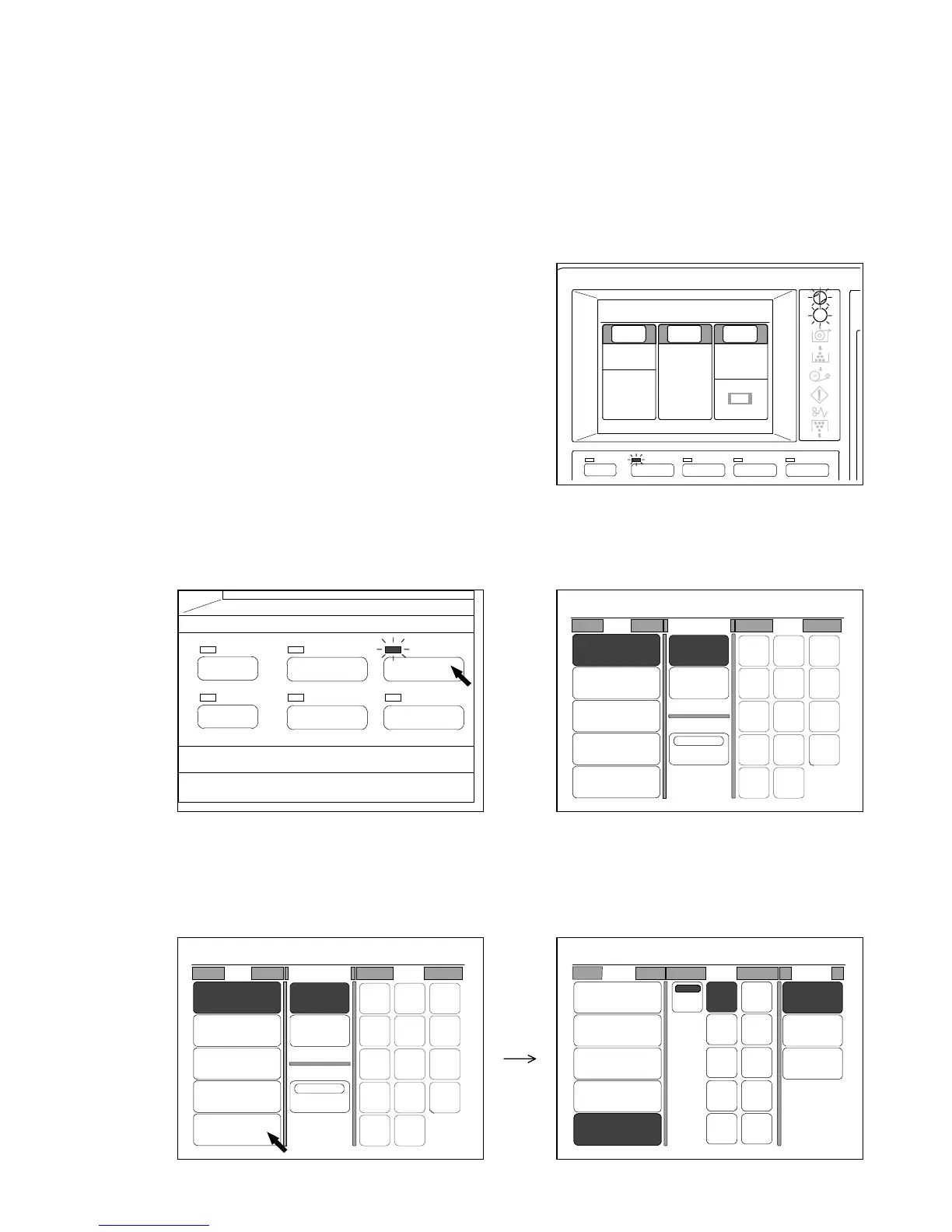
1) Confirm the Ready Indicator is lighting up.
2) Push the Paper Key.
LED lamp of the Paper Key lights up.
LCD indicates the following Paper Setting Screen.
(Paper Key) (Paper Setting Screen)
3) Press “Bypass” under “Roll” to select the sheet media feeding mode.
“Bypass” is colored, and both “Size” and “Media” are indicated on the LCD instead of “Cut Mode”
and “Size”.
PAPER
FUNCTION
BASIC SCREEN
MODE MEMORY
MENU
REFERENCE
MENU
BASIC SCREEN PAPER ZOOM
IMAGE QUALITY
0%
001
Paper Zoom
Image
Qual i ty
1:36"
100.0%
Synchro
Line
Background
[Threshold]
Auto
Plain Paper
0%
001
Roll Cut Mode Size
2:30"
Vellum
1:36"
Plain Paper
3:24"
Film
4:18"
Plain Paper
Bypass
Synchro
Standard
Divide
48"
44"
42"
36"
34"
30"
24"
22"
18"
17"
12"
11"
9"
8.5"
0%
001
Roll Cut Mode Size
2:30"
Vellum
1:36"
Plain Paper
3:24"
Film
4:18"
Plain Paper
Bypass
Synchro
Standard
Divide
48"
44"
42"
36"
34"
30"
24"
22"
18"
17"
12"
11"
9"
8.5"
0%
001
Roll Size Media
2:30"
Vellum
1:36"
Plain Paper
3:24"
Film
4:18"
Plain Paper
Bypass
Auto
36" 18"
17"
12"
11"
8.5"
34"
30"
24"
22"
Vellum
Film
Plain
Paper



 To Next Page