A75UM3E2 (Ver. E.2)
3-10
B. Manual roll selection
[Operation]
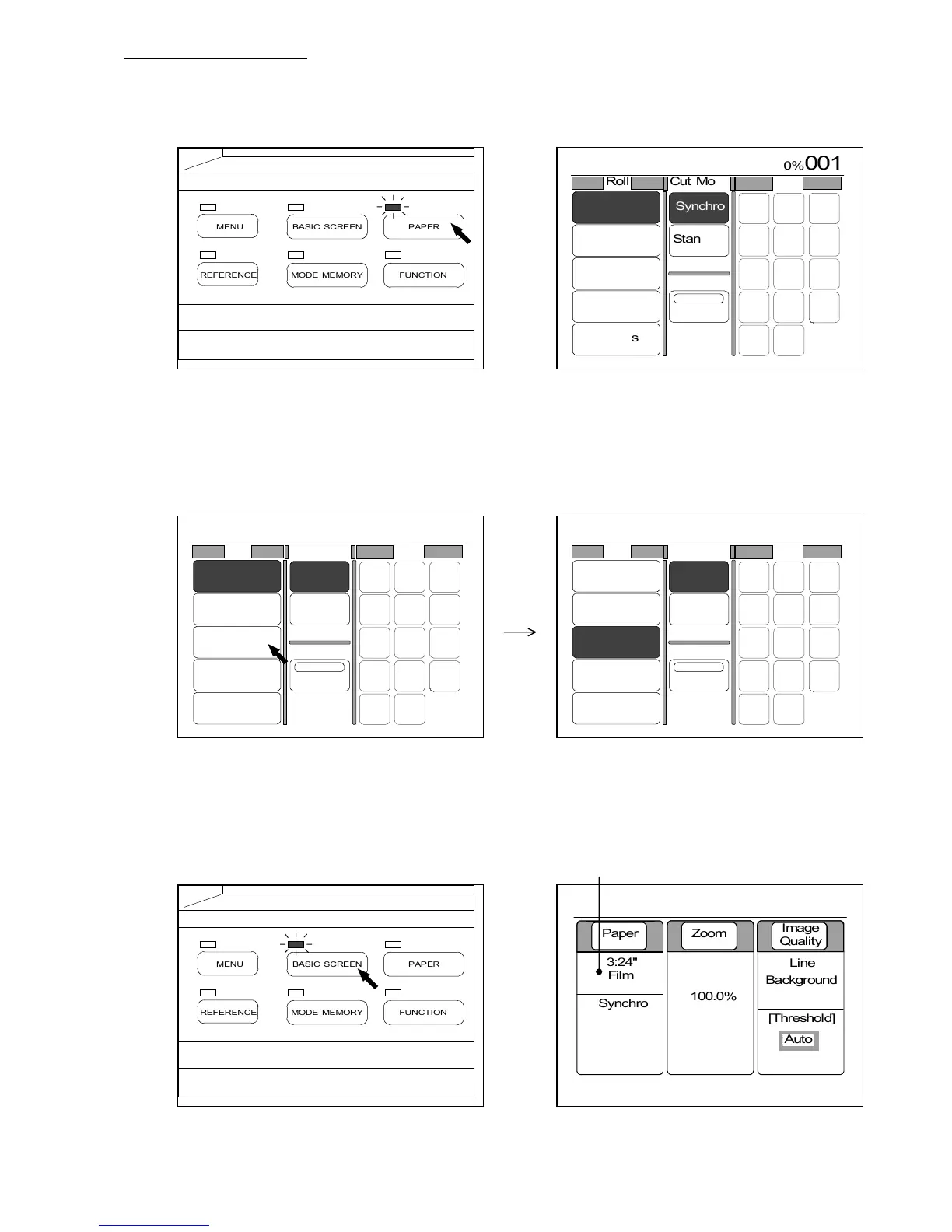
1) Push the Paper Key to indicate the Paper Setting Screen on the LCD.
(Paper Key) (Paper Setting Screen)
2) Roll Numbers from 1 to 4 are indicated below “Roll”.
Since both size and material of roll media in each Roll Deck are indicated, press your required
Roll Number.
The selected Roll Number is colored.
3) Push the Basic Screen Key to indicate the Basic Screen on the LCD.
The selected Roll Number, roll size and roll material are indicated in the Basic Screen.
(Roll 3 is selected.)
(Basic Screen Key) (Basic Screen)
0%
001



 To Next Page