A75UM3EO (Ver. E.2)
3-178
3.13 Scanner Power Save
[Function]
If you do no operation for a decided time, the Scanner Power Save works automatically.
All LED lamps except for Power Indicator and LED lamp of Power Save Key are put out in the
Scanner Power Save so as not to consume so much power.
Note that the printer consumes as much power as usual since only the scanner gets into low power
condition but the printer is always ready for printing.
15 minutes is selected as the timer for Scanner Power Save at factory forwarding.
(Notes)
1. Timer is adjustable within the range from 1 to 60 minutes, and it is possible not to let the
Scanner Power Save work.
Call your service personnel if you wish to change the setting for Scanner Power Save.
2. All user settings are initialized according to the Standard Mode if the Scanner Power Save
works.
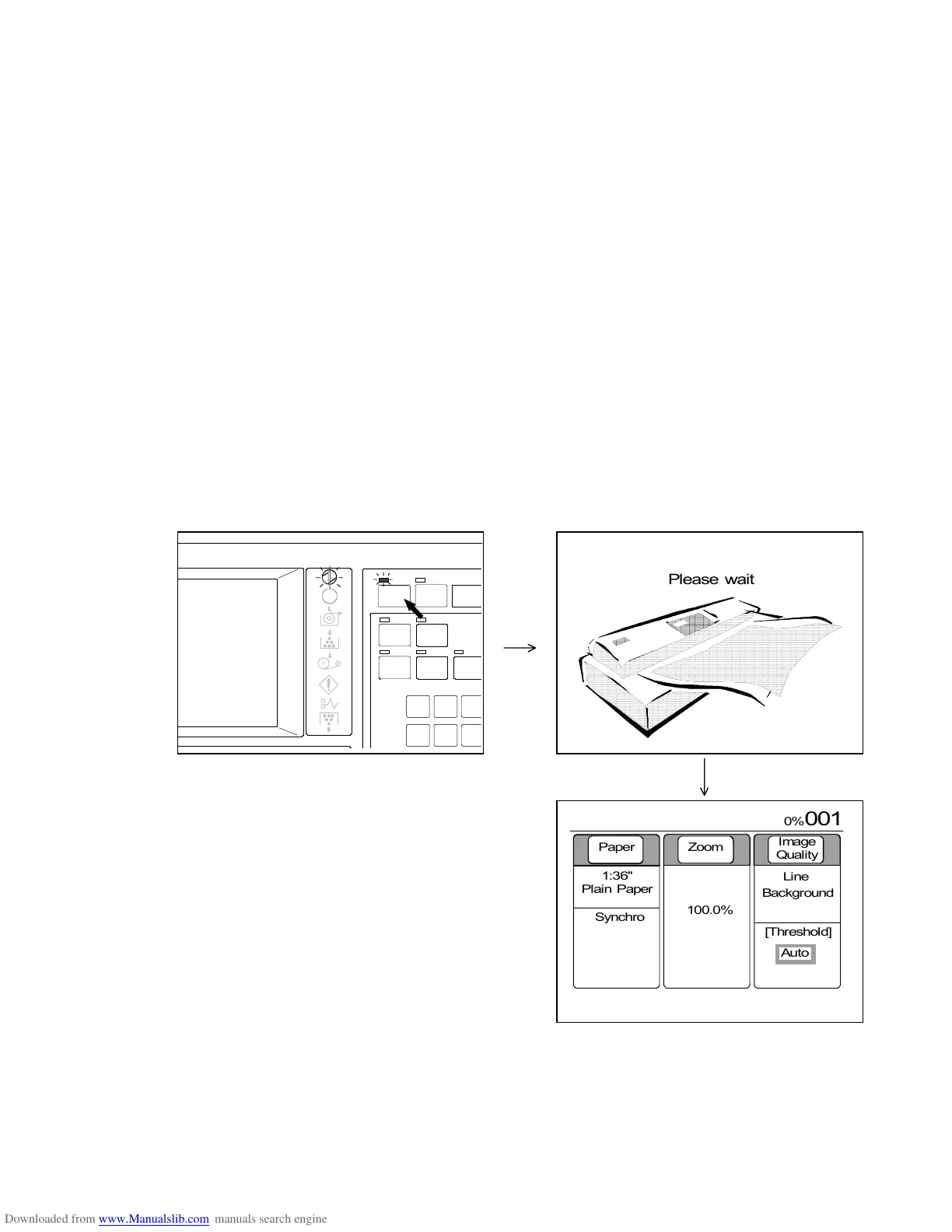
[How to cancel the Scanner Power Save]
Push the Power Save Key when the scanner is in the Scanner Power Save.
The LCD indicates “Please wait”.
Then, LCD indicates the Basic Screen after a short period initializing all user settings according to the
Standard Mode.
[Reference]
Scanner Power Save does not work in the following conditions.
(a) During scanning
(b) During printing
(c) When either scanner or printer has some error.
(d) When the printer is warming up.
POWER
INTE RRUPT
RESE T
SET COPY
AUTO ZOOM
CONCURRENT
AUTO P APER
ROTA TE
4
7
5
8
6
9
PRINT
SAVE
Paper Zoom
Image
Quality
1:36"
Plain Paper
100.0%
Line
Background
[Threshold]



 To Next Page