A75UM3E6 (Ver. E.2)
3-35
3.4.3 % Mode (Direct selection of percentage)
[Function]
It is possible to input your required zoom ratio directly pushing Ten Keys.
Zoom range is from 25.0% to 400.0%, and the setting unit is 0.1%.
[Operation]
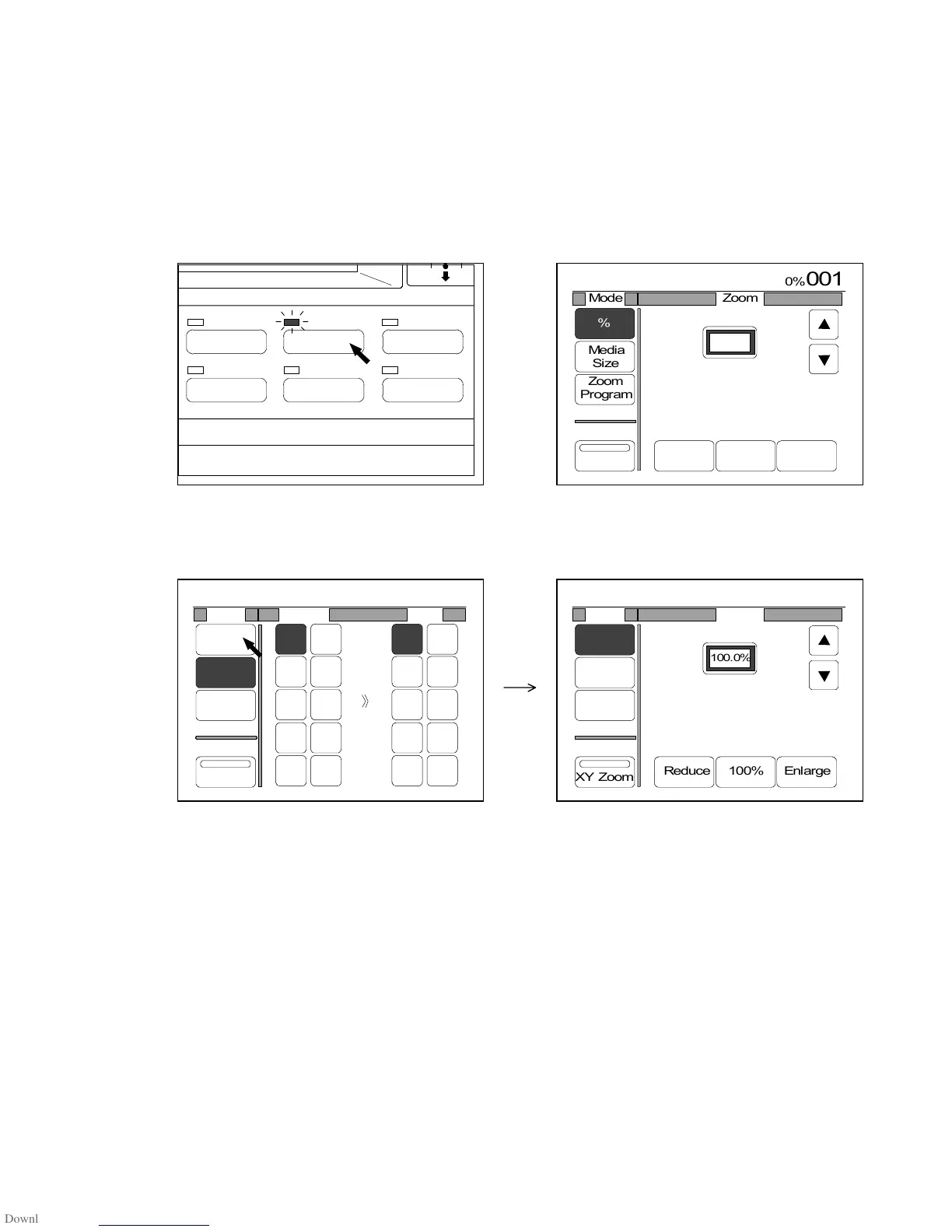
1) Push the Zoom Key to indicate the Zoom Setting Screen on the LCD.
(Zoom Key) (Zoom Setting Screen)
2) If “%” is not colored, press “%” to select the % Mode.
IMAGE QUALITY
LAYOUT/SORT
ZOOM
DATE STAMPFUNCTION
PAPER



 To Next Page