A75UM3EK (Ver. E.2)
3-143
A. How to register the setting
If you have changed the setting of some item in the Setting Screen, it is possible to register that setting.
If you do so, that setting will be valid later on even if you turn off the machine unless you change it
again in the Setting Screen.
The following is the way to register the setting.
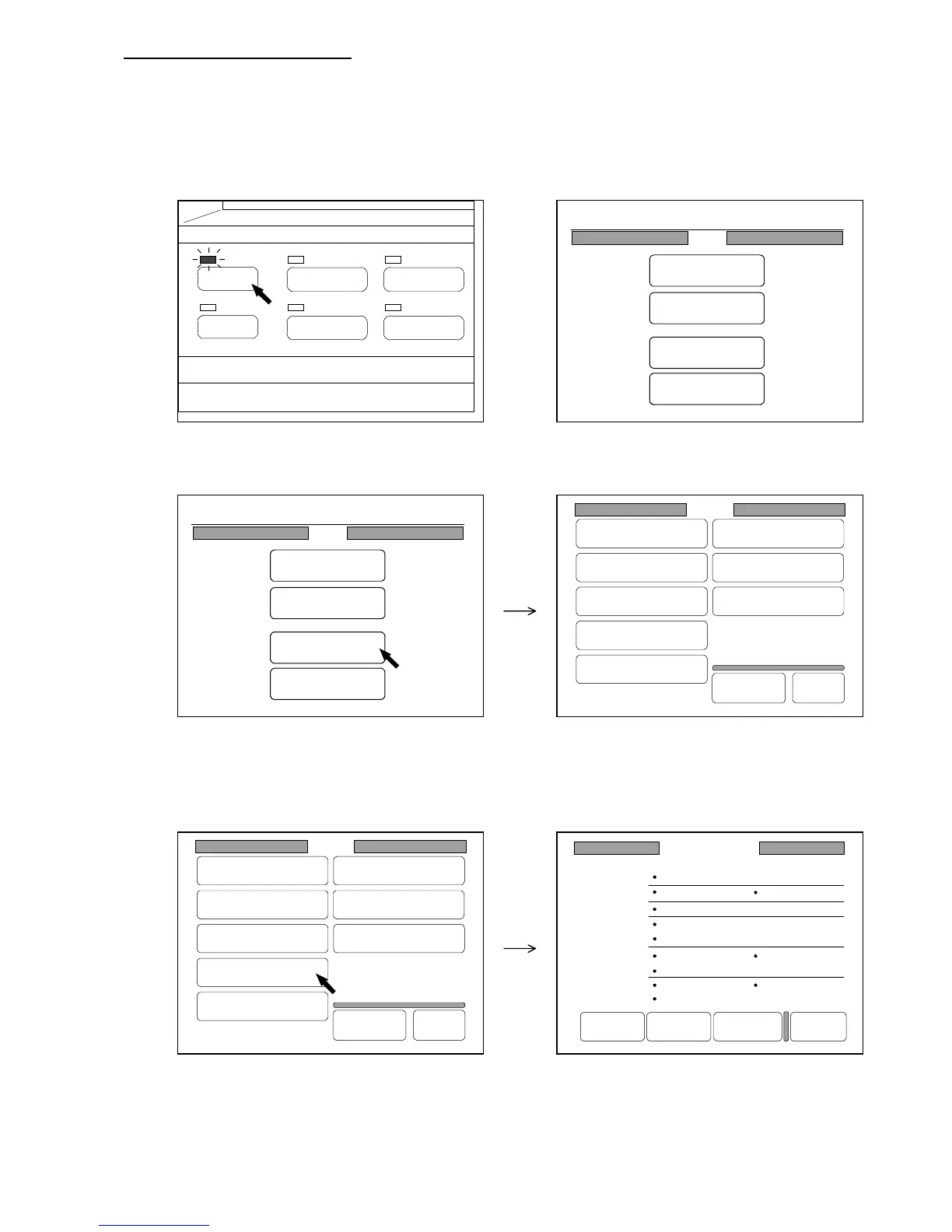
1) Push the Menu Key to indicate the Menu Screen on the LCD.
(Menu Key) (Menu Screen)
2) Press “Setting” in the Menu Screen to indicate the Setting Screen on the LCD.
(Menu Screen) (Setting Screen)
3) Press the item you will change.
Corresponding screen is indicated on the LCD according to your selection of item.
The following example shows the Standard Mode Setting Screen.
(Standard Mode Setting Screen)
4) Change each setting as you like in the selected screen.
As for the way to change, refer to later corresponding pages.
PAPER
FUNCTION
BASIC SCREEN
MODE MEMORY
MENU
REFERENCE
Setting
Register
Zoom Ratio
Auto Start
Standard Mode
Mode Memory
Memory
Date/Time
SCSI
Set Back
Original
Format
Setting
Register
Zoom Ratio
Auto Start
Standard Mode
Mode Memory
Memory
Date/Time
SCSI
Set Back
Original
Format
Standard Mode
Count :1
Roll 1
100.0%
Line
Background
Threshold :Auto
Density :3
Mirror :OFF
Folder :OFF
Synchro
Sharpness :3
Negative :OFF
Set Reset Next Page Back
0%
001
Menu
Original
Edit
Setting
Command
0%
001
Menu
Original
Edit
Setting
Command



 To Next Page