A75UM3E5 (Ver. E.2)
3-28
3.4.1 Auto Zoom Mode
[Function]
If only you set the original to the scanner and decide the size of media, the Auto Zoom Mode
automatically selects a proper zoom ratio so that the copy image matches the size of the media.
A. In case of the roll media feeding
[Operation]
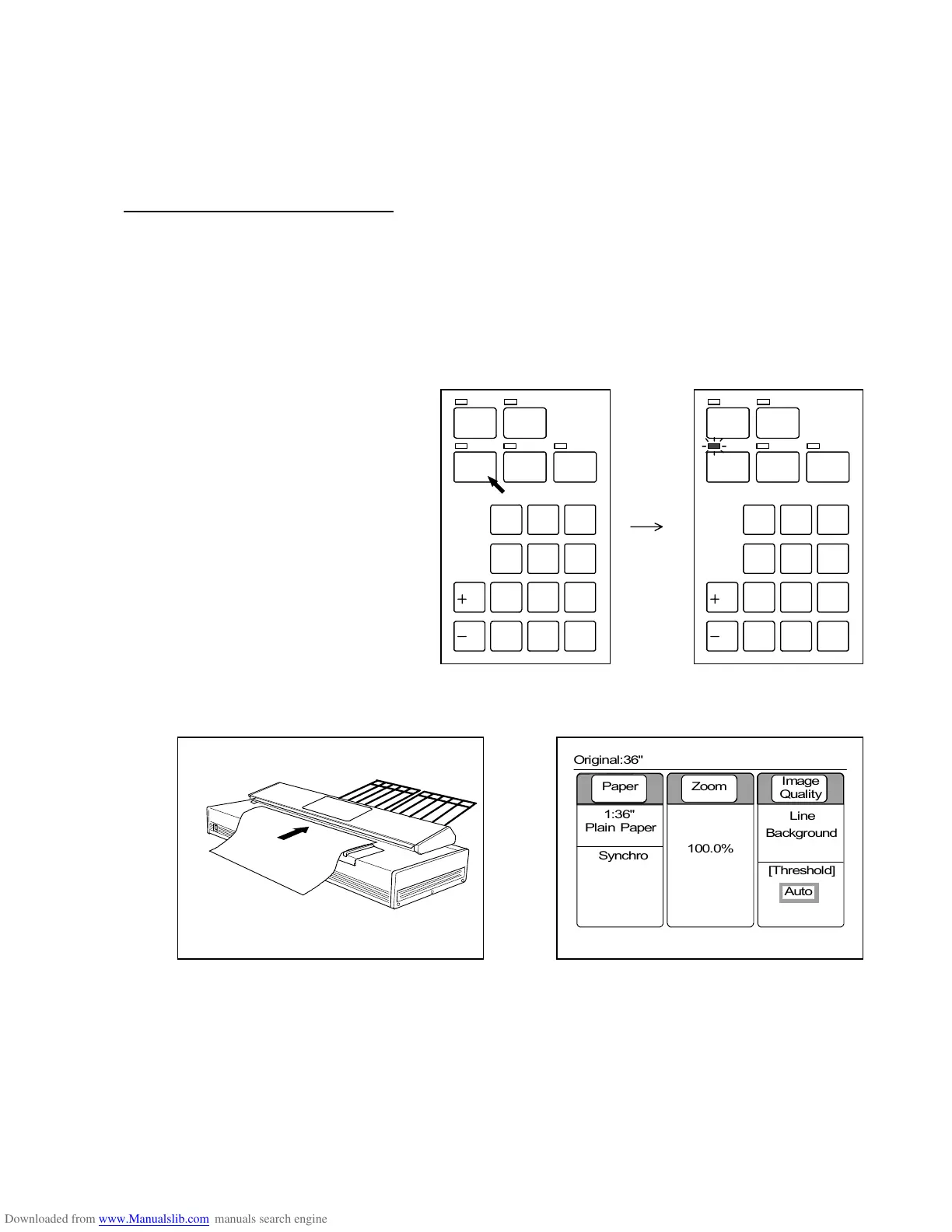
1) Push the Auto Zoom Key to enter the Auto Zoom Mode.
The LED lamp of the Auto Zoom Key lights up showing that the Auto Zoom Mode is valid now.
Note : When the Auto Zoom Mode is valid, both Auto Paper Mode and Rotate Mode are
always cancelled.
It is impossible to use these modes with the Auto Zoom Mode at the same time.
2) Set the original to the scanner.
Its size is automatically detected by the scanner and is indicated on the LCD.
/
L
/
R
SET COPY
ROTATE
AUTO ZOOM AUTO PAPER
CON CURRENT
PRINT
0
1
4
7
.
2
5
8
C
3
6
9
/
L
/
R
SET COPY
ROTATE
AUTO ZOOM AUTO PAPER
CON CURRENT
PRINT
0
1
4
7
.
2
5
8
C
3
6
9
0%
001



 To Next Page