A75UM3E3 (Ver. E.2)
3-15
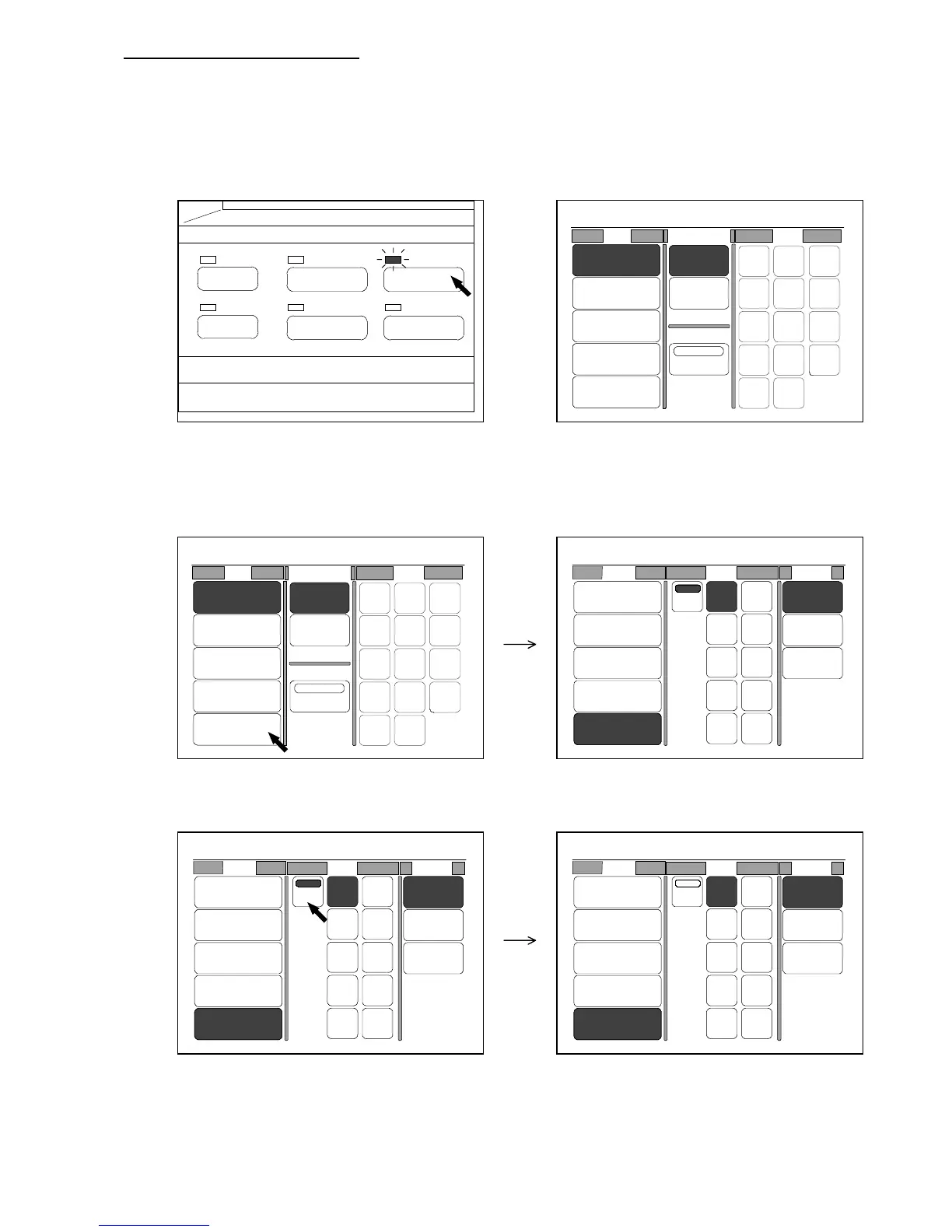
B. Manual sheet size selection
This way of selection is suitable when the sheet size is already decided.
[Operation]
1) Push the Paper Key to indicate the Paper Setting Screen on the LCD.
(Paper Key) (Paper Setting Screen)
2) Press “Bypass” to select the sheet media feeding.
The LCD indicates the menu of sheet sizes and materials.
3) If “Auto” is selected, press “Auto” to cancel it.
PAPER
FUNCTION
BASIC SCREEN
MODE MEMORY
MENU
REFERENCE
0%
001
Roll Cut Mode Size
2:30"
Vellum
1:36"
Plain Paper
3:24"
Film
4:18"
Plain Paper
Bypass
Synchro
Standard
Divide
48"
44"
42"
36"
34"
30"
24"
22"
18"
17"
12"
11"
9"
8.5"
0%
001
Roll Cut Mode Size
2:30"
Vellum
1:36"
Plain Paper
3:24"
Film
4:18"
Plain Paper
Bypass
Synchro
Standard
Divide
48"
44"
42"
36"
34"
30"
24"
22"
18"
17"
12"
11"
9"
8.5"
0%
001
Roll Size Media
2:30"
Vellum
1:36"
Plain Paper
3:24"
Film
4:18"
Plain Paper
Bypass
Auto
36" 18"
17"
12"
11"
8.5"
34"
30"
24"
22"
Vellum
Film
Plain
Paper
0%
001
Roll Size Media
2:30"
Vellum
1:36"
Plain Paper
3:24"
Film
4:18"
Plain Paper
Bypass
Auto
36" 18"
17"
12"
11"
8.5"
34"
30"
24"
22"
Vellum
Film
Plain
Paper
0%
001
Roll Size Media
2:30"
Vellum
1:36"
Plain Paper
3:24"
Film
4:18"
Plain Paper
Bypass
Auto
36" 18"
17"
12"
11"
8.5"
34"
30"
24"
22"
Vellum
Film
Plain
Paper



 To Next Page