A75UM3EO (Ver. E.2)
3-185
3.19 Rotate Mode
[Function]
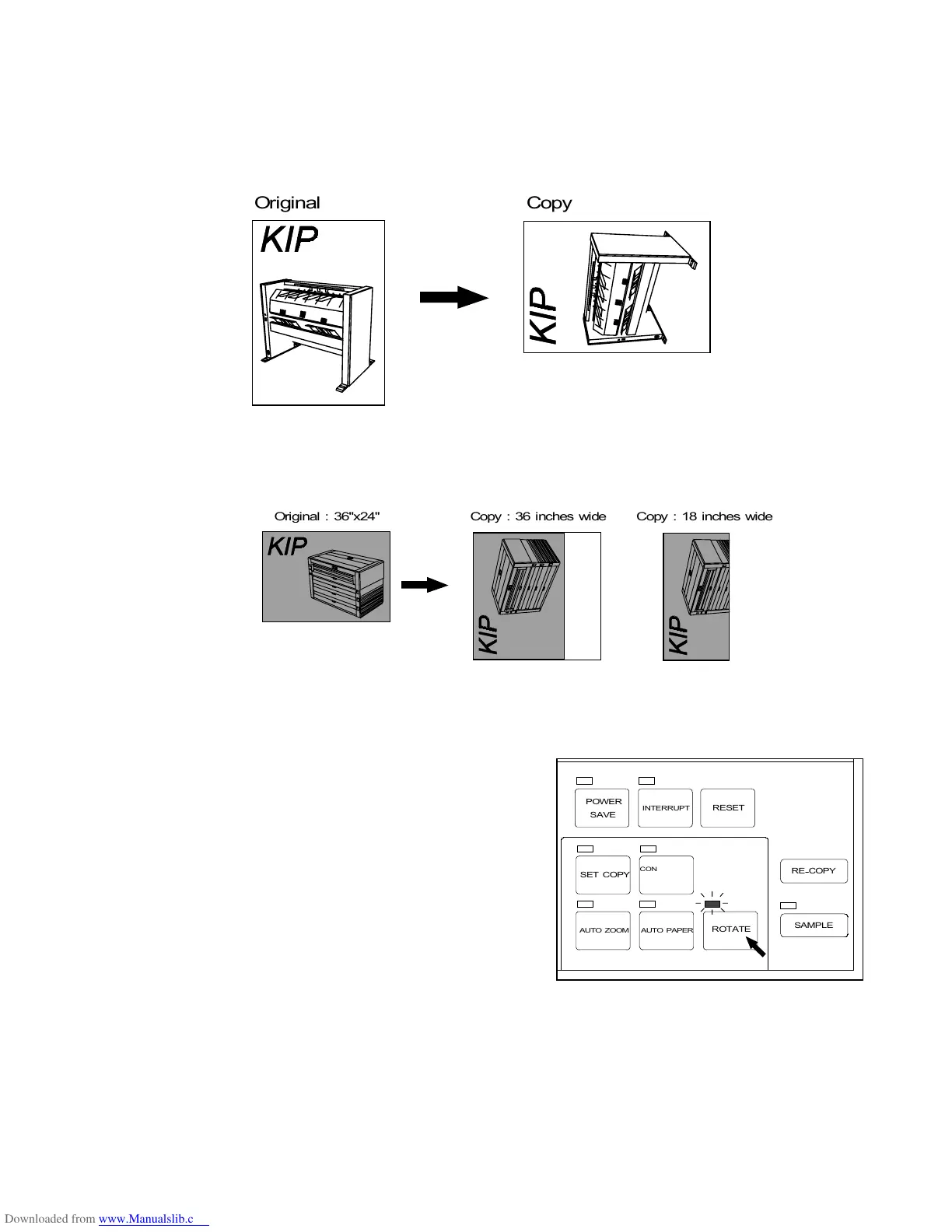
The scanned image is printed being rotated in a 90 degrees arc counter-clockwise in the Rotate
Mode.
Note : If you do not select a roll media of proper width, the copy will have a margin or some part of
image will be lost from the copy as follows.
[How to select the Rotate Mode]
Push the Rotate Key to select the Rotate Mode.
The LED lamp of the Rotate Key lights up.
Note : When the Rotate Mode is valid, both Auto Zoom
Mode and Auto Paper Mode are always cancelled.
It is impossible to use these modes with the
Auto Paper Mode at the same time.
[How to cancel the Rotate Mode]
Push the Rotate Key again to cancel the Rotate Mode.
The LED lamp of the Rotate Key is put out.



 To Next Page