A75UM3EB (Ver. E.2)
3-69
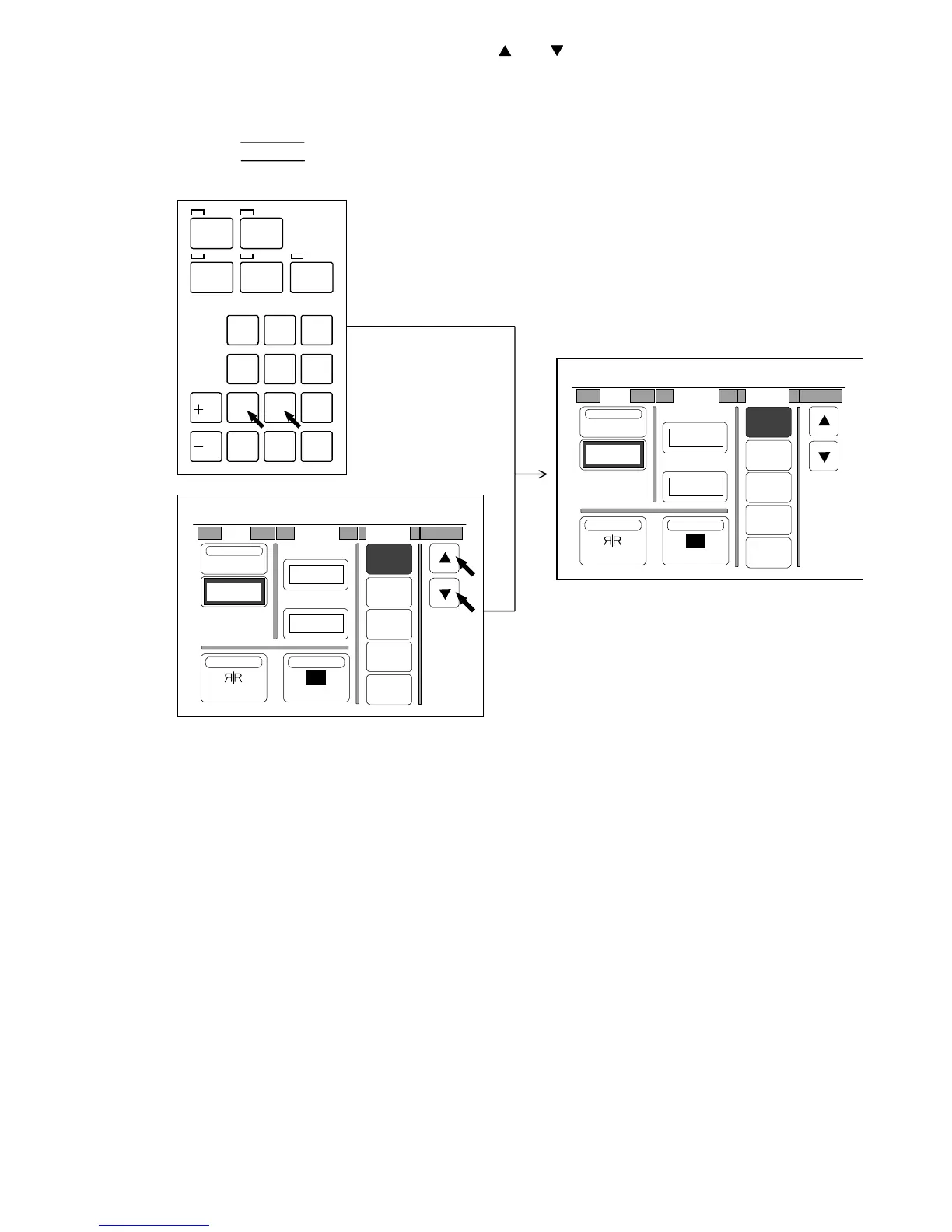
4) Select your required amount of Shift pressing and .
Or input the amount directly pushing Ten Keys.
The selected amount is indicated on the LCD.
(Examples of indication)
R2.00” 2 inches of right shifting
L10.0” 10 inches of left shifting.
Note : If you inputted a wrong amount of Shift with Ten Keys, clear it pushing the Clear Key.
If you do so, [0.00”] is indicated again.
Then, input the correct amount.
/
L
/
R
SET COPY
ROTATE
AUTO ZOOM AUTO PAPER
CON CURRENT
PRINT
0
1
4
7
.
2
5
8
C
3
6
9
0%
001
R
Shift Margin Folder
OFF
1
2
3
4
Centering
0.00"
NegativeMirror
T. Edge
L. Edge
0.00"
0.00"
0%
001
R
Shift Margin Folder
OFF
1
2
3
4
Centering
R12.0"
NegativeMirror
T. Edge
L. Edge
0.00"
0.00"



 To Next Page