A75UM3EE (Ver. E.2)
3-93
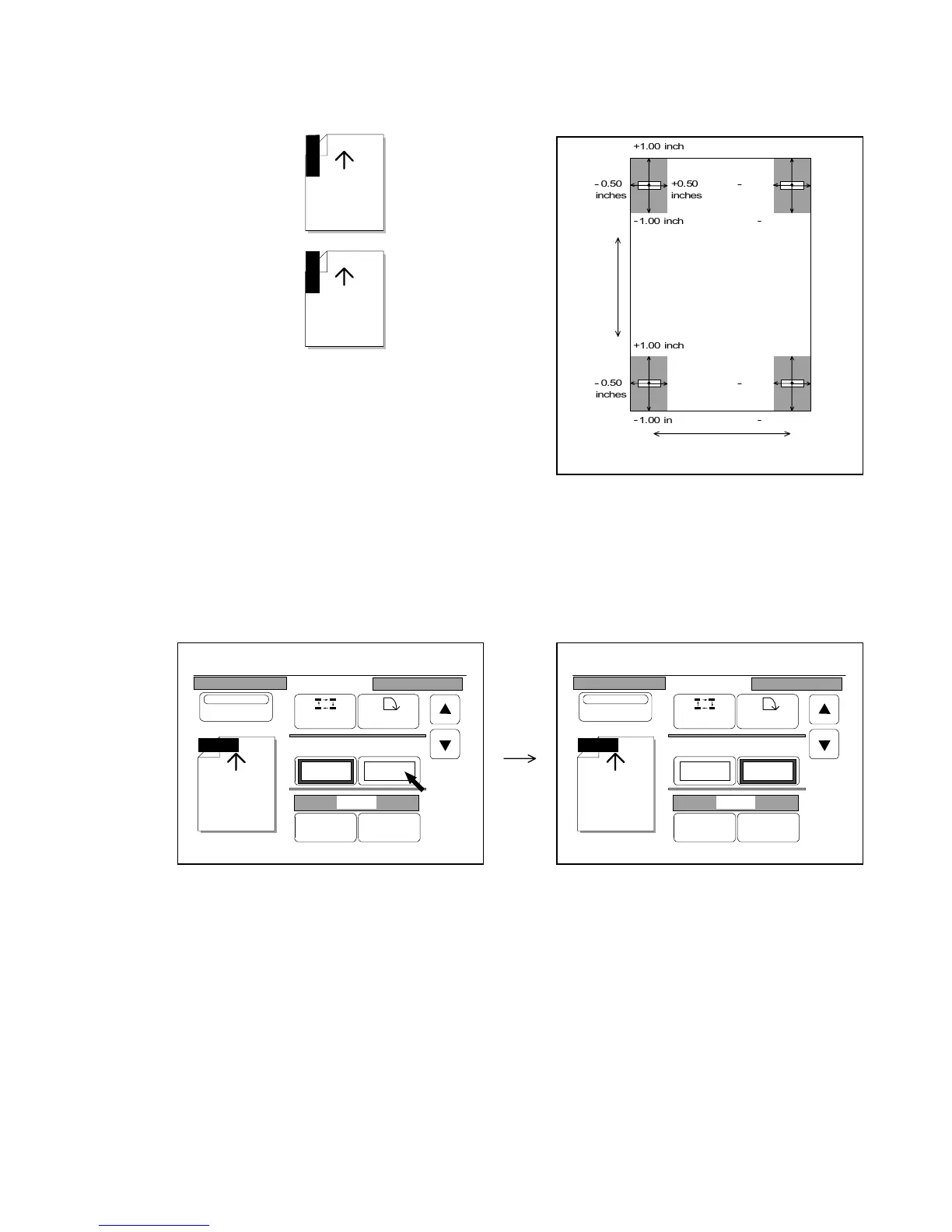
When the rotation of Date Stamp is “90 degree” or “270 degree” and when it is placed at each main
position, the horizontal range (X) is from -0.50 inches to +0.50 inches, and the vertical one (Y) is from
-1.00 inch to +1.00 inch.
Namely, you can place the Date Stamp anywhere in the gray zone of the following figure.
[How to decide the amount of shift]
1) If you wish to shift the Date Stamp horizontally (X), press the amount of “X shift” to make its frame
thick.
It becomes possible to change the amount of horizontal shift when its frame is thick.
If you wish to shift the Date Stamp vertically, similarly press the amount of “Y shift” to make its
frame thick.
Y/M/D
Y/M/D
Horizontal shift (X)
Vertical
shift (Y)
Copy



 To Next Page