A75UM3EH (Ver. E.2)
3-123
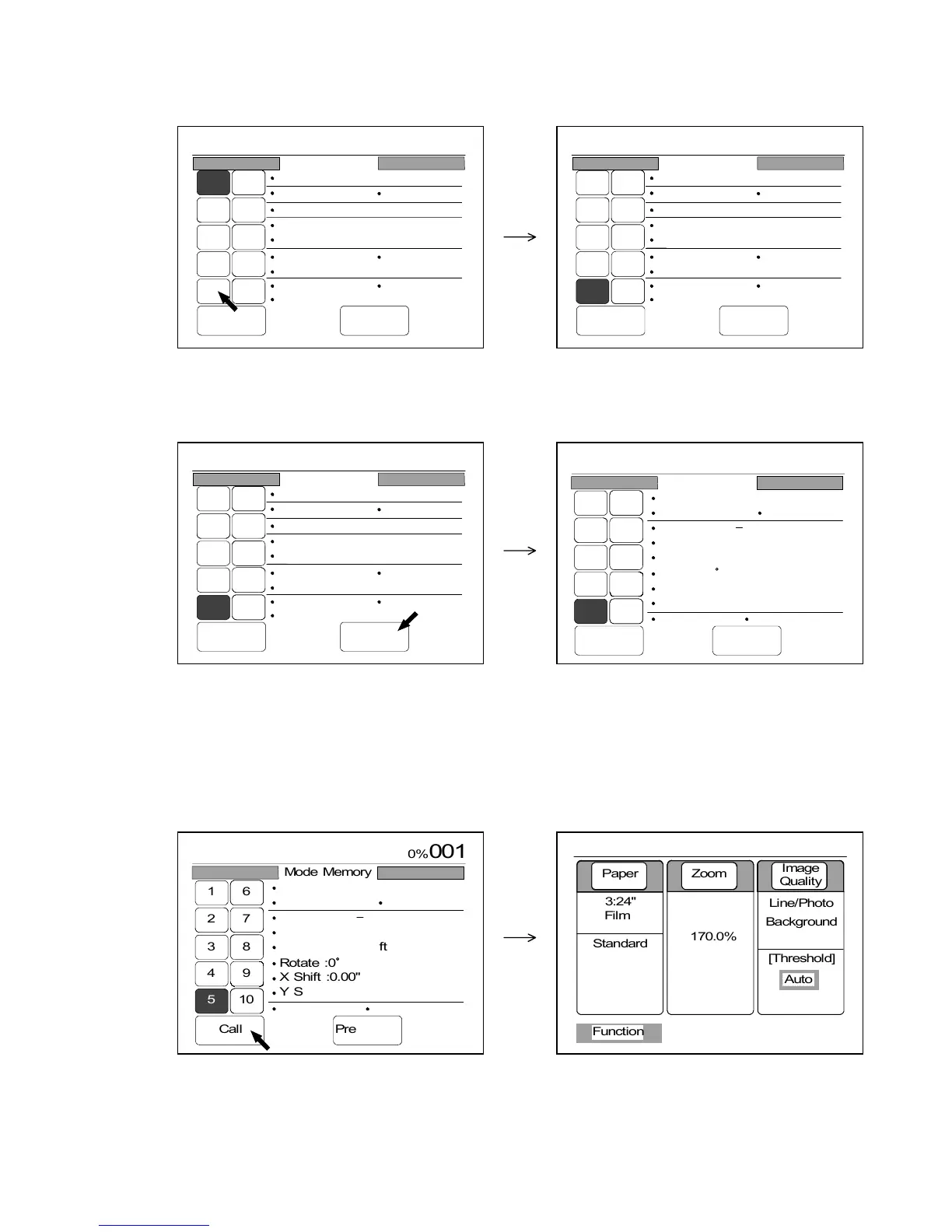
2) Press your required Mode Memory Number.
That Mode Memory Number is colored.
Since the LCD indicates states of user settings registered to that Mode Memory Number,
check these states.
3) If you press “Next Page”, states of the other user settings are indicated on the next page.
Check these states before you call this Mode Memory.
If you press “Prev Page”, it is possible to go back to the previous page.
4) If you wish to call this Mode Memory, press “Call”.
The state of each user setting on the operation panel will become same with the state you have
checked at the above 2) and 3).
After calling, the LCD indicates the Basic Screen.
Note : Both previous page and next one have “Call”.
0%
001
Mode Memory
Call Next Page
1 6
27
38
49
510
Count :10
Roll 2
150.0%
Line/Photo
Background
Threshold :Auto
Density :3
Mirror :OFF
Folder :OFF
Synchro
Sharpness :5
Negative :OFF
0%
001
Mode Memory
Call Next Page
16
27
38
49
5 10
Count :1
Roll 3
170.0%
Line/Photo
Background
Threshold :Auto
Density :3
Mirror :OFF
Folder :2
Standard
Sharpness :3
Negative :OFF
0%
001
Mode Memory
Call Next Page
16
27
38
49
5 10
Count :1
Roll 3
170.0%
Line/Photo
Background
Threshold :Auto
Density :3
Mirror :OFF
Folder :2
Standard
Sharpness :3
Negative :OFF
0%
001
Call
16
27
38
49
5 10
Mode Memory
Prev Page
Shift :R20.00"
L.Edge:2.00"
Date Stamp Print :OFF
D/M/Y
Position :Top Left
Rotate :0
X Shift :0.00"
Y Shift :0.00"
Layout :a Sort :a
T.Edge:0.00"
0%
001



 To Next Page