A75UM3EM (Ver. E.2)
3-159
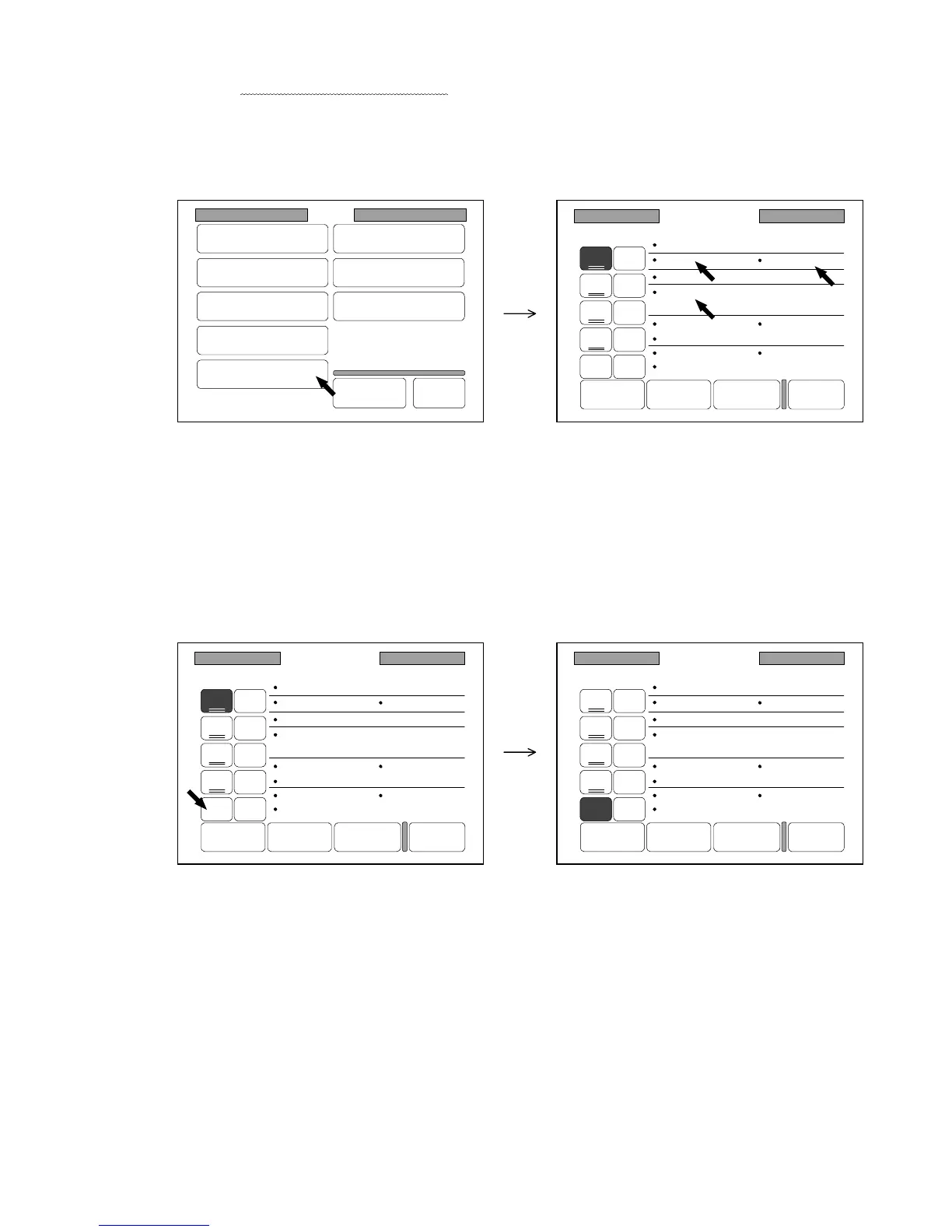
4) Press “Mode Memory” in the Setting Screen to indicate the Mode Memory Setting Screen on the
LCD.
Since the present conditions of settings are indicated in the screen, confirm that the changes you
have done are indicated on the screen.
Note : Conditions of some setting items such as the “Landscape cut” are not indicated in the Mode
Memory Setting Screen.
As for these kinds of setting items, refer to the list on the page 3-151.
(Changes are indicated in the screen.)
5) When some Mode Memory has already been created on the Mode Memory Number, that number
is underlined.
Select your preferable Mode Memory Number which is not underlined.
The selected Mode Memory Number is colored.
Note : If you create new Mode Memory on some Mode Memory Number which already has
another Mode Memory (The Mode Memory Number is underlined.), the former one is
deleted instead of the new one.
Setting
Register
Zoom Ratio
Auto Start
Standard Mode
Mode Memory
Memory
Date/Time
SCSI
Set Back
Original
Format
Mode Memory
Count :1
Roll 2
100.0%
Photo
Threshold :Auto
Density :3
Mirror :OFF
Folder :OFF
Standard
Sharpness :3
Negative :OFF
Set Delete Next Page Back
6
7
8
9
10
1
2
3
4
5
Mode Memory
Count :1
Roll 2
100.0%
Photo
Threshold :Auto
Density :3
Mirror :OFF
Folder :OFF
Standard
Sharpness :3
Negative :OFF
Set Delete Next Page Back
6
7
8
9
10
1
2
3
4
5
Mode Memory
Count :1
Roll 2
100.0%
Photo
Threshold :Auto
Density :3
Mirror :OFF
Folder :OFF
Standard
Sharpness :3
Negative :OFF
Set Delete Next Page Back
6
7
8
9
10
1
2
3
4
5



 To Next Page