A75UM3EO (Ver. E.2)
3-170
B. Wire Cleaning
[Function]
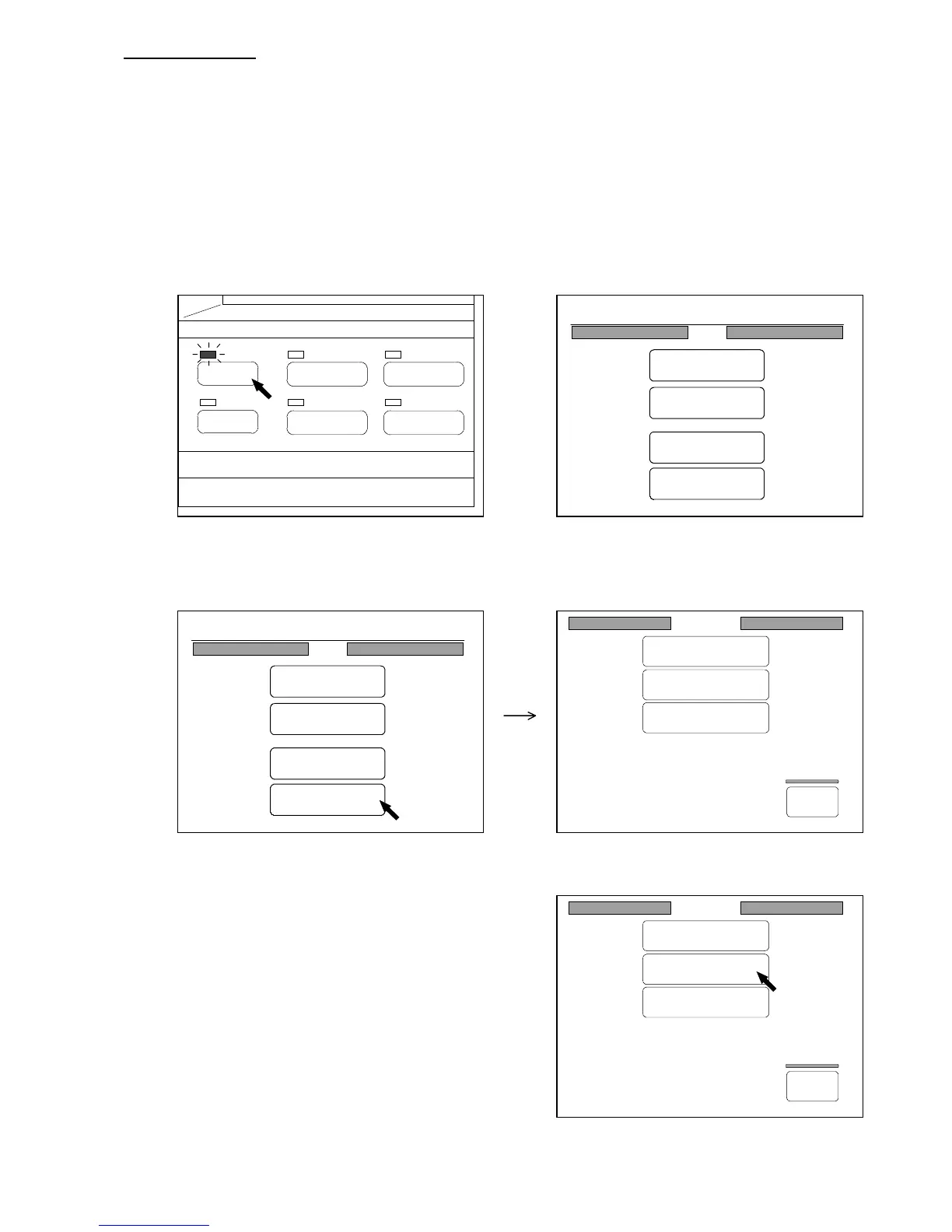
It is possible to work printer’s wire cleaning function to clean the corona wire.
Note : If the connected printer does not have the wire cleaning function, it is impossible to use this
function.
[How to do Wire Cleaning]
1) Push the Menu Key to indicate the Menu Screen on the LCD.
(Menu Key) (Menu Screen)
2) Press “Command” in the Menu Screen to indicate the Command Screen on the LCD.
(Command Screen)
3) Press “Wire Cleaning” in the Command Screen.
The wire cleaning function works to clean the corona
wire.
Command
Initial Cut
Wire Cleaning
Information
Back
Command
Initial Cut
Wire Cleaning
Information
Back
PAPER
FUNCTION
BASIC SCREEN
MODE MEMORY
MENU
REFERENCE
0%
001
Menu
Original
Edit
Setting
Command
0%
001
Menu
Original
Edit
Setting
Command



 To Next Page