A75UM2E2 (Ver. E.2)
2-9
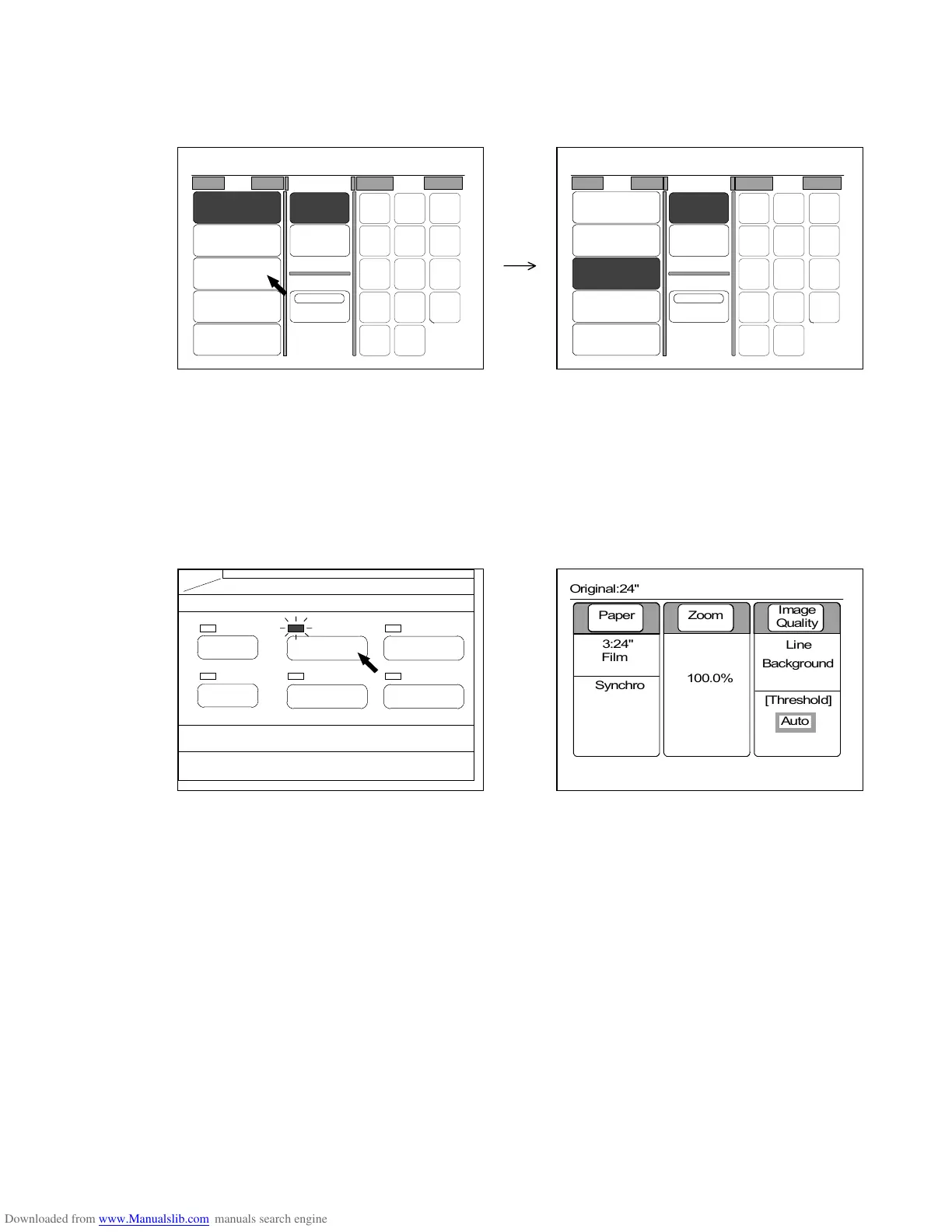
4) There are sources of copying media (Roll Numbers from “1” to “4” and “Bypass”) under “Roll”
of the Paper Setting Screen.
Both size and material of roll media are shown for each Roll Number.
Press any of Roll Number according to your requirement.
The selected Roll Number is colored showing that it is valid now.
5) Change several settings such as zoom ratio, cutting size and Copy Count as you like.
As for the way to change these settings, refer to the corresponding page in the chapter 3.
6) When you have finished to change and decide all settings, push the Basic Screen Key to go back
to the Basic Screen.
LED lamp of the Basic Screen Key lights up and LCD indicates the Basic Screen showing the
contents of your setting.
(Basic Screen Key) (Basic Screen)
PAPER
FUNCTION
BASIC SCREEN
MODE MEMORY
MENU
REFERENCE
0%
001
Roll Cut Mode Size
2:30"
Vellum
1:36"
Plain Paper
3:24"
Film
4:18"
Plain Paper
Bypass
Synchro
Standard
Divide
48"
44"
42"
36"
34"
30"
24"
22"
18"
17"
12"
11"
9"
8.5"
Original:24"
0%
001
Roll Cut Mode Size
2:30"
Vellum
1:36"
Plain Paper
3:24"
Film
4:18"
Plain Paper
Bypass
Synchro
Standard
Divide
48"
44"
42"
36"
34"
30"
24"
22"
18"
17"
12"
11"
9"
8.5"
Original:24"
0%
001



 To Next Page