EasyManua.ls Logo

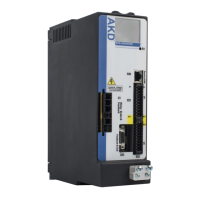
Kollmorgen AKD2G-S Series - User Manual

Kollmorgen AKD2G-S Series
146 pages
Print Icon
To Next Page IconTo Next Page
Loading...
AKD
®
2G-Sxx with Functional Safety Option 1
STO - SIL2
Installation Manual
Manual Edition: -, Beta, December 2018
Safety Edition: S101, December 2018
Valid for AKD
®
2G-S Hardware Revision A
Part Number 907-200003-00
Original Document
For safe and proper use, follow
these instructions.
Keep them for future reference.
Beta Drives: Approvals (CE, Functional Safety, UL) are pending.

Table of Contents

Other manuals for Kollmorgen AKD2G-S Series

Questions and Answers

  • J
    Javier MataAug 20, 2025
    Why Kollmorgen AKD2G-S reports following error?
    • R
      Ryan JenkinsAug 20, 2025
      A Kollmorgen Servo Drives might report a following error due to several reasons: * The Irms or Ipeak might be set too low; verify the motor/drive sizing. * Current or velocity limits might be applied; verify that AXIS#.IL.LIMITN/P and AXIS#.VL.LIMITN/P are not limiting the drive. * The accel/decel ramp might be too long; reduce AXIS#.ACC/AXIS#.DEC.
  • L
    Lucas HarringtonAug 22, 2025
    How to fix communication fault in Kollmorgen Servo Drives?
    • A
      alexanderedwardAug 22, 2025
      To fix a communication fault in Kollmorgen Servo Drives: * Ensure the correct cable is used and plugged into the correct sockets on both the drive and the PC. * Select the correct PC interface.
  • R
    rose46Aug 25, 2025
    What to do if Kollmorgen AKD2G-S Servo Drives motor does not rotate?
    • H
      Hunter ColonAug 25, 2025
      If the Kollmorgen Servo Drives motor doesn't rotate, there are several potential causes: * The drive might not be enabled, so apply the ENABLE signal. * The software enable might not be set, so set it. * There could be a break in the setpoint cable, so check the cable. * The motor phases might be swapped, so correct the motor phase sequence. * The brake might not be released, so check the brake control. * The drive could be mechanically blocked, so check the mechanics. * The motor pole number might be set incorrectly, so set it correctly. * The feedback could be set up incorrectly, so set it up correctly.
  • T
    Thomas BishopAug 26, 2025
    How to prevent Kollmorgen Servo Drives motor overheating?
    • B
      brittany92Aug 26, 2025
      To prevent a Kollmorgen Servo Drives motor from overheating: * Verify the motor is not operating above its rating; check the motor/drive sizing. * Ensure the motor current settings are correct; verify motor continuous and peak current values are set correctly.
  • M
    Michele SmithAug 28, 2025
    What causes Kollmorgen Servo Drives motor to oscillate?
    • C
      Christopher NicholsonAug 28, 2025
      The oscillation of a Kollmorgen Servo Drives motor can be caused by: * Gain being too high (speed controller); reduce AXIS#.VL.KP (speed controller). * Broken feedback cable shielding; replace the feedback cable. * AGND not wired up; join AGND to CNC-GND.
  • S
    shannon53Aug 29, 2025
    What to do if Kollmorgen AKD2G-S does not enable?
    • J
      Joseph LeeAug 30, 2025
      If a Kollmorgen Servo Drives does not enable: * If HW Enable is configured but not wired, connect HW Enable to the selected input. * If HW or SW Enable is not set, apply 24V to HW Enable and select SW Enable in WorkBench / Fieldbus.
  • S
    sarahcharlesAug 31, 2025
    Why Kollmorgen AKD2G-S feels too soft?
    • G
      Gabriel RiggsAug 31, 2025
      If a Kollmorgen Servo Drives feels too soft, it could be due to: * AXIS#.Kp (speed controller) being too low; increase AXIS#.VL.KP (speed controller). * AXIS#.Ki (speed controller) being too low; increase AXIS#.VL.KI (speed controller). * Filters set too high; refer to documentation regarding reducing filtering (AXIS#.VL.AR*).
  • B
    bwernerSep 2, 2025
    What makes Kollmorgen Servo Drives run roughly?
    • A
      anthonyjonesSep 2, 2025
      If a Kollmorgen Servo Drives runs roughly, it might be because: * AXIS#.Kp (speed controller) is too high; reduce AXIS#.VL.KP (speed controller). * AXIS#.Ki (speed controller) is too high; reduce AXIS#.VL.KI (speed controller). * Filters are set too low; refer to documentation regarding increasing filtering (AXIS#.VL.AR*).
  • S
    Sarah GarnerSep 4, 2025
    What to do if Kollmorgen Industrial Equipment motor does not rotate?
    • D
      Darlene RoseSep 4, 2025
      If your Kollmorgen Industrial Equipment motor does not rotate, there are several potential causes: * The drive might not be enabled; apply an ENABLE signal. * The software enable might not be set; ensure it is enabled in the software. * There could be a break in the setpoint cable; inspect and, if needed, check the setpoint cable. * The motor phases might be swapped; correct the motor phase sequence. * The brake may not be released; check the brake control. * The drive could be mechanically blocked; verify the mechanics. * The motor pole number could be set incorrectly; set the motor pole number correctly. * The feedback may be set up incorrectly; ensure the feedback is correctly configured.
  • T
    Tommy GentrySep 6, 2025
    What to do if Kollmorgen Industrial Equipment drive reports following error?
    • I
      imendozaSep 6, 2025
      If your Kollmorgen Industrial Equipment drive reports a following error, it could be due to several reasons. First, check if the Irms or Ipeak settings are too low and verify the motor/drive sizing. Next, ensure that the current or velocity limits (AXIS#.IL.LIMITN/P, AXIS#.VL.LIMITN/P) are not limiting the drive. Lastly, if the acceleration/deceleration ramp is too long, reduce AXIS#.ACC/AXIS#.DEC.

Kollmorgen AKD2G-S Series Specifications

General IconGeneral
ModelAKD2G-S Series
TypeServo Drive
DimensionsVaries by model
WeightVaries by model
Continuous CurrentVaries by model (up to 75A)
Control ModesTorque, Velocity, Position
Communication InterfacesEtherCAT, CANopen, Modbus TCP
Safety FeaturesSTO (Safe Torque Off), SS1 (Safe Stop 1), SS2 (Safe Stop 2)
FeedbackResolver, incremental encoder
Protection FeaturesOvervoltage, Undervoltage, Overcurrent, Overtemperature, Short Circuit
Operating Temperature0°C to 55°C
Humidity5 to 85% relative humidity, non-condensing

Related product manuals