4
LeeBoy 6150 Conveyor Paver 4-11
Operation
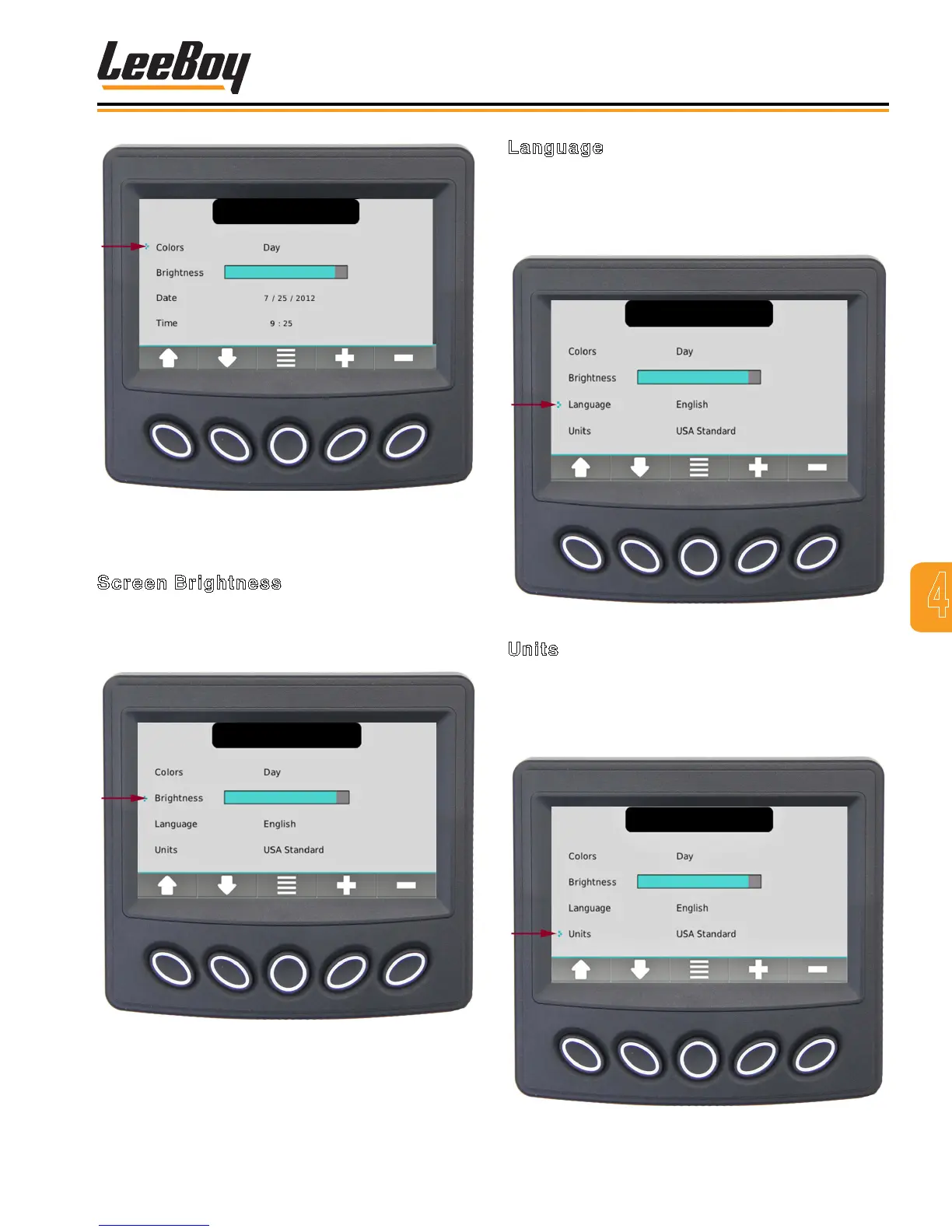
Figure 4-18. Set Day Vision Color Preferences
Screen
Screen Brightness
Use the UP/DOWN soft keys and stop the cursor (>)
next to the action item Brightness. (Figure 4-19) Set
the brightness of the backlight by using the +/– soft keys.
Figure 4-19. Set Brightness Of Backlight Screen
Language
Use the UP/DOWN soft keys and stop the cursor (>)
next to the action item Language. (Figure 4-20) Set
your language preference using the +/– soft keys. (Eng-
lish, French, German, Spanish, Italian or Japanese)
Figure 4-20. Set Language Preferences Screen
Units
Use the UP/DOWN soft keys and stop the cursor (>)
next to the action item Units. (Figure 4-21) Set your unit
preference using the +/– soft keys. (US Standard, Metric
kPa or Metric Bar.)
Figure 4-21. Set Unit Preferences Screen



 To Next Page