4-28 LeeBoy 6150 Conveyor Paver
Operation
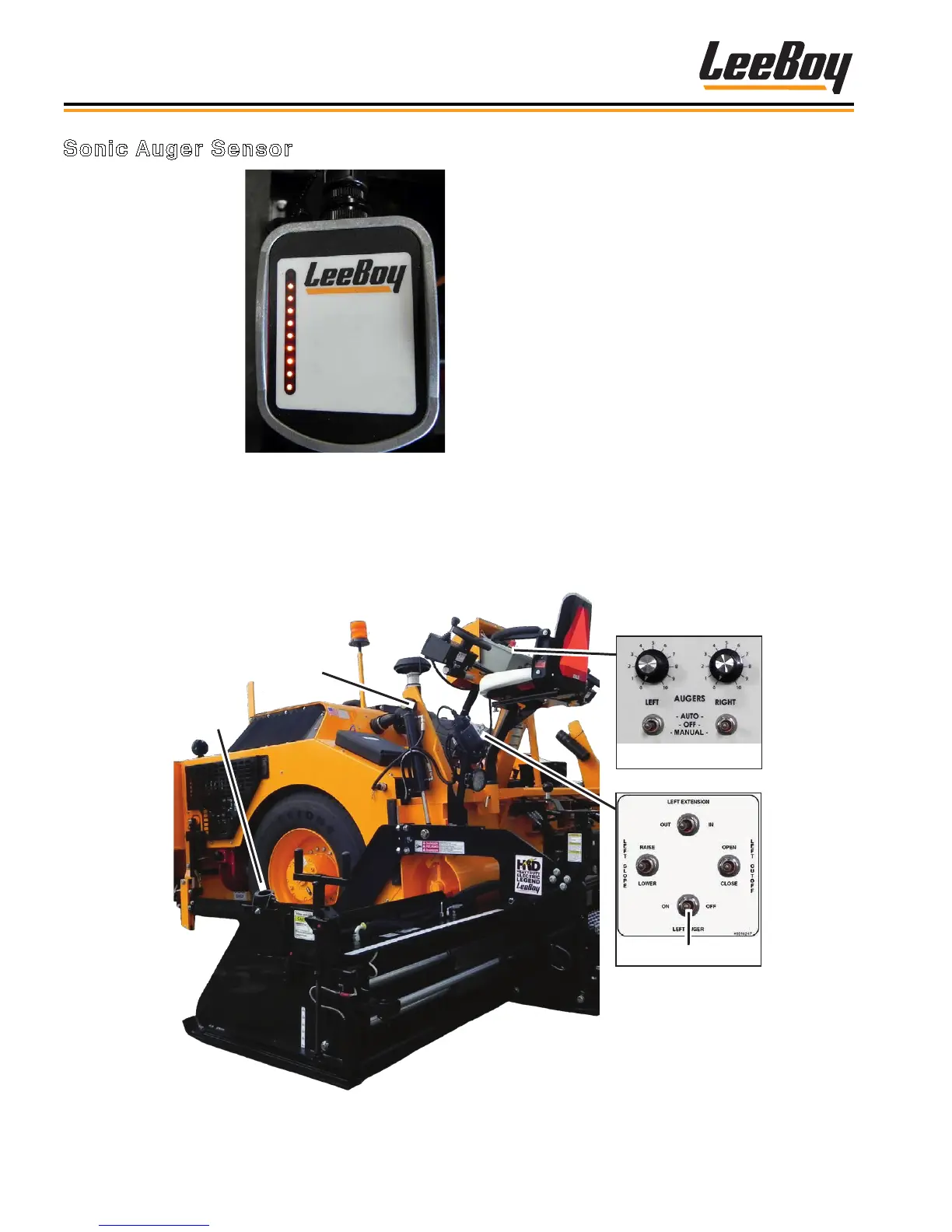
Sonic
Sensor
Mount
Material
Height
Dial
Main Auger Controls
Screed Auger Switch
Figure 4-59. Sonic Auger Controls Sequence
Figure 4-58. Sonic Auger
Sensor
Sonic Auger Sensor
The sonic auger controls
the amount of material
owing to the endgates,
gauging the amount of
paving material in the
extensions. (Figure
4-58) An operator can
operate the sonic auger
from either side of the
paver. The sonic auger
sensors are most often
used when paving widths
of nine to 15 feet (2.7
- 4.6 meters) and are
not used in the manual
mode.
The sonic auger sensor sits in the screed mount and
connects to the plug under the screed auger dial
box. (Figure 4-58) It detects the material height and
controls the auger height by automatically turning the
auger on and off.
To operate the sonic auger sensor:
1. Plug in the sonic auger sensor unit.
2. Set the left and right auger switches on the left side
of the main control panel to AUTO. (Pages 3-6 to
3-9)
3. Set the left and right auger On/Off switch on the
screed control box to ON.
4. Adjust material height at the endgate using the
auger dial beside the steering control box. (Figure
4-59)
• The right and left auger dials controls material
height. Turning the dial clockwise increases
material height while turning counterclockwise
decreases material height.
• When the material height moves into the
sonic range, the auger speed will slow down
proportionately and turn off. It will turn back on
when the material level drops.



 To Next Page