4-24 LeeBoy 6150 Conveyor Paver
Operation
Hopper Wings
The hopper wings are hydraulically opened so the hop-
per can be lled with paving material. (Figure 4-50)
Conveyor paddles in the bottom move the asphalt back
to the auger, where the mix ows through the Under
Auger Material Cut-Offs to the screed.
Be sure the hopper wings are
unlocked before opening (or closing when in use).
To operate the hopper wings:
1. Push the hopper wings switch to OUT on the
operator control panel to fold out hopper wings.
(Pages 3-6 to 3-11)
2. Ensure the hopper wings are completely extended
before receiving paving material from the truck.
3. Push the hopper wings switch to IN to close the
hopper wings.
DO NOT fold in the hopper wings when
the hopper is full of asphalt. DO NOT fold in the
hopper until the material truck has moved completely
away from the paver.
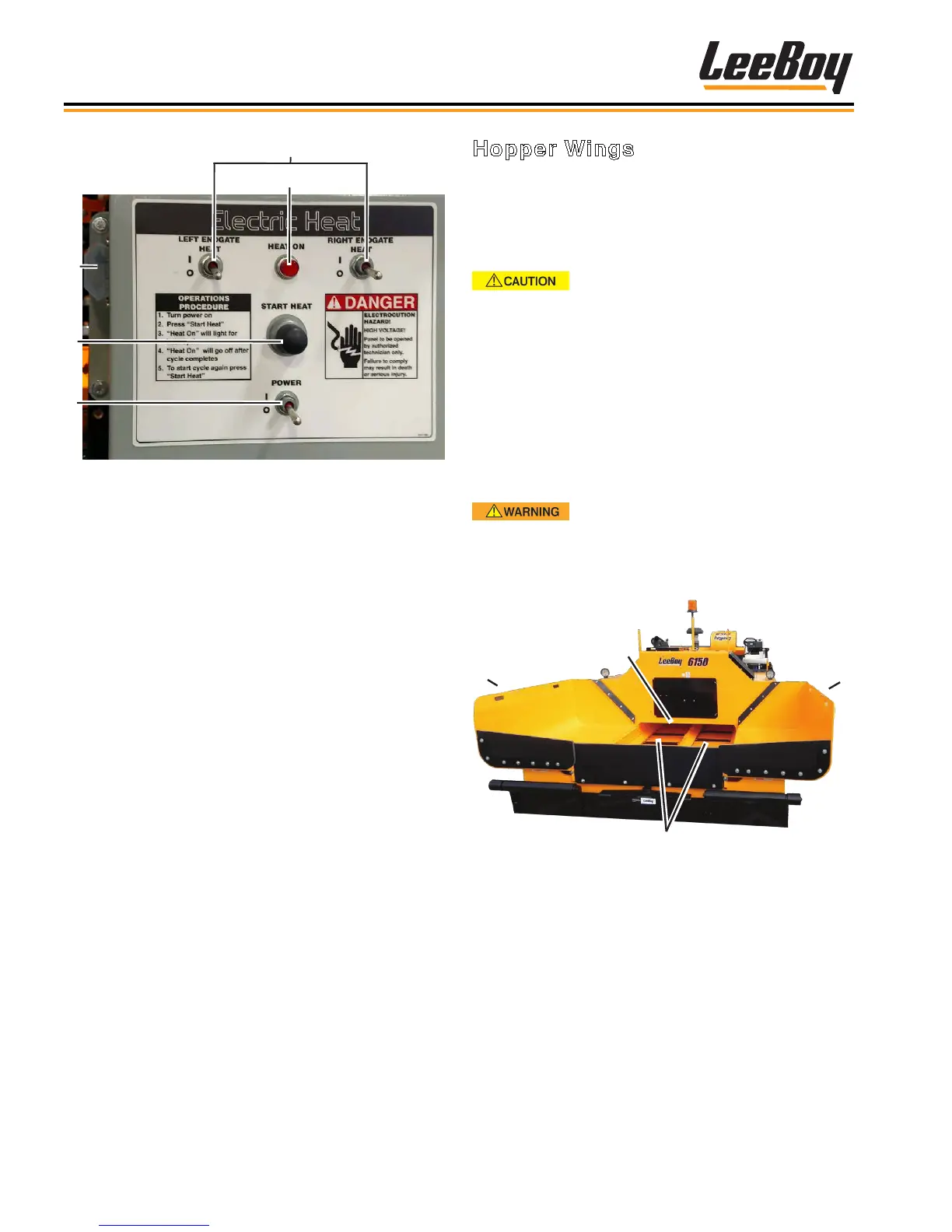
Figure 4-50. Hopper
1 - Hopper Wings
2 - Auger
3 - Conveyors
2
3
5
4
Figure 4-49. Electric Heat Control Box
1 - Left and Right Endgate Switches
(OPTION)
2 - Heat On Light
3 - Start Heat Button
4 - Power Switch
To operate the electric screed heating system:
1. Start the paver and idle until the engine reaches
normal operating temperature.
2. Set the throttle to normal operating speed of 1800
RPMs. Do not exceed 1800 RPMs.
3. Raise the screed plate one or two inches off the
ground.
4. Turn the electric heat control box power ON by
ipping the power switch up. (Figure 4-49)
5. Press the Start Heat button.
6. The HEAT ON indicator light will illuminate and stay
on as long as the element is heating the screed.
(The factory-set heat cycle is 20 minutes, which
should generate enough heat to begin the paving
process. Operating in cold temperatures may affect
the screed plate temperature slightly.)
7. If the heat cycle has completed but the screed
plates still require heating, restart the cycle by
repeating Step 4.



 To Next Page