55
LeeBoy 6150 Conveyor Paver 5-11
Maintenance
Check Adjustment
1. Remove the upper walkboard grate.
2. Secure conveyor ap so it remains in the ON posi-
tion. (Figure 5-7)
3. Check the conveyor switch.
4. If the switch clicked OFF, no further adjustment is
required.
Adjust Conveyor Switches
If the conveyor switch did not click OFF, adjustment is
needed:
1. Remove the linkage attaching the actuator arm to
the eyelet on the ap pivot housing.
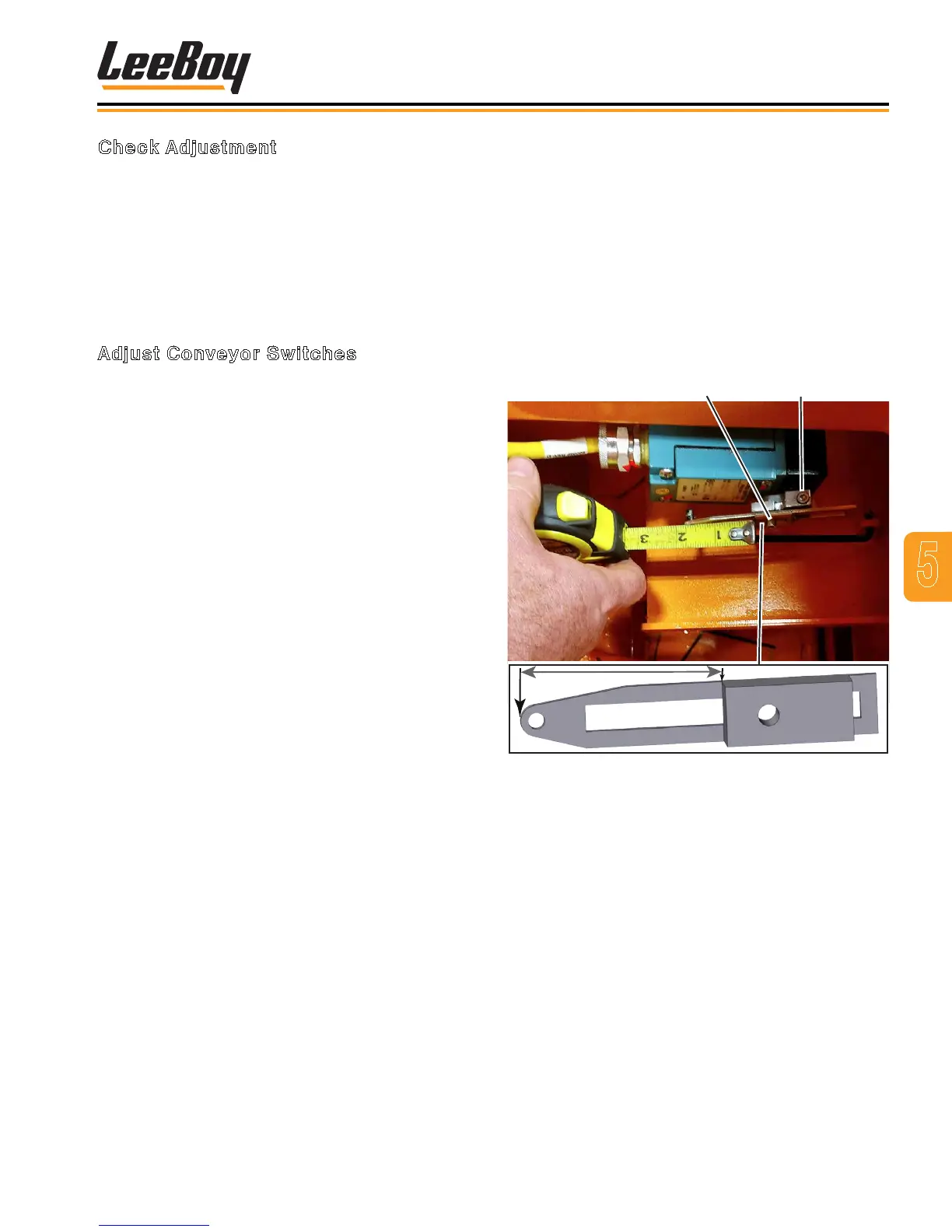
2. Loosen Setscrew A on the actuator arm. (Figure
5-8)
3. Reposition this arm by either rotating it clockwise
or counterclockwise, depending upon where the
conveyor switch clicked OFF during the conveyor
ap upward travel.
4. When the switch clicks OFF, tighten setscrew and
reconnect linkage.
5. Repeat procedure for the lower ap.
If the lower ap switch did not click OFF:
1. Loosen Setscrew B. (Figure 5-8)
2. Slide the actuator arm IN or OUT to bring the travel
limits into tolerance. This may require several
adjustments before the correct position is obtained.
3. When the actuator arm is in the correct position,
tighten Setscrew B.
NOTE: The setting from the factory is two inches (5
cm from the edge of the setscrew slide plate
to the end on the actuator arm. (Figure 5-8)
4. To bring the travel limits into tolerance, slide the
actuator arm in the direction desired. This may
require several adjustments before the correct
position is obtained. When the actuator arm is in
the correct position, tighten setscrew “B”. No further
adjustment is necessary.
Setscrew A
Setscrew B
2”
Figure 5-8. Actuator Arm - Setscrews A and B



 To Next Page