304
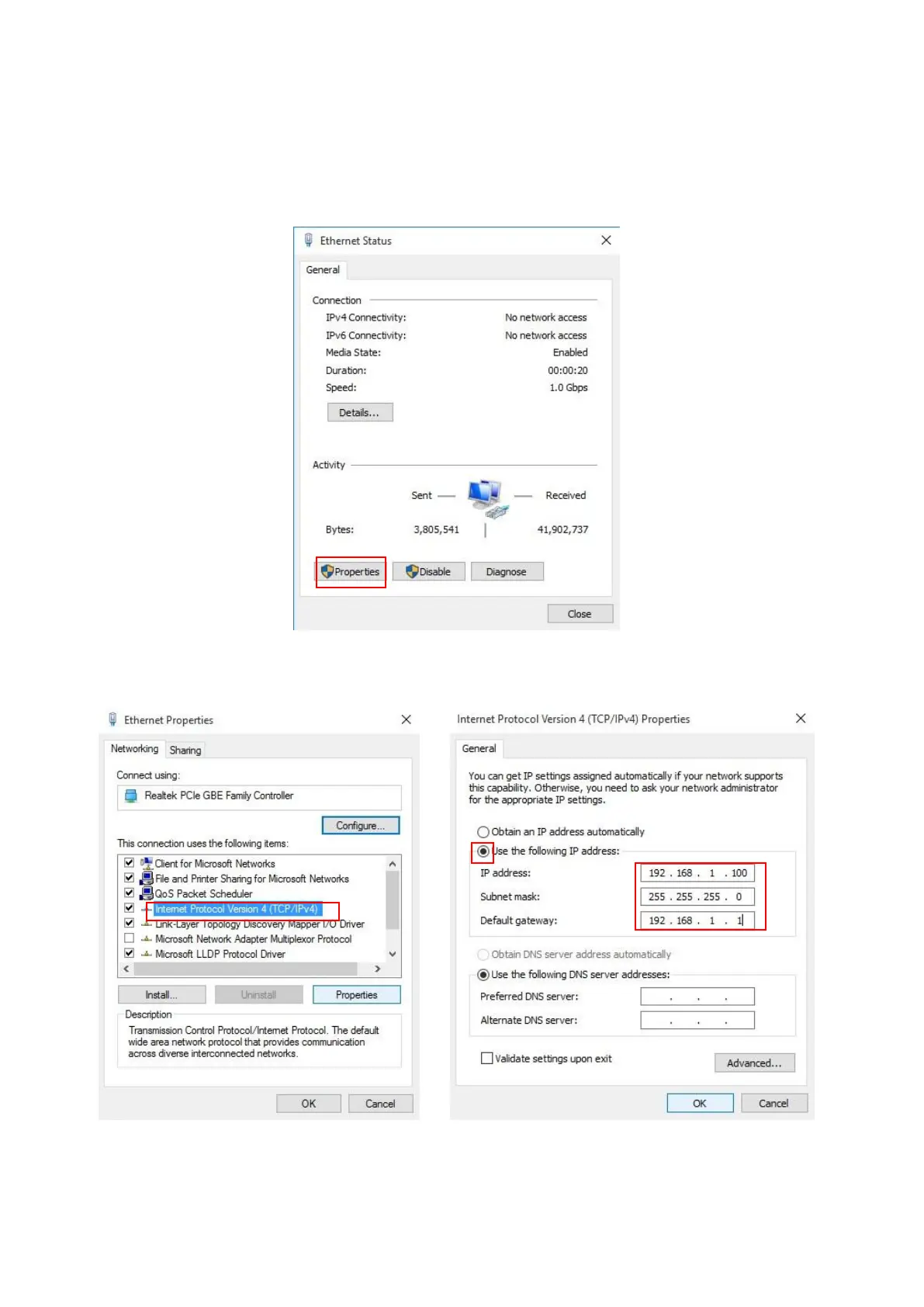
Step 1. Double click on the network connection status icon on the task bar. This should
bring up a window showing the status of the current network connection. If
there is no network status icon on the task bar, please go to the “Start ->
Settings -> Network -> Local Area Connection” of the Window task bar’s Start
menu.
Step 2. Click on the “property” icon.
Step 3. Double click on the “Internet Protocol Version 4 (TCP/IP)” icon.














 To Next Page