94
PARAMETERS
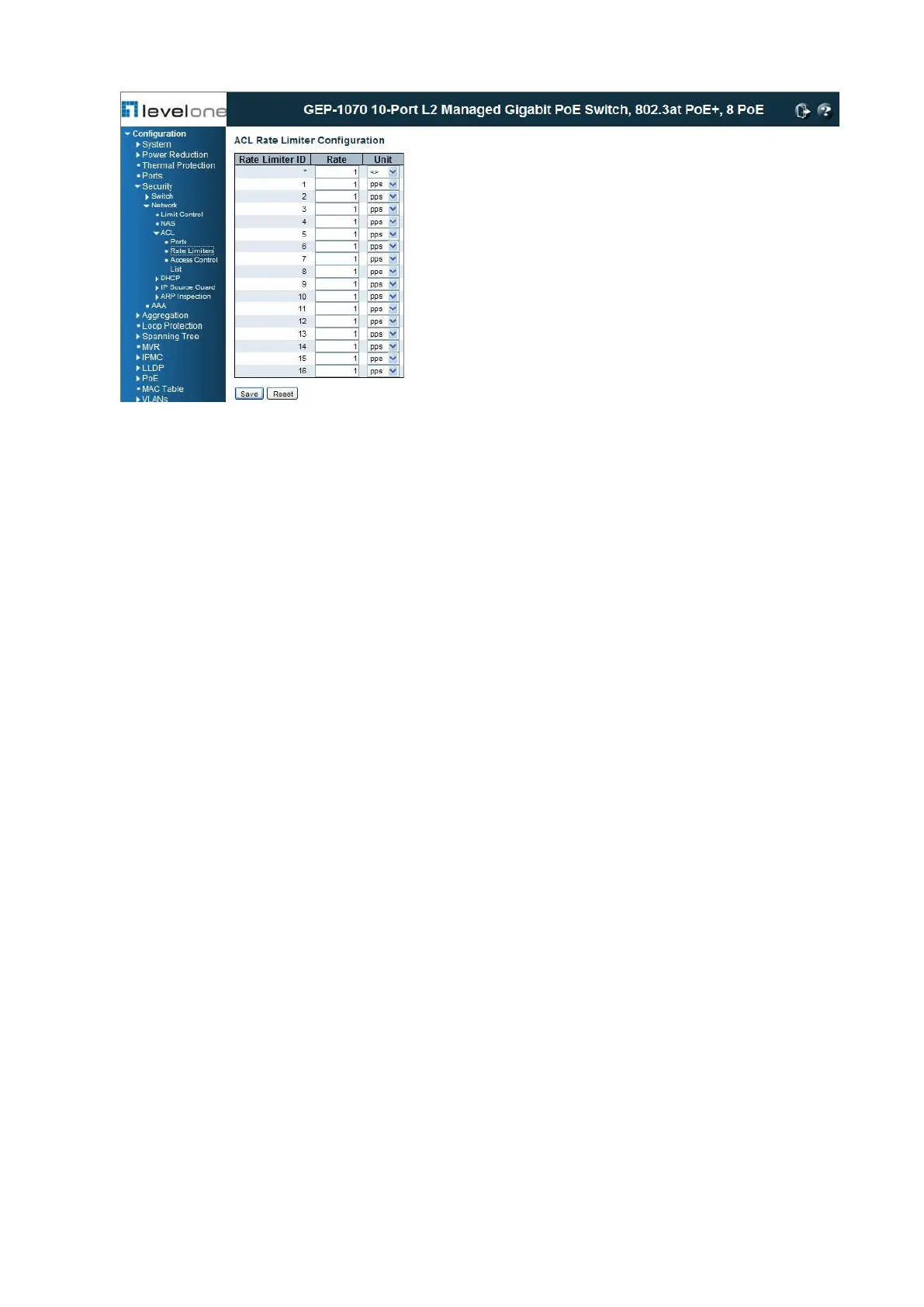
These parameters are displayed:
◆ Rate Limiter ID - Rate limiter identifier. (Range: 0-14; Default: 1)
◆ Rate - The threshold above which packets are dropped. (Options: 0-100 pps, or 0, 100,
2*100, 3*100, ... 1000000 kbps)
Due to an ASIC limitation, the enforced rate limits are slightly less than the listed options.
For example: 1 Kbps translates into an enforced threshold of 1002.1 pps.
◆ Unit - Unit of measure. (Options: pps or kbps; Default: pps)
WEB INTERFACE
To configure rate limits which can be applied to a port:
1. Click Configuration, Security, Network, ACL, Rate Limiters.
2. For any of the rate limiters, select the maximum ingress rate that will be supported on a
port once a match has been found in an assigned ACL.
3. Click Save.
Configuring Access Control Lists
Use the Access Control List Configuration page to define filtering rules for an ACL policy, for
a specific port, or for all ports. Rules applied to a port take effect immediately, while those
defined for a policy must be mapped to one or more ports using the ACL Ports Configuration
menu (page 89).
PATH














 To Next Page