Publication date: June, 2015
Revision A1
Buttons
Apply – Click to save changes.
Reset- Click to undo any changes made locally and revert to previously saved values.
2-8.4 CIST Ports
When you implement an Spanning Tree protocol on the switch that the bridge instance. You
need to configure the CIST Ports. The section describes it allows the user to inspect the to
inspect the current STP CIST port configurations, and possibly change them as well.
Web Interface
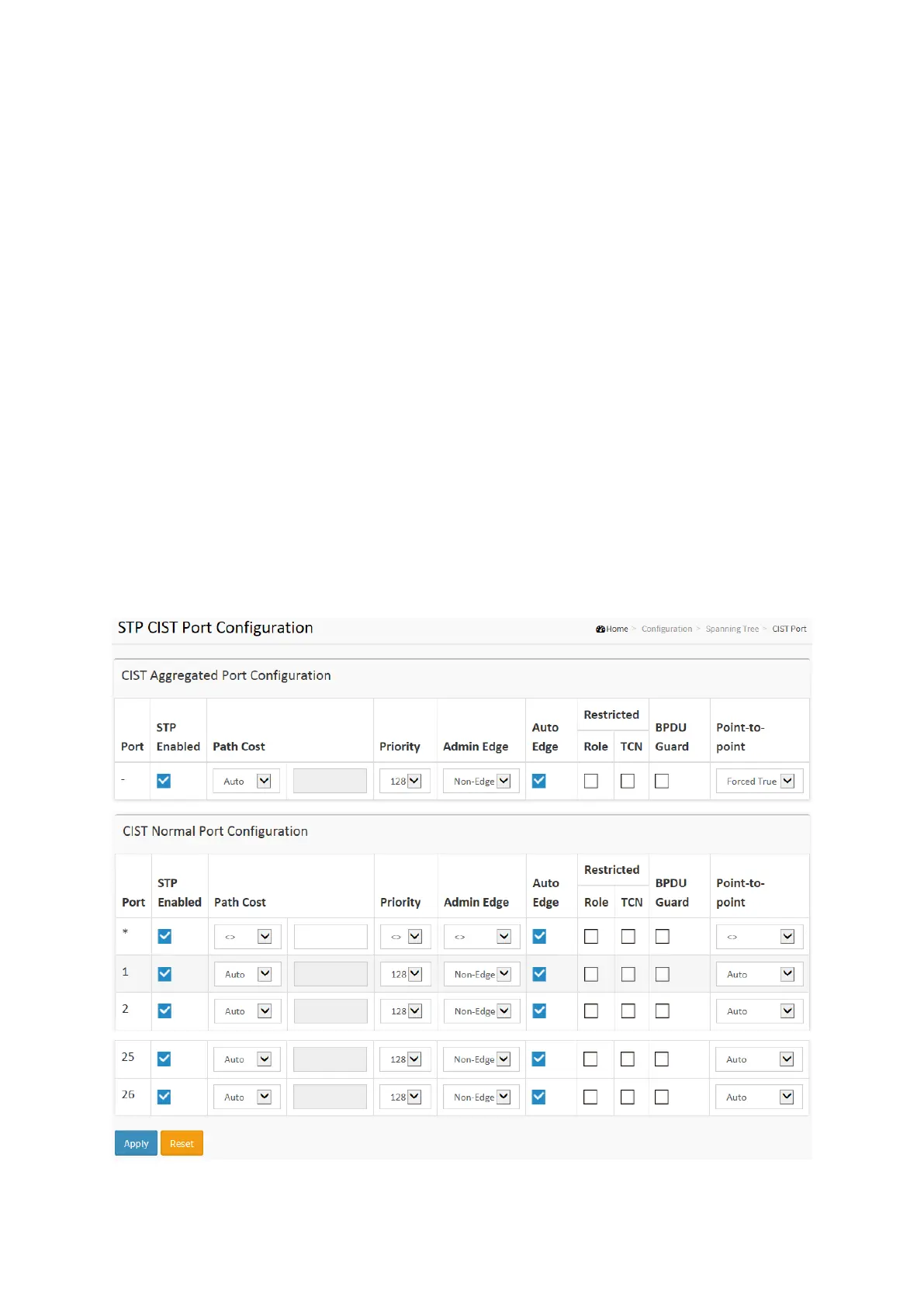
To configure the Spanning Tree CIST Ports parameters in the web interface:
1. Click Configuration, Spanning Tree, CIST Ports
2. Scroll and evoke to set all parameters of CIST Aggregated Port Configuration.
3. Evoke to enable or disable the STP, then scoll and evoke to set all parameters of the CIST
normal Port configuration.
4. Click the apply to save the setting
5. If you want to cancel the setting then you need to click the Reset button. It will revert to
previously saved values
Figure 2-8.4: The STP CIST Port Configuration














 To Next Page