Publication date: June, 2015
Revision A1
Auto-refresh: Check this box to refresh the page automatically. Automatic refresh occurs
every 3 seconds.
Clear: Clears the counters for the selected port.
Refresh: Click to refresh the page.
3-3.5 SFP Information
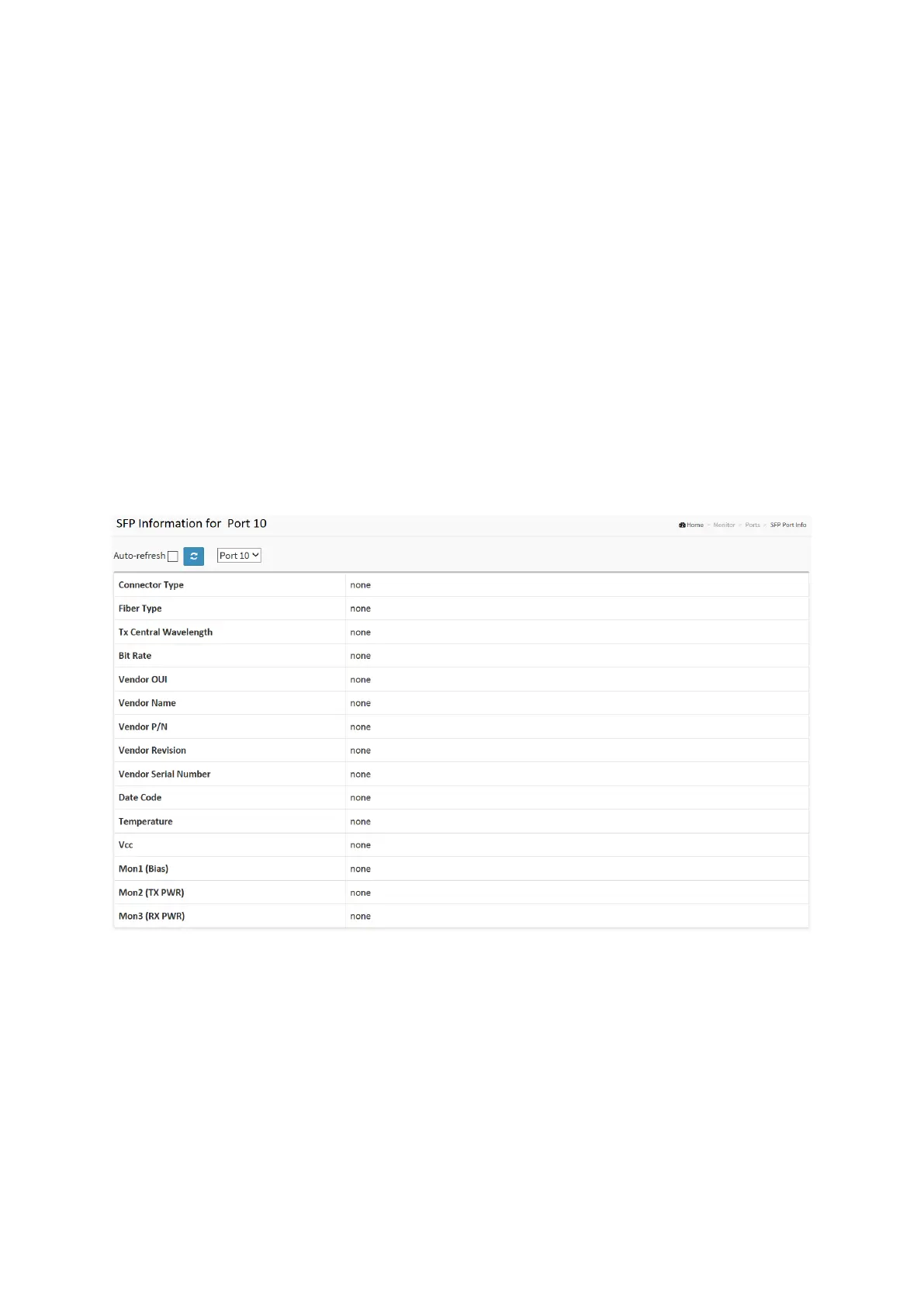
The section describes that switch could display the SFP module detail information which you
connect it to the switch. The information includes: Connector type, Fiber type, wavelength,
baud rate and Vendor OUI etc.
Web Interface
To Display the SFP information in the web interface:
1. Click Monitor, then SFP Information
2. To display the SFP Information.
Figure 3-3.5: The SFP Information Overview
Parameter description:
Connector Type:
Display the connector type, for instance, UTP, SC, ST, LC and so on.
Fiber Type:
Display the fiber mode, for instance, Multi-Mode, Single-Mode.
Tx Central Wavelength:
Display the fiber optical transmitting central wavelength, for instance, 850nm, 1310nm,
1550nm and so on.














 To Next Page