Publication date: June, 2015
Revision A1
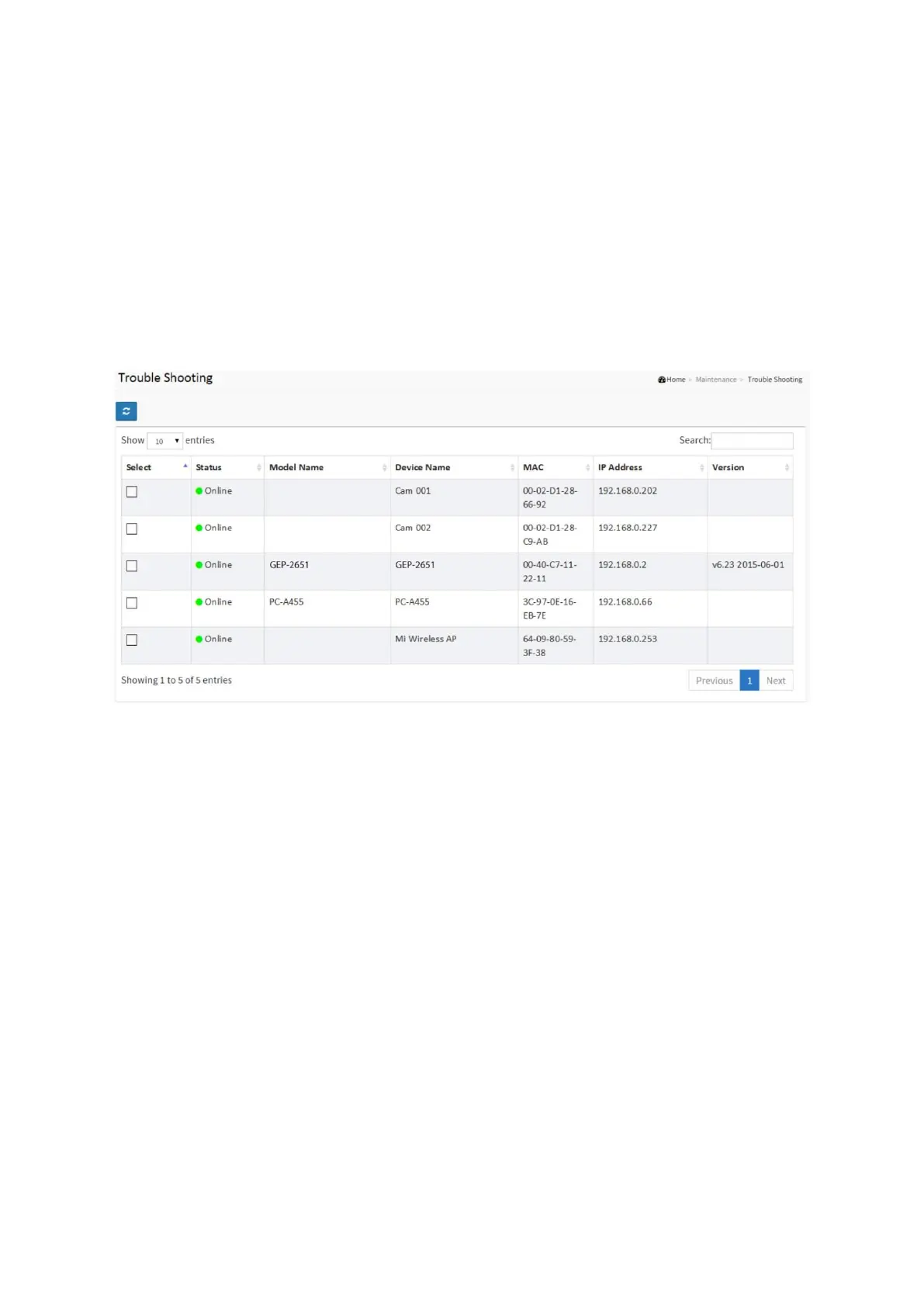
8-2 Trouble shooting
In this page, you can troubleshoot any issue you have with device connected to the network.
This feature is designed primarily for administrators to verify and test the link route between
the switch and the device. A troubleshooting solution is provided by the system so that
administrators can detect where the problem lies. Note that the topology of network needs to
be saved for this function to work properly.
Web interface
To configure DMS Information in the web interface:
1. Click DMS, Diagnostics, and Device Status.
2. Select device to start the recover Mechanism.
Figure 8-2: Device Status














 To Next Page