Publication date: June, 2015
Revision A1
3-12 PoE
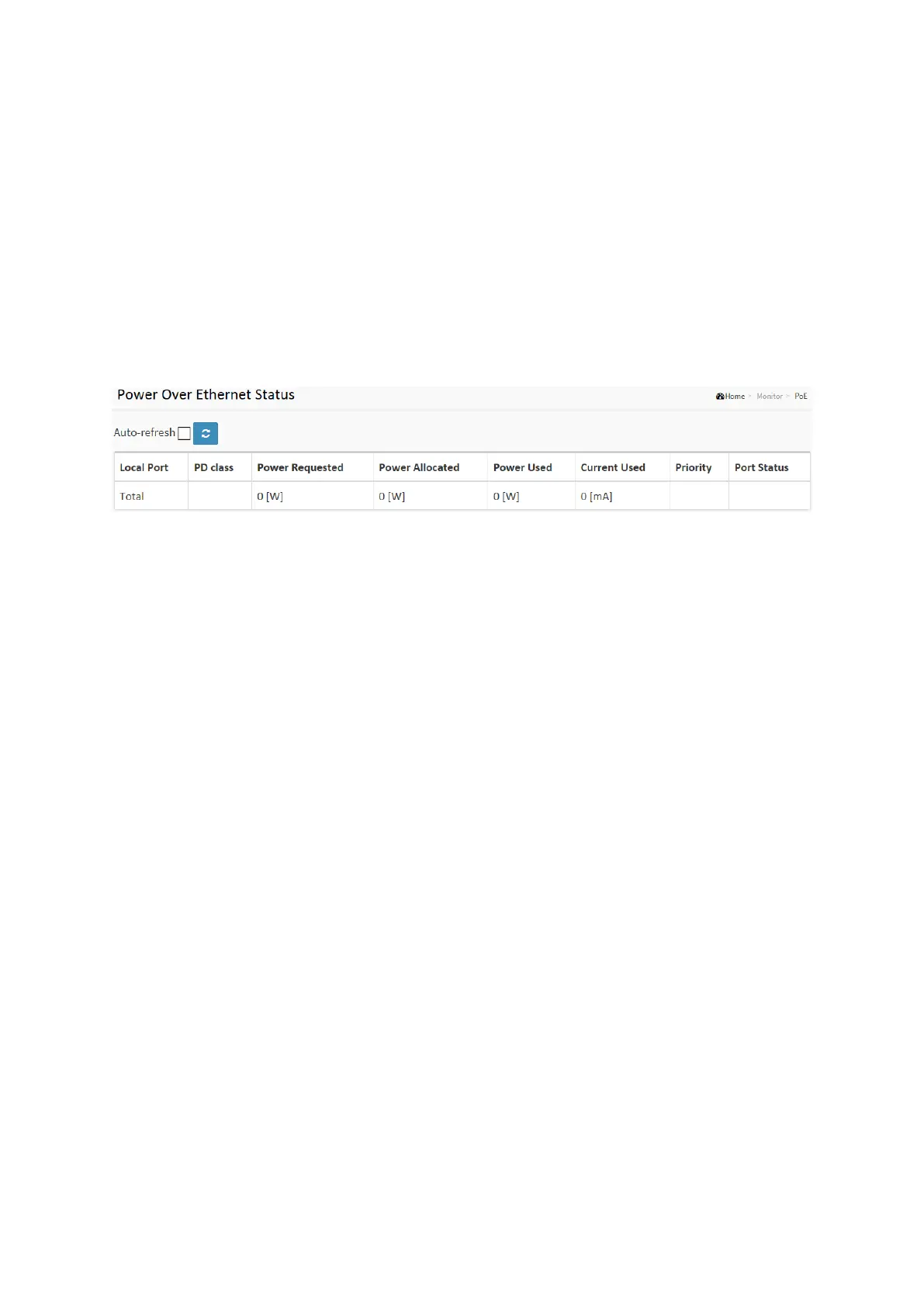
This page allows the user to inspect the current status for all PoE ports.
Web Interface
To Display ECE Statistics in the web interface:
1. Click Monitor, PoE
2. Checked “Auto-refresh”.
3. Click “ Refresh“ to refresh the port detailed statistics.
Figure 3-12: The PoE Statistics
Parameter description:
Local Port
This is the logical port number for this row.
PD Class
Each PD is classified according to a class that defines the maximum power the PD will use.
The PD Class shows the PDs class.
Five Classes are defined:
Class 0: Max. power 15.4 W
Class 1: Max. power 4.0 W
Class 2: Max. power 7.0 W
Class 3: Max. power 15.4 W
Class 4: Max. power 30.0 W
Power Requested
The Power Requested shows the requested amount of power the PD wants to be reserved.
Power Allocated
The Power Allocated shows the amount of power the switch has allocated for the PD.
Power Used
The Power Used shows how much power the PD currently is using.
Current Used
The Power Used shows how much current the PD currently is using.
Priority
The Priority shows the port's priority configured by the user.














 To Next Page