Publication date: June, 2015
Revision A1
2- 11.1 Configuration
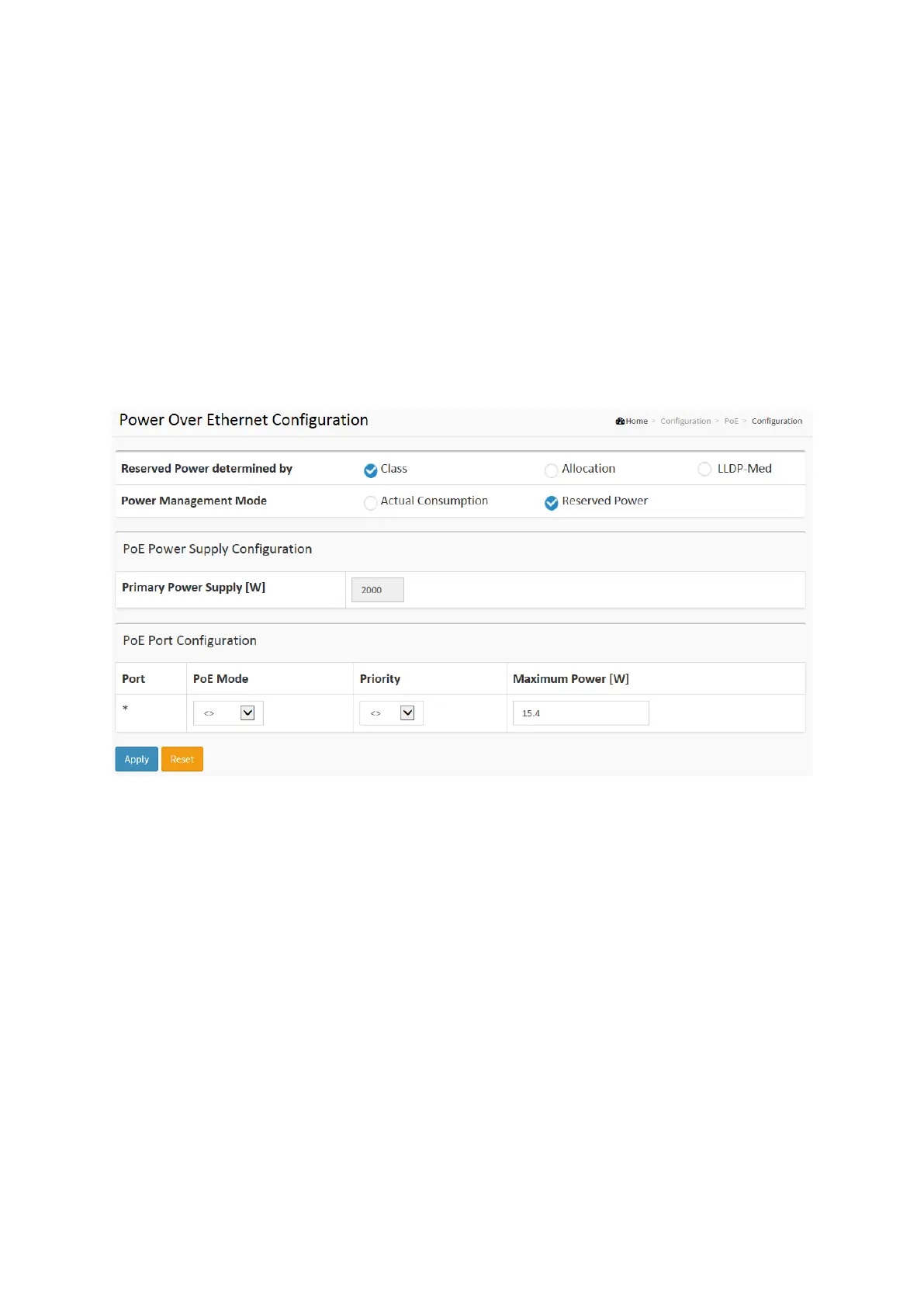
This page allows the user to inspect and configure the current PoE port settings and show all
PoE Supply.
Web Interface
To configure Power Over Ethernet in the web interface:
1. Click configuration, PoE, and configuration
2. Specify the Reserved Power determined and Power Management ode. Specify the PoE
or PoE++ and Priority.
3. Click Apply.
Figure 2-13.1: The PoE Configuration
Parameter description:
Power Supply Configuration
Reserved Power determined by :
There are three modes for configuring how the ports/PDs may reserve power.
1. Allocated mode: In this mode the user allocates the amount of power that each port may
reserve. The allocated/reserved power for each port/PD is specified in the Maximum Power
fields.
2. Class mode: In this mode each port automatically determines how much power to reserve
according to the class the connected PD belongs to, and reserves the power accordingly.
Four different port classes exist and one for 4, 7, 15.4 or 30 Watts. In this mode the
Maximum Power fields have no effect.
3. LLDP-MED mode: This mode is similar to the Class mode expect that each port determine
the amount power it reserves by exchanging PoE information using the LLDP protocol and
reserves power accordingly. If no LLDP information is available for a port, the port will
reserve power using the class modeIn this mode the Maximum Power fields have no effect
For all modes: If a port uses more power than the reserved power for the port, the port is
shut down.














 To Next Page