Publication date: June, 2015
Revision A1
2- 11.3 Scheduling
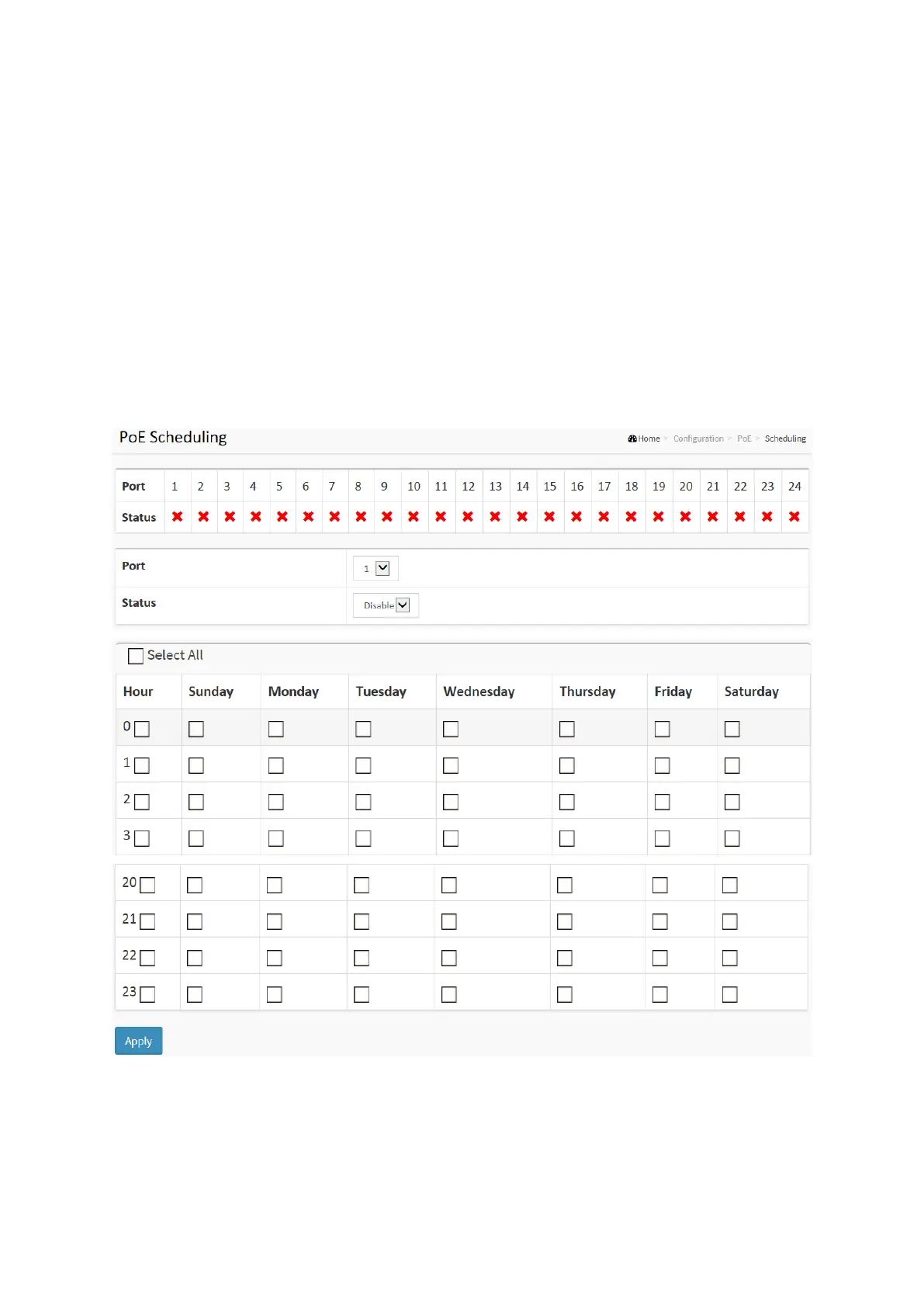
This page allows the user to make a perfect schedule of PoE power supply. PoE Scheduling not
only makes PoE management easier but also saves more energy
Web Interface
To Display Power Over Ethernet Scheduling in the web interface:
1. Click Configuration, PoE, and Scheduling.
2. Select the local port and enable.
3. Select time and day to supply power.
4. Click Apply to apply the change.
Figure 2-11.3: The PoE Scheduling














 To Next Page