Publication date: June, 2015
Revision A1
Reset- Click to undo any changes made locally and revert to previously saved values.
2-16.2 OUI
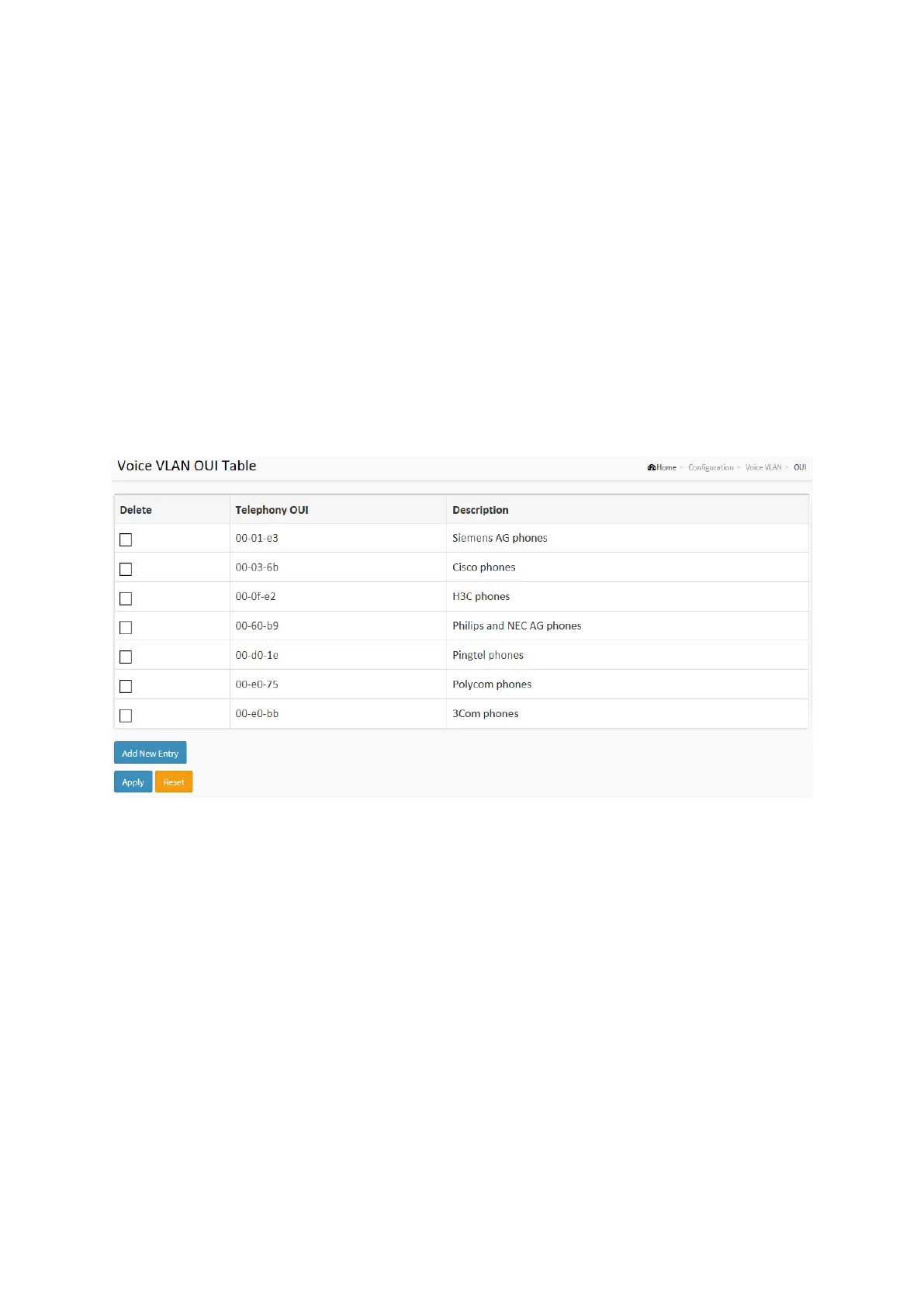
The section describes to Configure VOICE VLAN OUI table . The maximum entry number is 16.
Modifying the OUI table will restart auto detection of OUI process.
Web Interface
To configure Voice VLAN OUI Table in the web interface:
1. Select “Add new entry” ,”Delete”in the Voice VLAN OUI table..
2. Specify Telephony OUI, Description..
3. Click Apply.
Figure 2-16.2: The Voice VLAN OUI Table
Parameter description:
Delete :
Check to delete the entry. It will be deleted during the next save.
Telephony OUI :
A telephony OUI address is a globally unique identifier assigned to a vendor by IEEE. It must
be 6 characters long and the input format is "xx-xx-xx" (x is a hexadecimal digit).
Description :
The description of OUI address. Normally, it describes which vendor telephony device it
belongs to. The allowed string length is 0 to 32.
Add New entry :
Click to add a new entry in Voice VLAN OUI table. An empty row is added to the table, the
Telephony OUI, Description.
Buttons:
Apply – Click to save changes.
Reset- Click to undo any changes made locally and revert to previously saved values.














 To Next Page