Publication date: June, 2015
Revision A1
PerfectReach Savings
Shows if the system is currently saving power due to PerfectReach.
3-3 Ports
The section describes to configure the Port detail parameters of the switch. Others you could
using the Port configure to enable or disable the Port of the switch. Monitor the ports content
or status in the function.
3-3.1 Traffic Overview
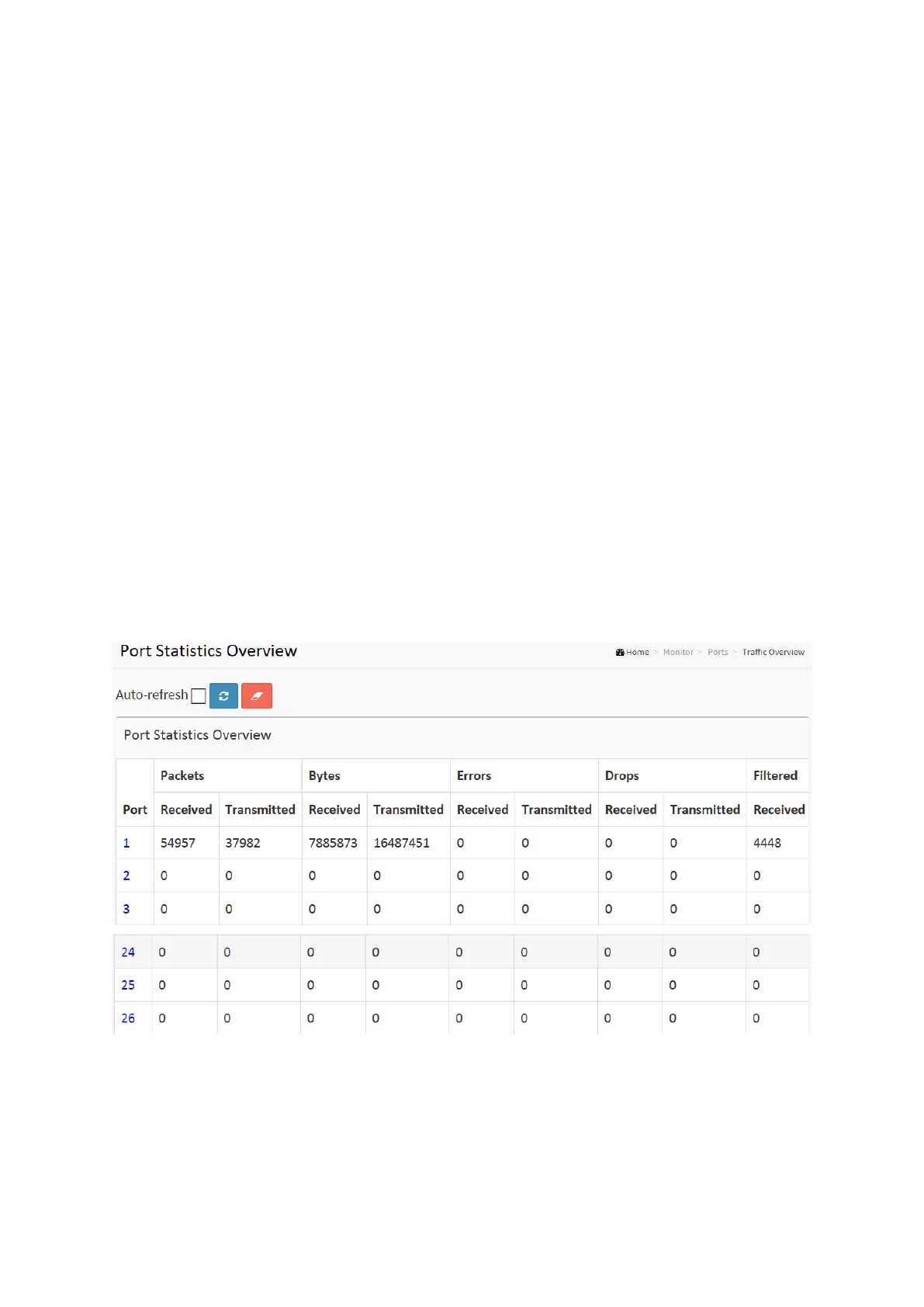
The section describes to the Port statistics information and provides overview of general traffic
statistics for all switch ports.
Web Interface
To Display the Port Statistics Overview in the web interface:
1. Click Monitor, Port, then Traffic Overview
2. If you want to auto-refresh then you need to evoke the “Auto-refresh”.
3. Click “ Refresh“ to refresh the port statistics or clear all information when you click
“ Clear”.
Figure 3-3.1: The Port Statistics Overview
Parameter description:
Port :
The logical port for the settings contained in the same row.
Packets :
The number of received and transmitted packets per port.














 To Next Page