Publication date: June, 2015
Revision A1
5-4 Configuration
The switch stores its configuration in a number of text files in CLI format. The files are either
virtual (RAM-based) or stored in flash on the switch.
There are three system files:
running-config: A virtual file that represents the currently active configuration on the
switch. This file is volatile.
startup-config: The startup configuration for the switch, read at boot time.
default-config: A read-only file with vendor-specific configuration. This file is read when
the system is restored to default settings.
It is also possible to store up to two other files and apply them to running-config, thereby
switching configuration.
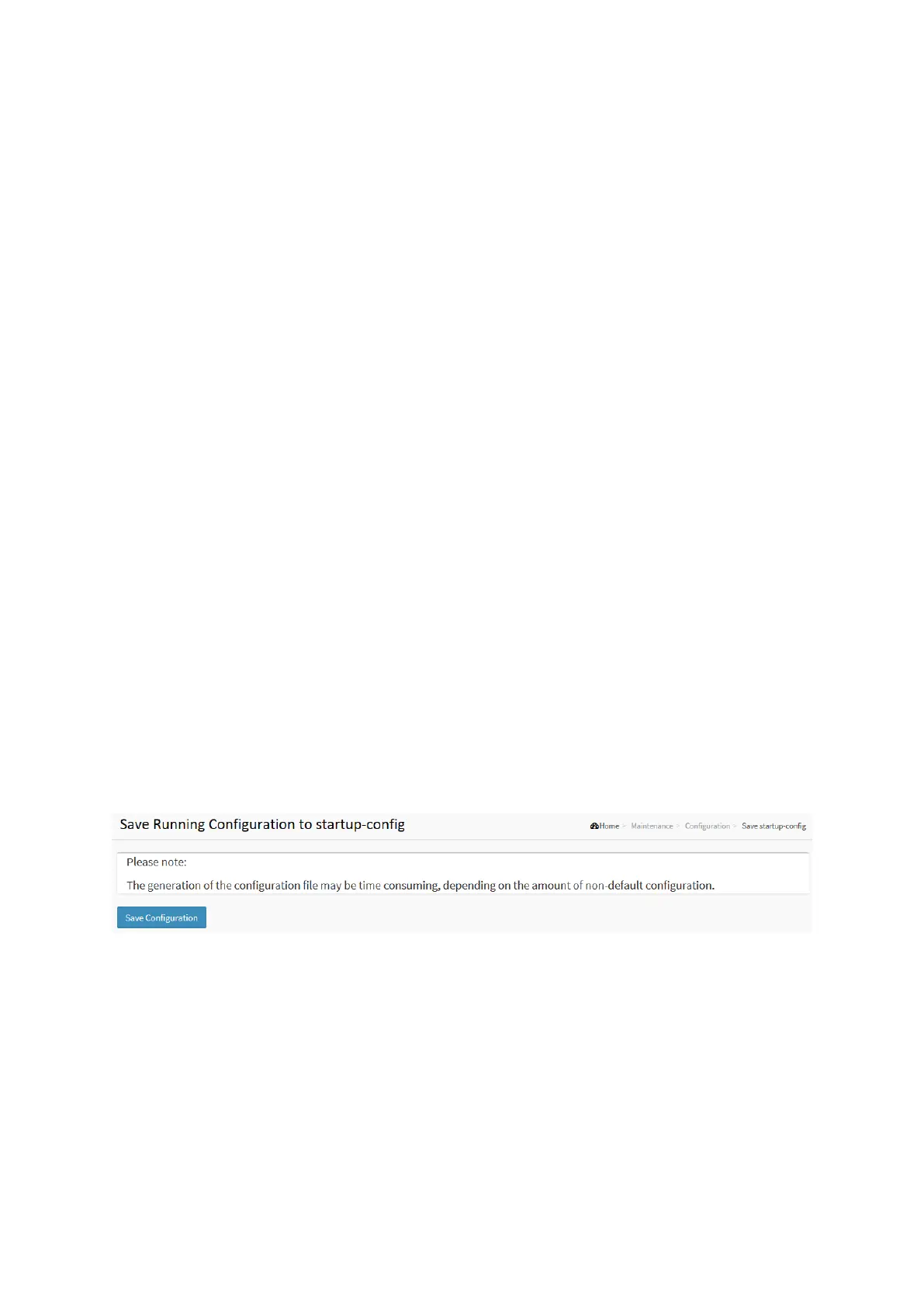
5-4.1 Save startup-config
This copy running-config to startup-config, thereby ensuring that the currently active
configuration will be used at the next reboot.
Web Interface
To save running configuration in the web interface:
1. Chick Browser to select Maintenance/Configuration in you device.
2. Click Apply Startup-Config Select.
Figure 5-4.1: The Save Startup Configuration
Parameter description:
Buttons :
Save Configuration: Click to save configuration, the running configuration will be written
to flash memory for system boot up to load this startup configuration file.




 To Next Page