Publication date: June, 2015
Revision A1
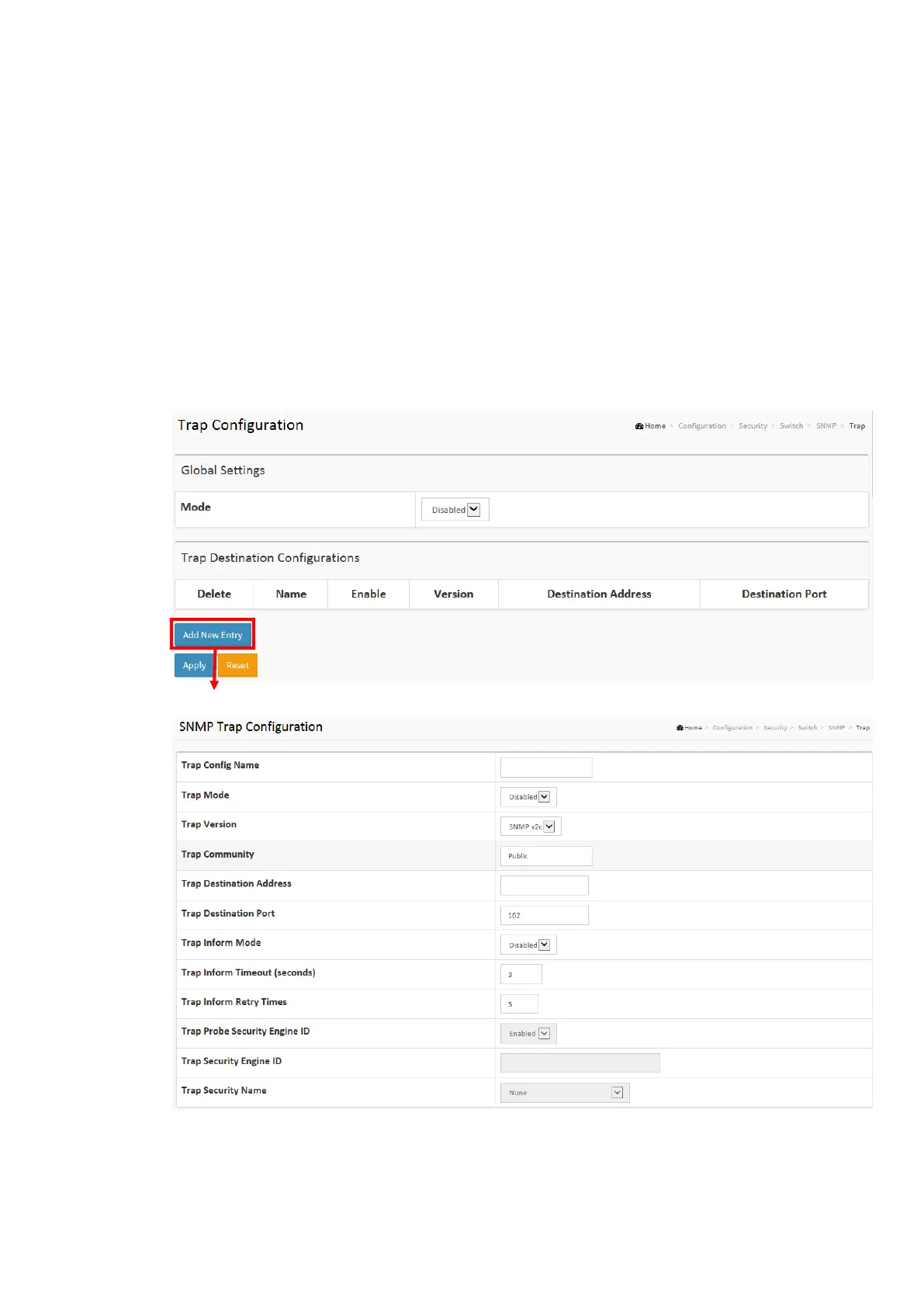
2-5.1.5.2 Trap
Configure SNMP trap on this page.
Global Settings
Configure SNMP trap on this page.
Web Interface
To display the configure SNMP Trap Configuration in the web interface:
1. Click Configuration, Switch, SNMP, Trap.
2. Click Add New Entry then you can create new SNMP Trap on the switch.
3. Click Apply
Figure2-5.1.7.2: The SNMP Trap Configuration














 To Next Page