Publication date: June, 2015
Revision A1
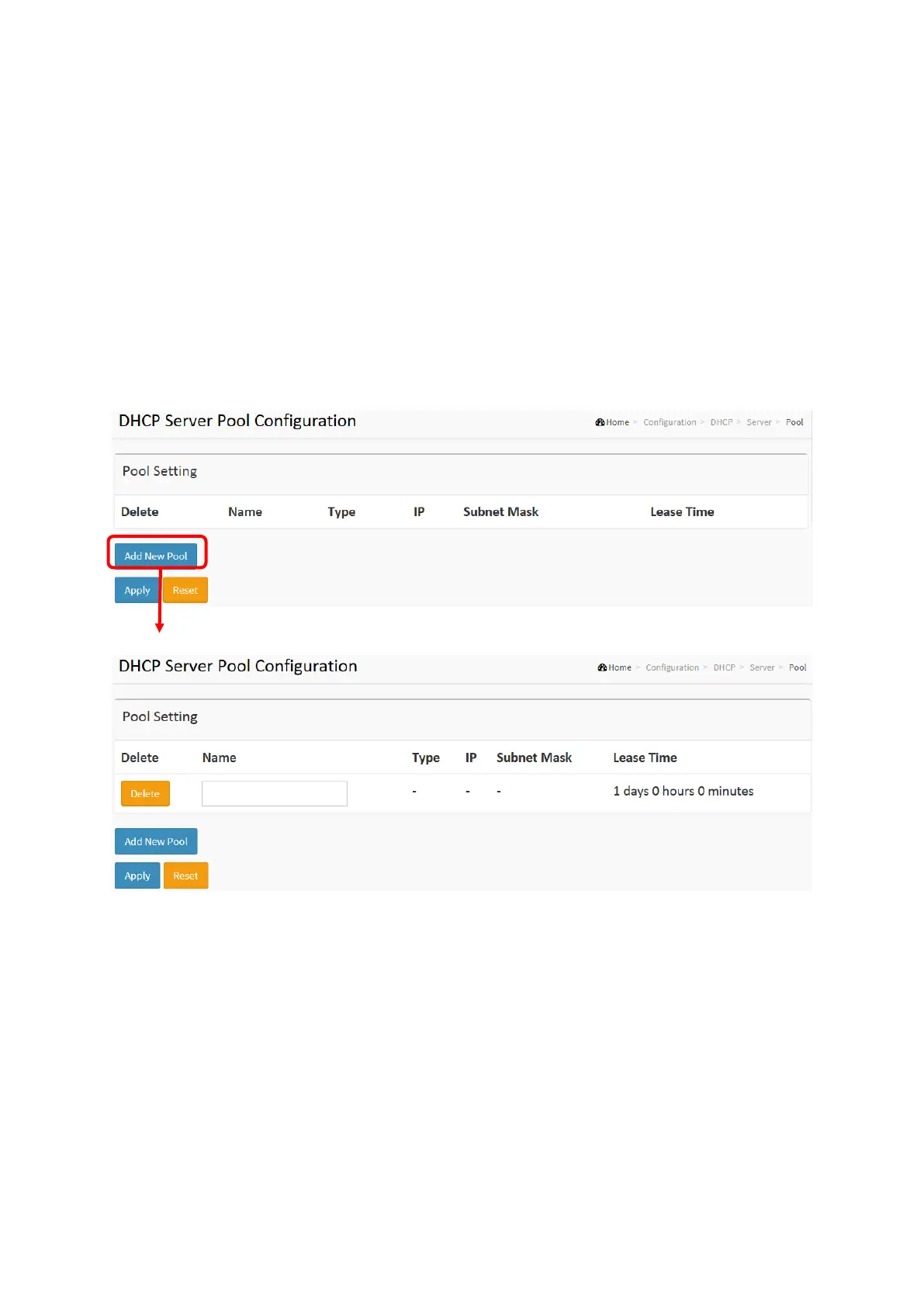
2-4.1.3 Pool
This page manages DHCP pools. According to the DHCP pool, DHCP server will
allocate IP address and deliver configuration parameters to DHCP client.
Web Interface
To configure DHCP server pool in the web interface:
1. Click Configuration, DHCP, Server, Pool
2. Click Add New Pool then you can create new Pool on the switch.
3. Click Apply.
Figure 2-4.1.3: The DHCP server pool
Parameter description:
Pool Setting
Add or delete pools.
Adding a pool and giving a name is to create a new pool with "default" configuration. If you
want to configure all settings including type, IP subnet mask and lease time, you can click
the pool name to go into the configuration page.
Name :
Configure the pool name that accepts all printable characters, except white space. If you want to
configure the detail settings, you can click the pool name to go into the configuration page.
Type :
Display which type of the pool is.














 To Next Page