Publication date: June, 2015
Revision A1
2-5.2 Network
2-5.2.1 Limit Control
This section shows you to to configure the Port Security settings of the Switch. You can use the
Port Security feature to restrict input to an interface by limiting and identifying MAC addresses.
Web Interface
To configure a Configuration of Limit Control in the web interface:
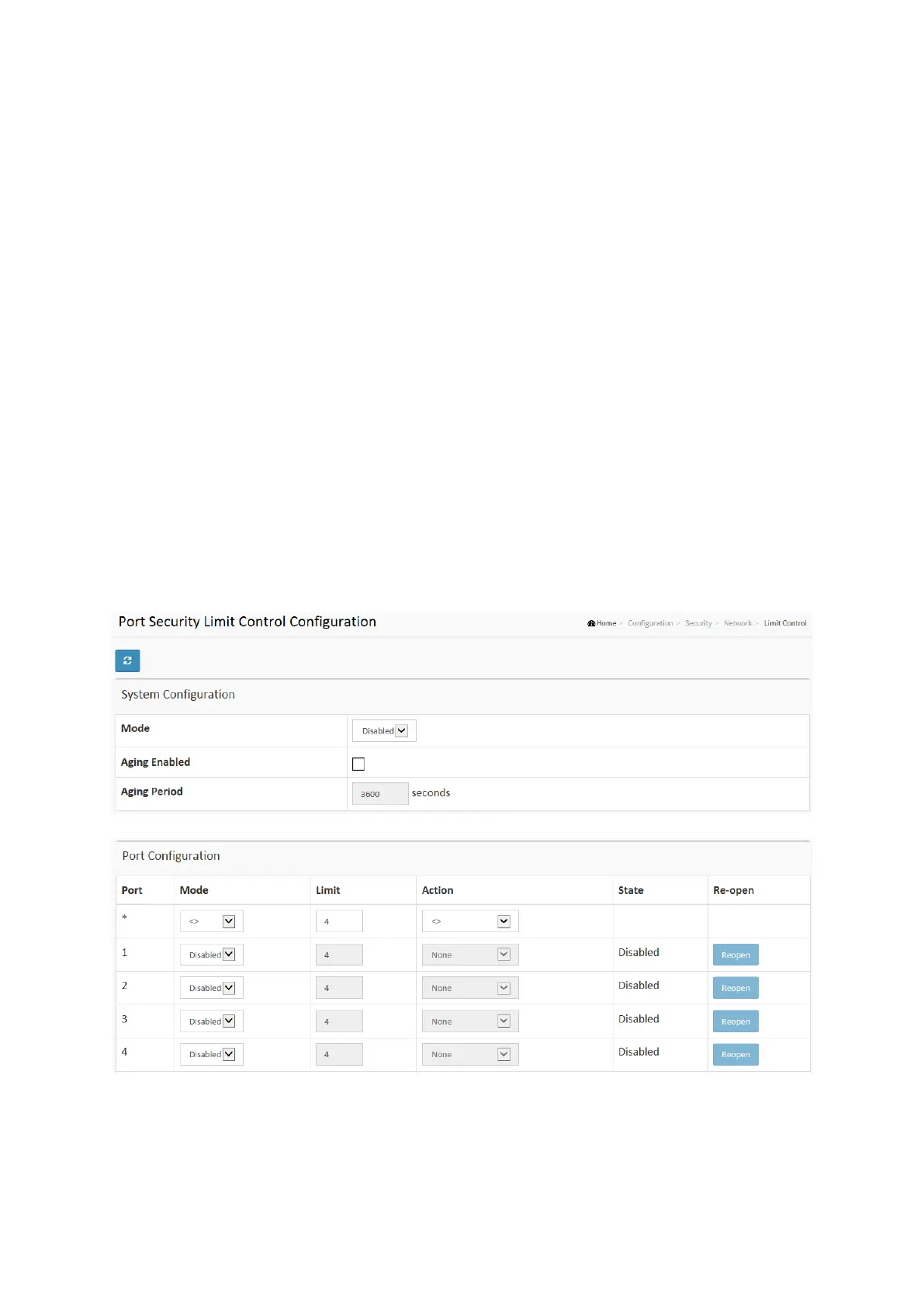
1. Select “Enabled” in the Mode of System Configuration.
2. Checked Aging Enabled.
3. Set Aging Period (Default is 3600 seconds).
To configure a Port Configuration of Limit Control in the web interface:
1. Select “Enabled” in the Mode of Port Configuration.
2. Specify the maximum number of MAC addresses in the Limit of Port Configuration.
3. Set Ation (Trap, Shutdown, Trap & Shutdown)
4. Click Apply.
Figure 2-5.2.1: The Port Security Limit Control Configuration














 To Next Page