Publication date: June, 2015
Revision A1
3-6.3 Port Statistics
This section describes that when you complete to set LACP function on the switch then it
provides a Port Statistics overview for all LACP instances
Web Interface
To display the LACP Port status in the web interface:
1. Click Monitor, LACP, Port Statistics
2. If you want to auto-refresh the information then you need to evoke the “Auto refresh”.
3. 3. Click “ Refresh“ to refresh the LACP Statistics.
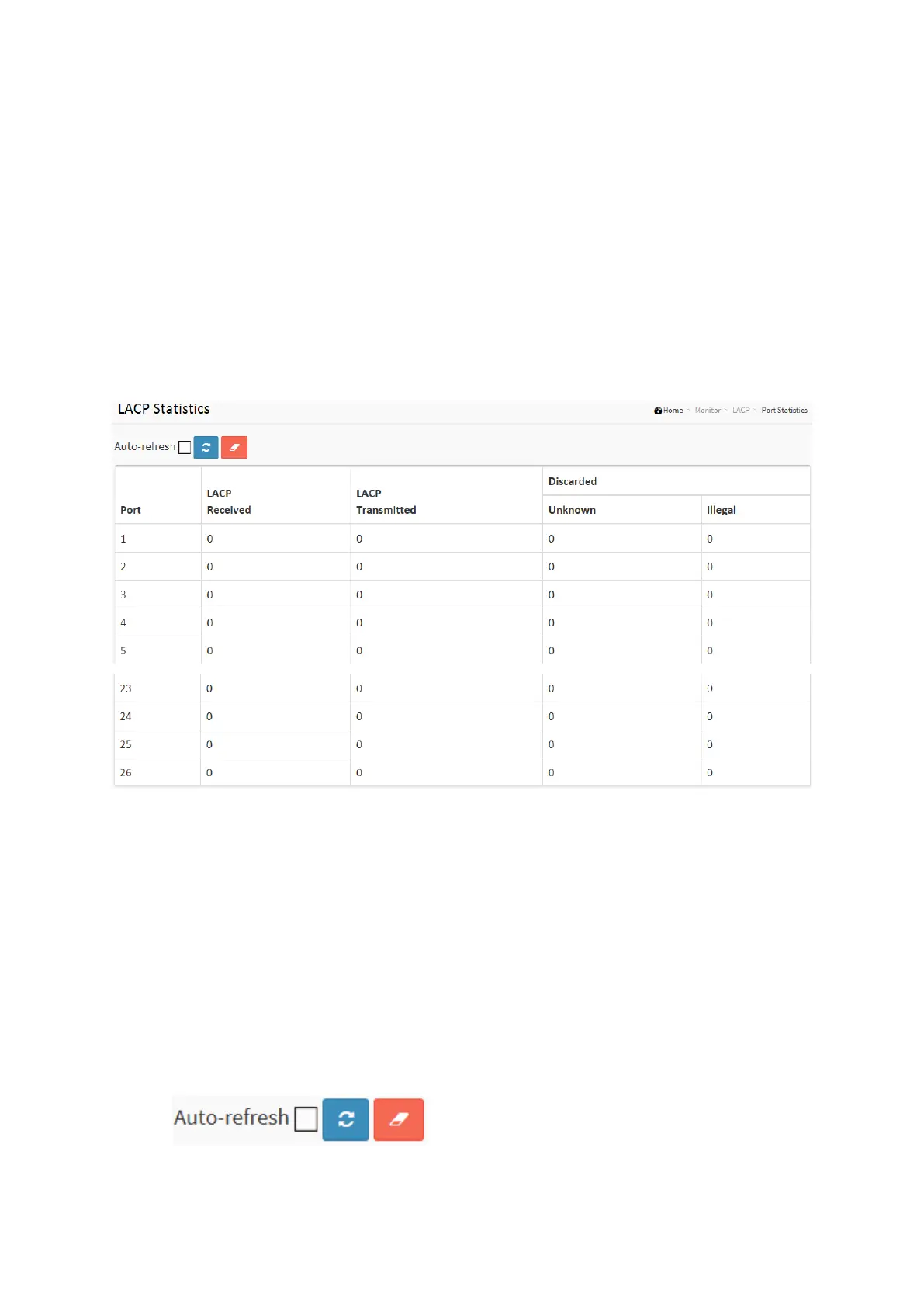
Figure 3-6.3: The LACP Statistics
Parameter description:
Port :
The switch port number.
LACP Received :
Shows how many LACP frames have been received at each port.
LACP Transmitted :
Shows how many LACP frames have been sent from each port.
Discarded :
Shows how many unknown or illegal LACP frames have been discarded at each port.
Buttons
Auto-refresh: Check this box to refresh the page automatically. Automatic refresh occurs
every 3 seconds.
Clear: Clears the counters for the selected port.














 To Next Page