Publication date: June, 2015
Revision A1
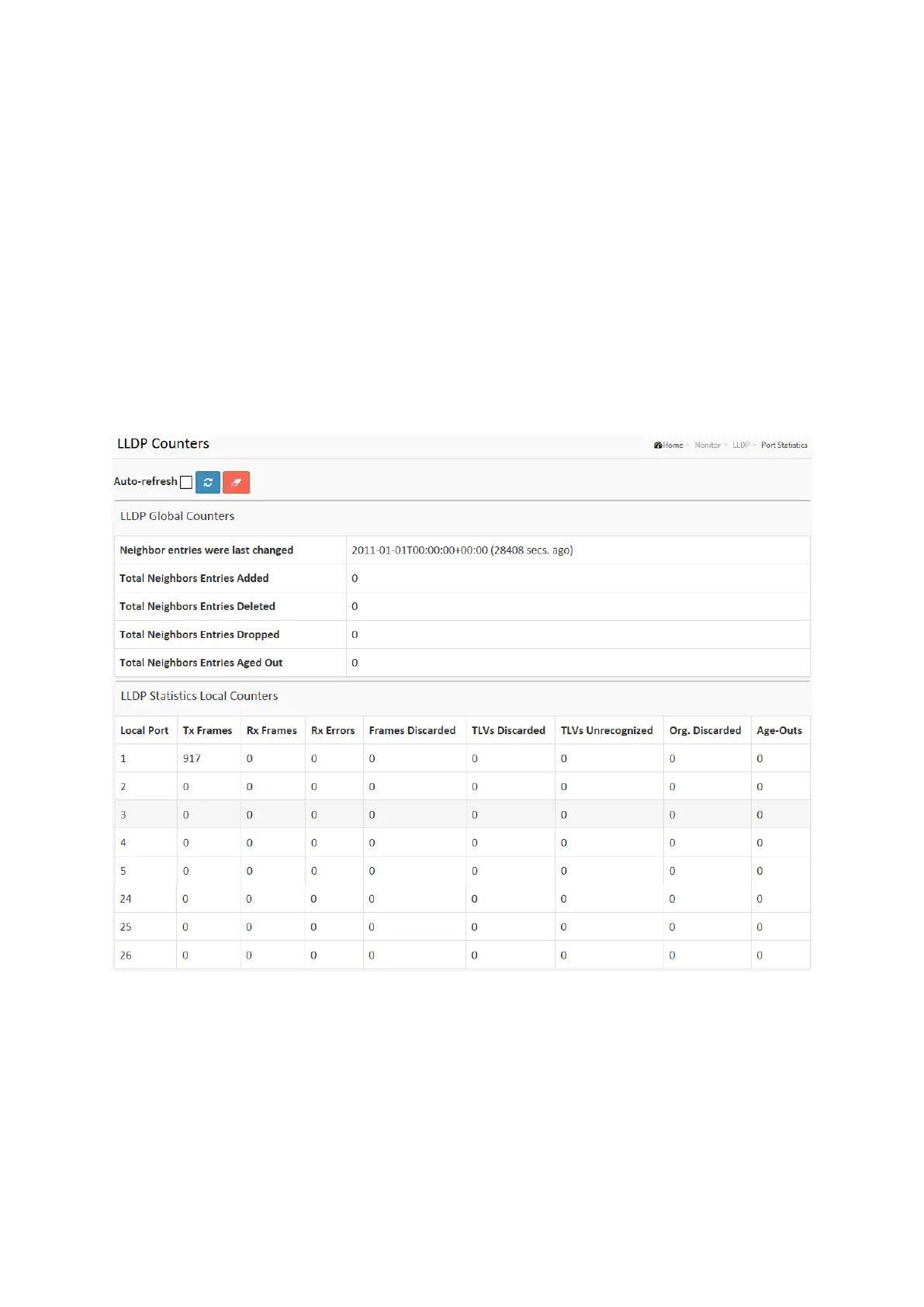
3-11.5 Port Statistics
Two types of counters are shown. Global counters are counters that refer to the whole switch,
while local counters refer to per port counters for the currently selected switch
Web Interface
To show LLDP Statistics:
1. Click Monitor ,LLDP, then click Port Statistics to show LLDP counters
2. Click Refresh for manual update web screen
3. Click Auto-refresh for auto-update web screen
4. Click Clear to clear all counters
Figure 3-11.5: The LLDP Port Statistics information
Parameter description:
Global Counters
Neighbour entries were last changed at :
It also shows the time when the last entry was last deleted or added. It also shows the time
elapsed since the last change was detected.
Total Neighbours Entries Added :
Shows the number of new entries added since switch reboot.














 To Next Page