2-3 Ports Configuration
The section describes to configure the Port detail parameters of the switch. Others you could
using the Port configure to enable or disable the Port of the switch. Monitor the ports content
or status in the function.
2-3.1 Ports
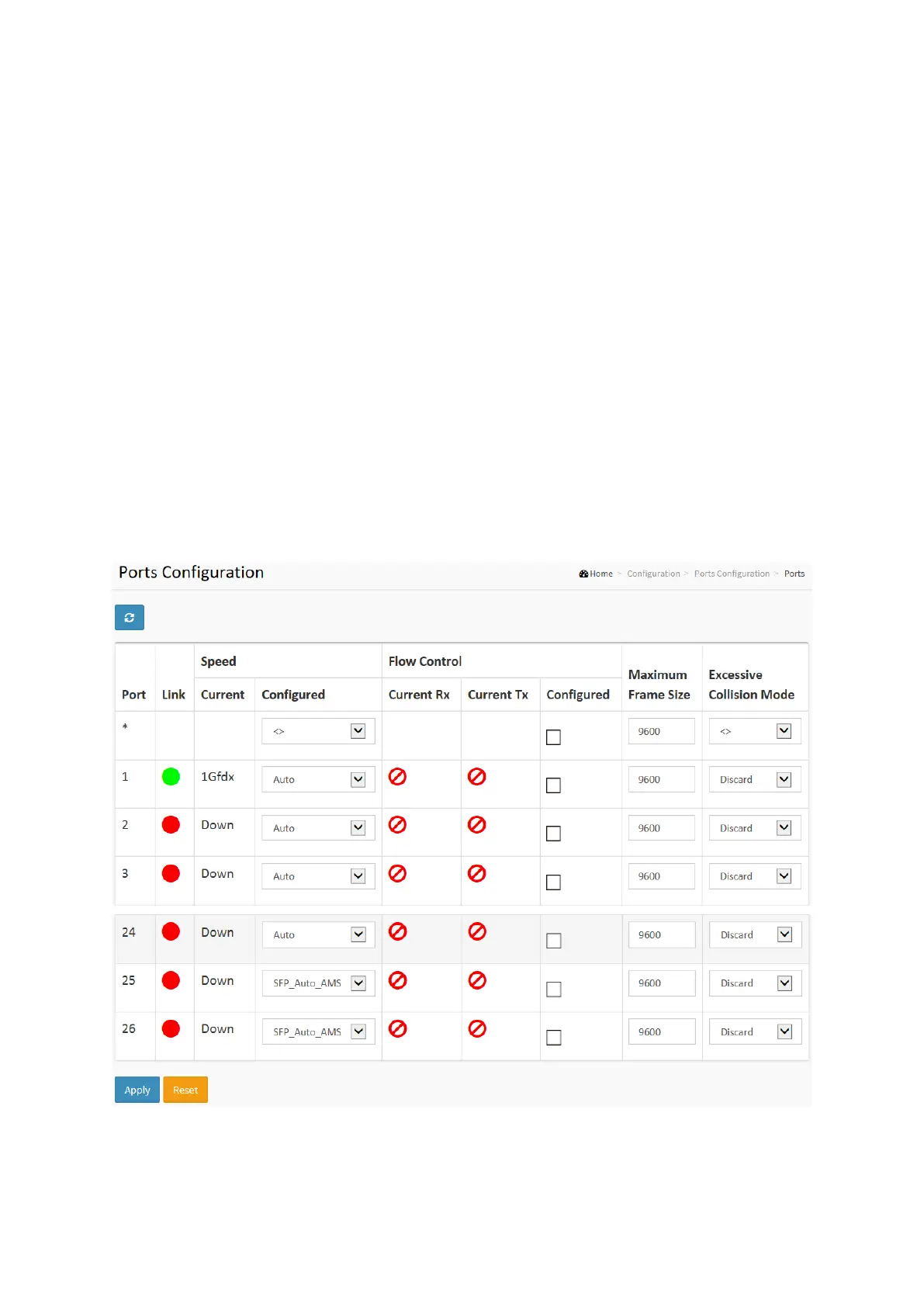
This page displays current port configurations. Ports can also be configured here.
Web Interface
To configure a Current Port Configuration in the web interface:
1. Click Configuration, Ports Configuration, and Ports
2. Specify the Speed Configured, Flow Control, Maximum Frame size, Excessive Collision
mode and Power Control.
3. Click Apply.
Figure 2-3.1: The Port Configuration
Parameter description:
Port :
This is the logical port number for this row.














 To Next Page