Publication date: June, 2015
Revision A1
3-5.1.2 NAS
3-5.1.2.1 Switch
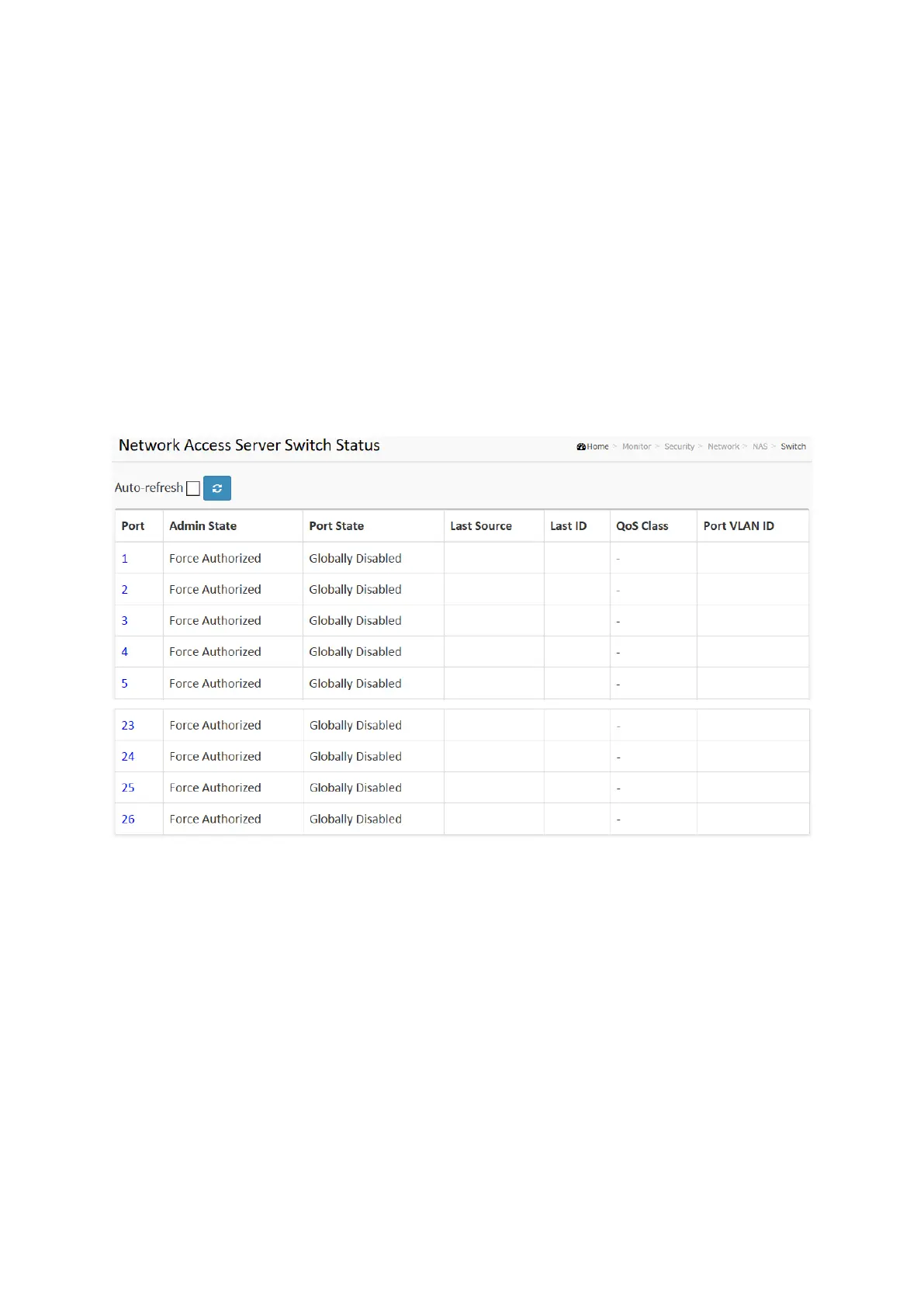
The section describes to show the each port NAS status information of the switch.The status
includes Admin State Port State, Last Source, Last ID, QoS Class, and Port VLAN ID.
Web Interface
To configure a NAS Switch Status Configuration in the web interface:
1. Click Security, Network, NAS,then Port.
2. Checked “Auto-refresh”.
3. Click “ Refresh“ to refresh the port detailed statistics.
Figure 3-5.1.2.1: The Network Access Server Switch Status
Parameter description:
Port :
The switch port number. Click to navigate to detailed NAS statistics for this port.
Admin State :
The port's current administrative state. Refer to NAS Admin State for a description of
possible values.
Port State :
The current state of the port. Refer to NAS Port State for a description of the individual
states.
Last Source :
The source MAC address carried in the most recently received EAPOL frame for
EAPOL-based authentication, and the most recently received frame from a new client for
MAC-based authentication.














 To Next Page