Publication date: June, 2015
Revision A1
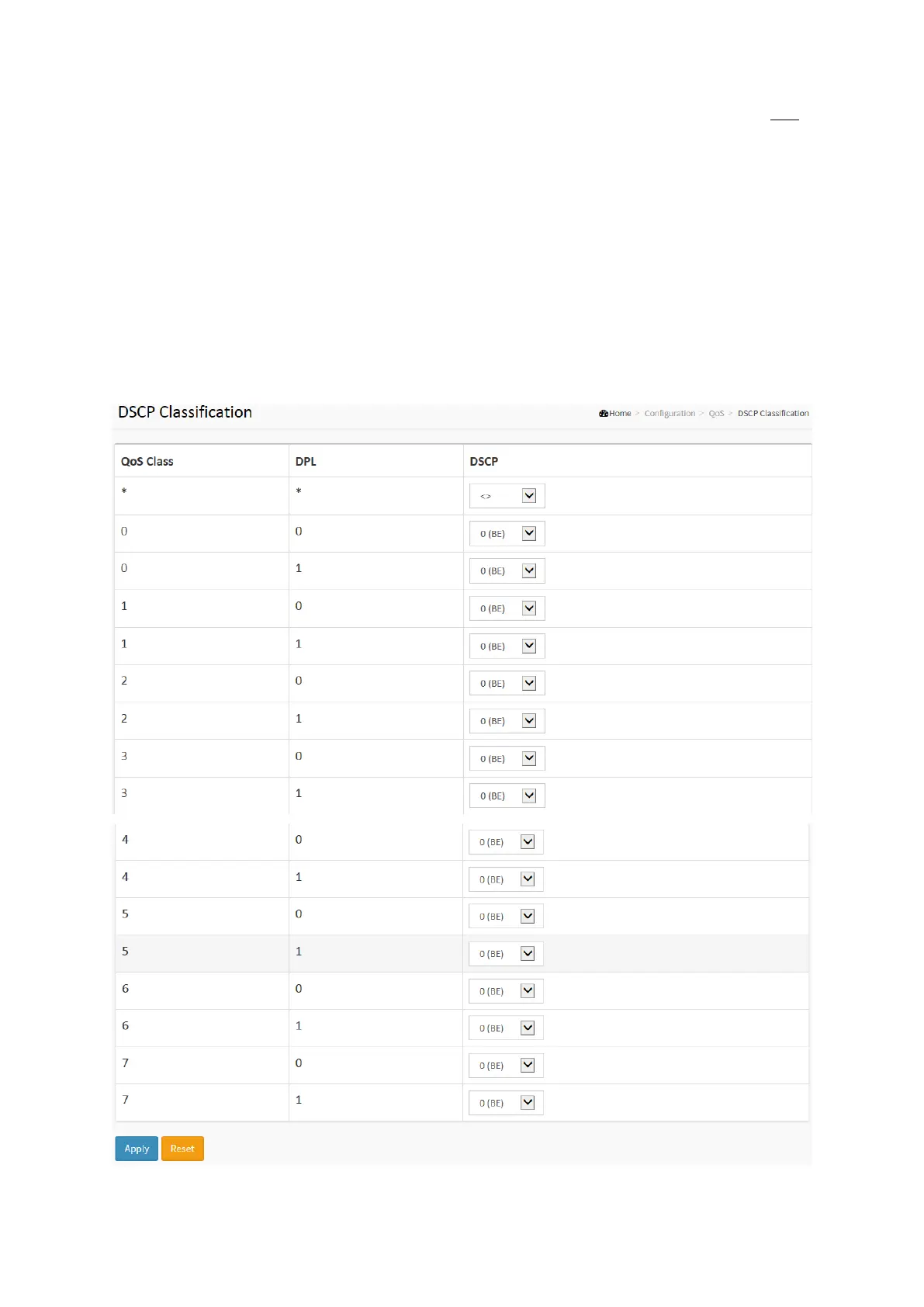
2-17.9 DSCP Classification
The section describes to teach user to configure and allows you to map DSCP value to a QoS
Class and DPL value. Others the settings relate to the currently selected stack unit, as reflected
by the page header.
Web Interface
To configure the DSCP Classification parameters in the web interface:
1.Click Configuration, QoS, DSCP Translation
2. Scroll to set the DSCP Parameters
3. Click the save to save the setting
4. If you want to cancel the setting then you need to click the Reset button.
It will revert to previously saved values
Figure 2-17.9: The DSCP Classification Configuration














 To Next Page