Publication date: June, 2015
Revision A1
2-14 Private VLANs
In a private VLAN, communication between ports in that private VLAN is not permitted. A
VLAN can be configured as a private VLAN.
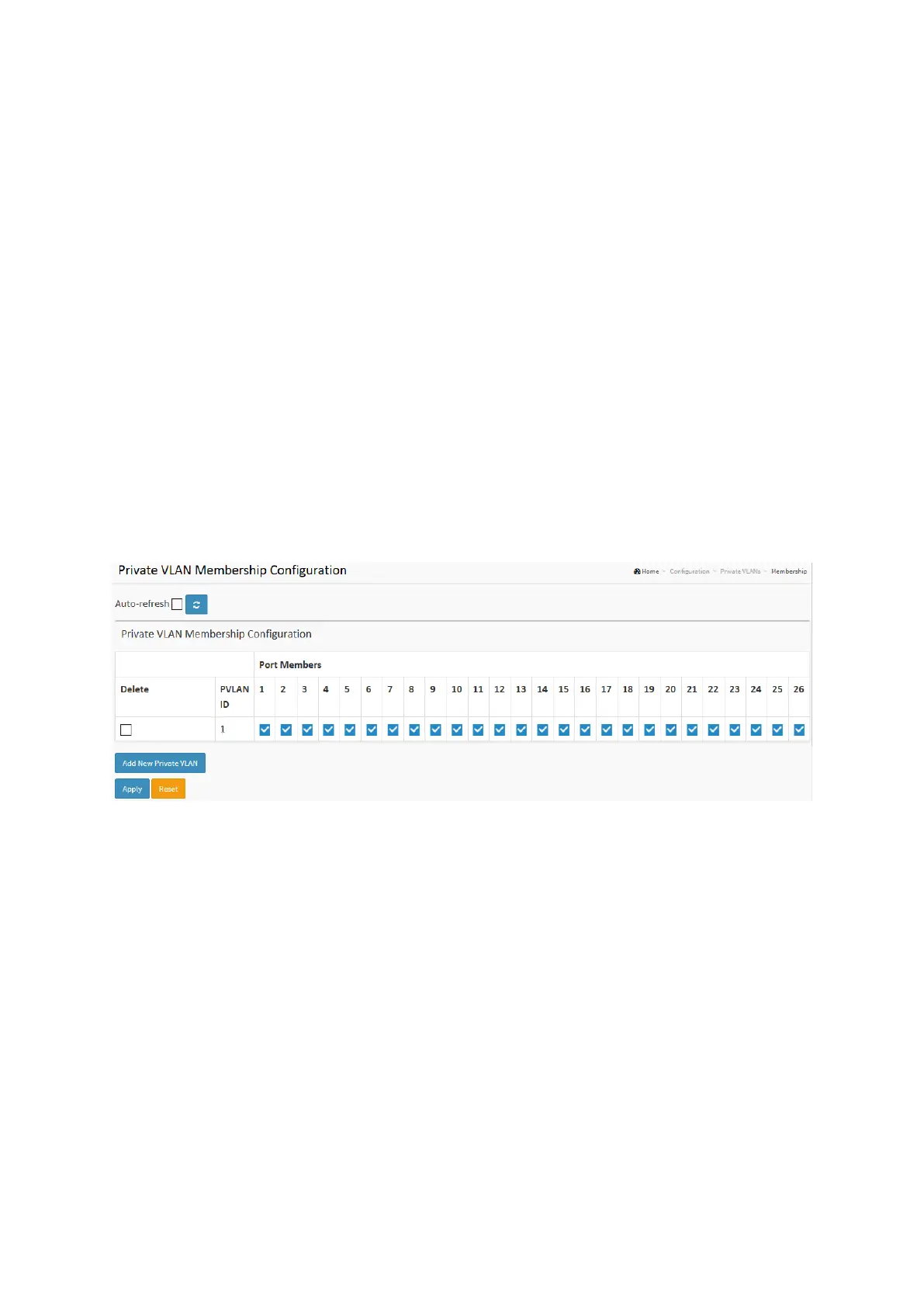
2-14.1 VLAN Membership
The VLAN membership configuration for the selected stack switch unit switch can be
monitored and modified here. Up to 4096 VLANs are supported. This page allows for adding
and deleting VLANs as well as adding and deleting port members of each VLAN.
Web Interface
To configure VLAN membership configuration in the web interface:
1. Click VLAN membership Configuration.
2. Specify Management VLAN ID. 0~ 4094
3. Click Apply.
Figure 2-14.1: The VLAN Membership Configuration
Parameter description:
Delete :
To delete a private VLAN entry, check this box. The entry will be deleted during the next save.
PVLAN ID :
Indicates the ID of this particular private VLAN.
Port Members :
A row of check boxes for each port is displayed for each VLAN ID. To include a port in a
VLAN, check the box. To remove or exclude the port from the VLAN, make sure the box is
unchecked. By default, no ports are members, and all boxes are unchecked.
Adding a New VLAN :
Click to add a new VLAN ID. An empty row is added to the table, and the VLAN can be
configured as needed. Legal values for a VLAN ID are 1 through 4095.
The VLAN is enabled on the selected stack switch unit when you click on "Save". The VLAN is














 To Next Page