Publication date: June, 2015
Revision A1
3-2 Green Ethernet
3-2.1 Port Power Savings
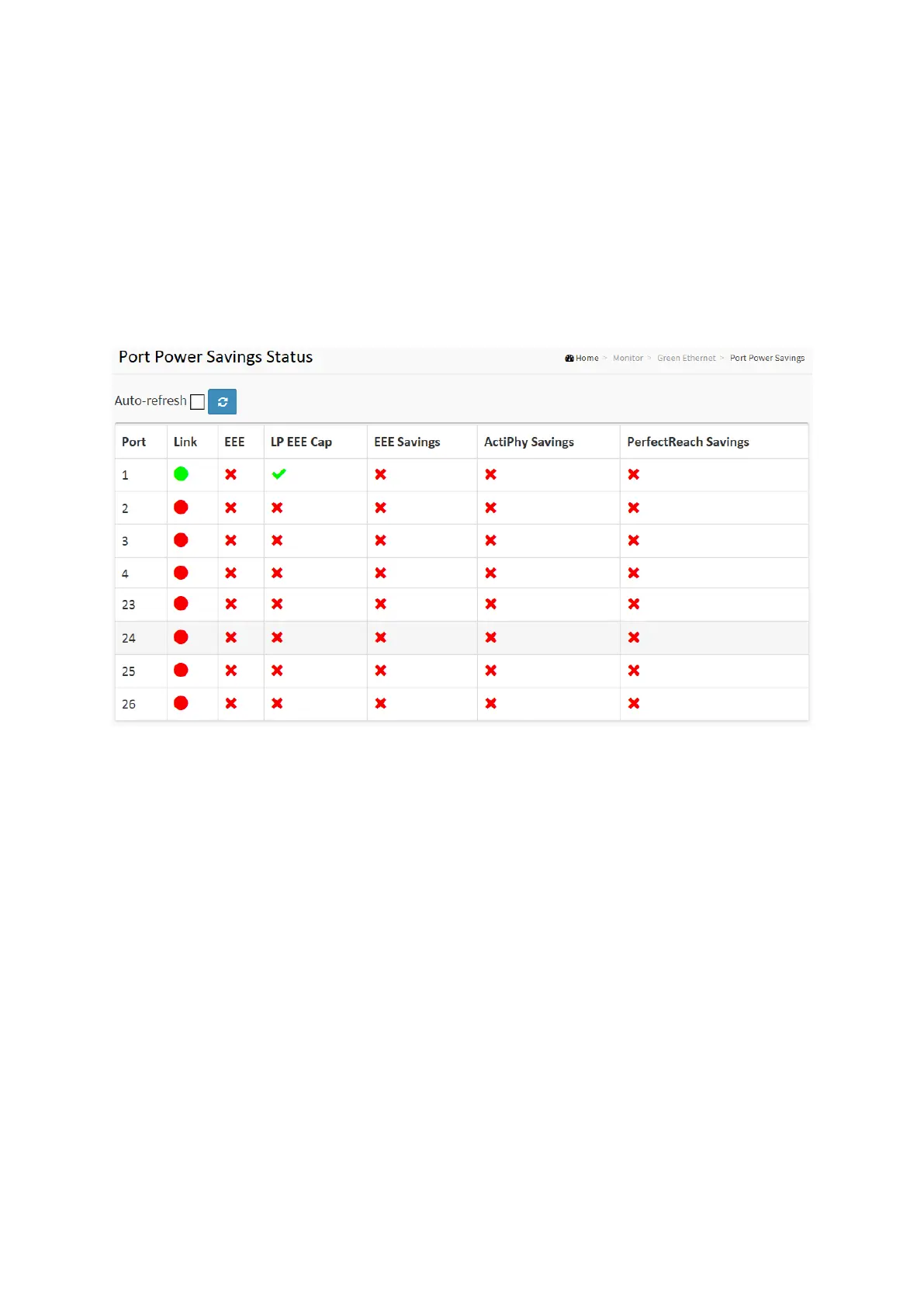
This page provides the current status for EEE.
Web Interface
To display the power Saving in the web interface:
1. Click Monitor, Port Power Savings.
Figure 3- 2.1: The Ports States
Parameter description:
Local Port
This is the logical port number for this row.
Link
Shows if the link is up for the port (green = link up, red = link down).
EEE
Shows if EEE is enabled for the port (reflects the settings at the Port Power Savings
configuration page).
LP EEE cap
Shows if the link partner is EEE capable.
EEE Savings
Shows if the system is currently saving power due to EEE. When EEE is enabled, the system
will powered down if no frame has been received or transmitted in 5 uSec.
Actiphy Savings
Shows if the system is currently saving power due to ActiPhy.














 To Next Page