Publication date: June, 2015
Revision A1
2-4DHCP
The section describes to configure the DHCP Snooping parameters of the switch. The DHCP
Snooping can prevent attackers from adding their own DHCP servers to the network.
2-4.1 Server
2-4.1.1 Mode
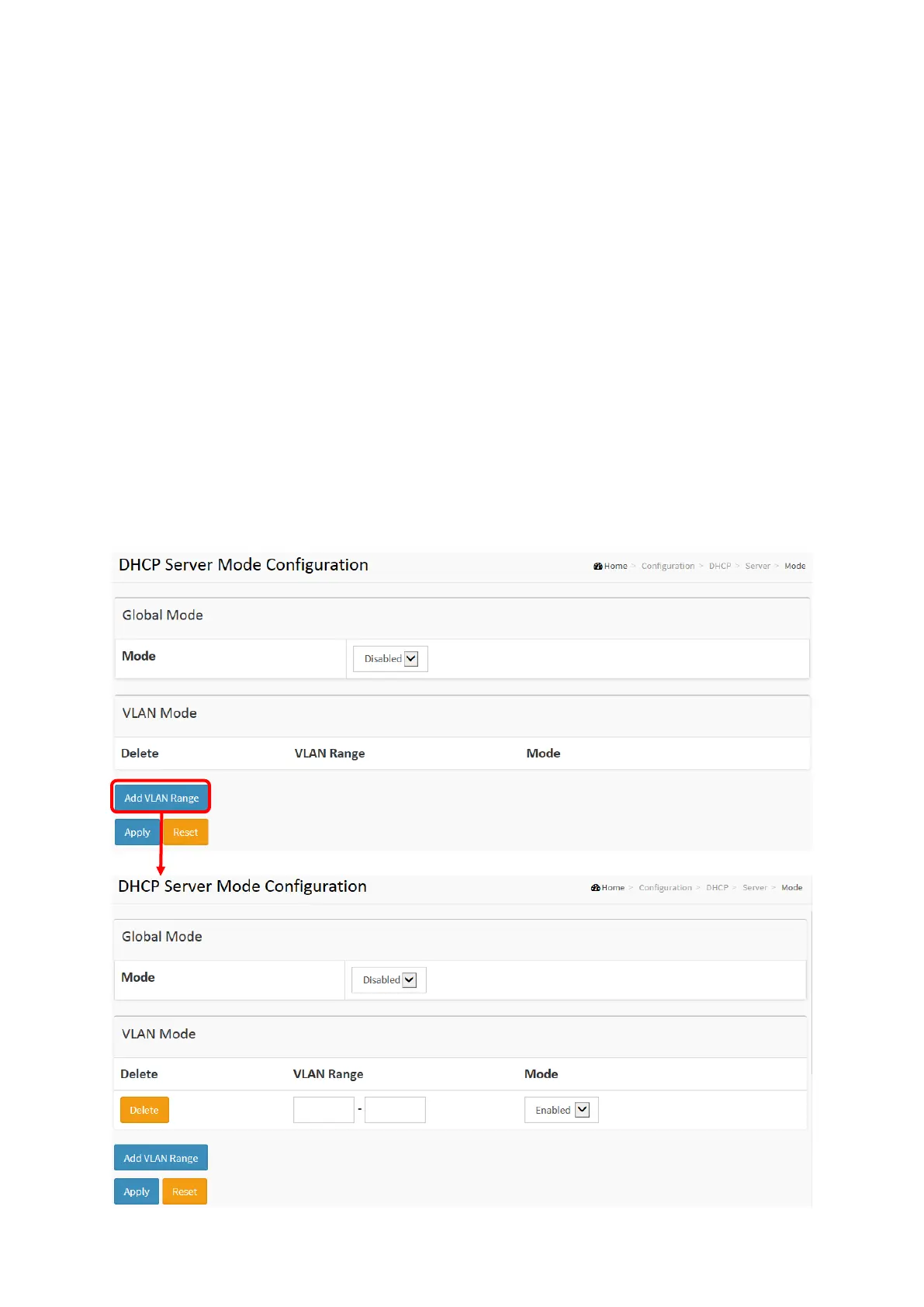
This page configures global mode and VLAN mode to enable/disable DHCP
server per system and per VLAN.
Web Interface
To configure DHCP server mode in the web interface:
1. Click Configuration, DHCP, Server, Mode
2. Select “Enabled” in the Global Mode of DHCP Server Mode Configuration.
3. Add Vlan range.
4. Click Apply.
Figure 2-4.1.1: The DHCP server Mode














 To Next Page