Publication date: June, 2015
Revision A1
Chapter 6 DMS-Management
6-1 Information
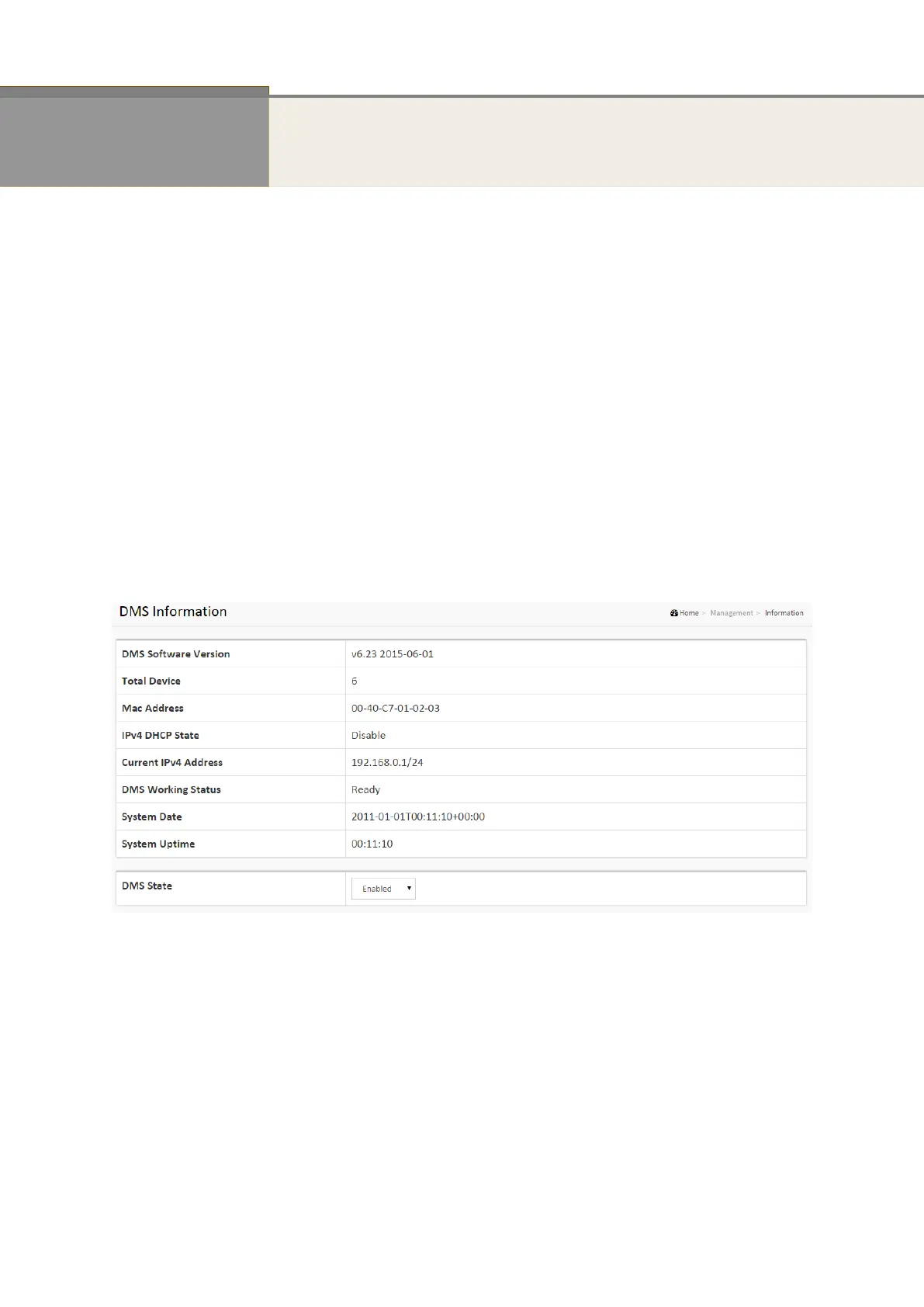
The Information page shows general system information for the PoE DMS Switch including its
DMS software version, the maximum number of device can manage, MAC Address and IP
Address for the Switch.
Web interface
To configure DMS Information in the web interface:
1. Click DMS, Management, and Information.
2. Select whether to enable or disable the DMS state.
3. Specify the DMS state, longitude and latitude, IP address, Subnet Mask.
4. Click Apply
Figure 6-1: DMS Information














 To Next Page