Publication date: June, 2015
Revision A1
2-17.10 QoS Control List Configuration
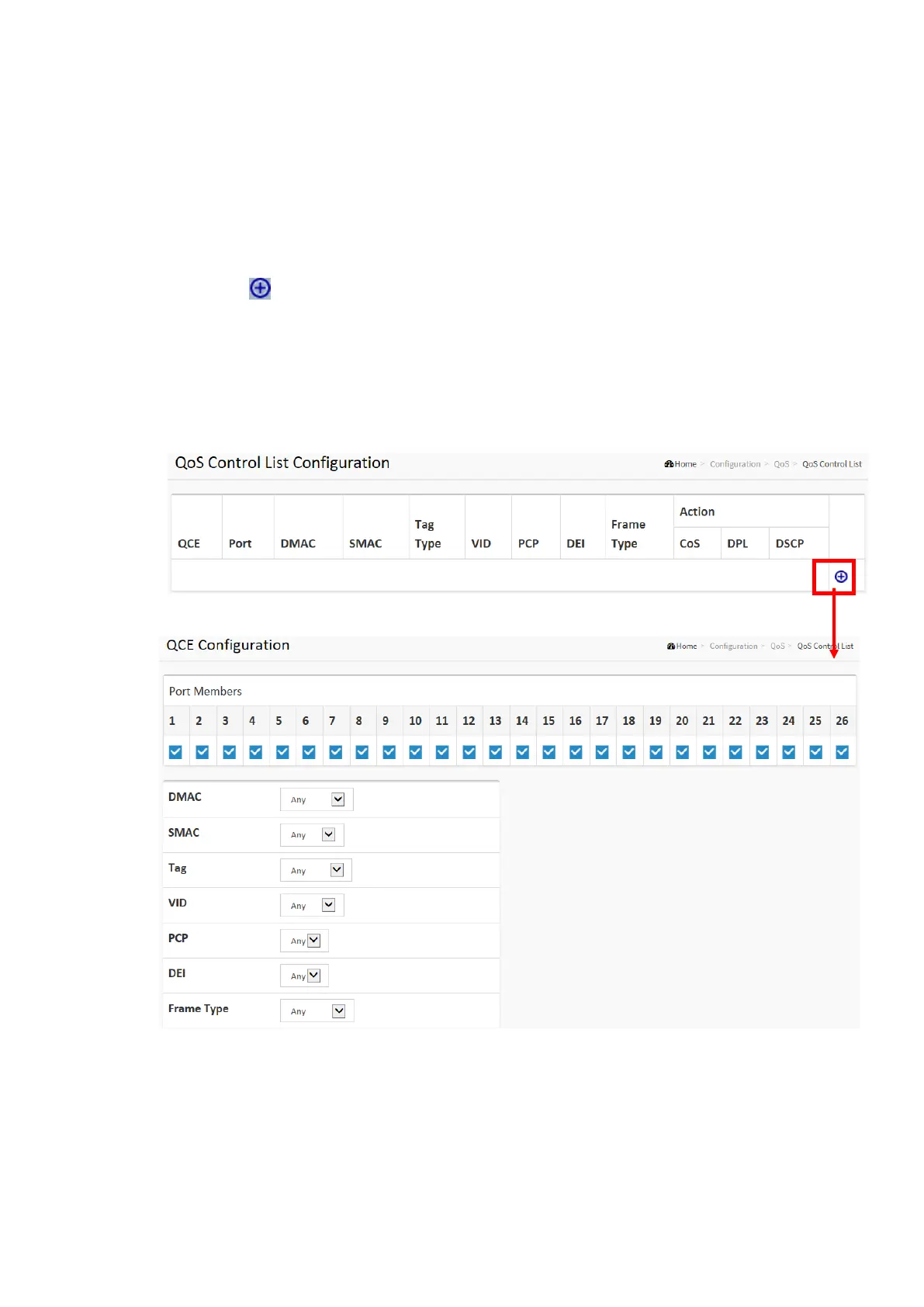
The section shows the QoS Control List(QCL), which is made up of the QCEs. Each row
describes a QCE that is defined. The maximum number of QCEs is 256 on each switch. Click
on the lowest plus sign to add a new QCE to the list.
Web Interface
To configure the QoS Control List parameters in the web interface:
1. Click Configuration, QoS, QoS Contol List
2. Click the to add a new QoS Control List
3. Scroll all parameters and evoke the Port Member to join the QCE rules
4. Click the save to save the setting
5. If you want to cancel the setting then you need to click the Reset button.
It will revert to previously saved values
Figure 2-17.10: The QoS Control List Configuration














 To Next Page