Publication date: June, 2015
Revision A1
2-5.1.5.5 Group
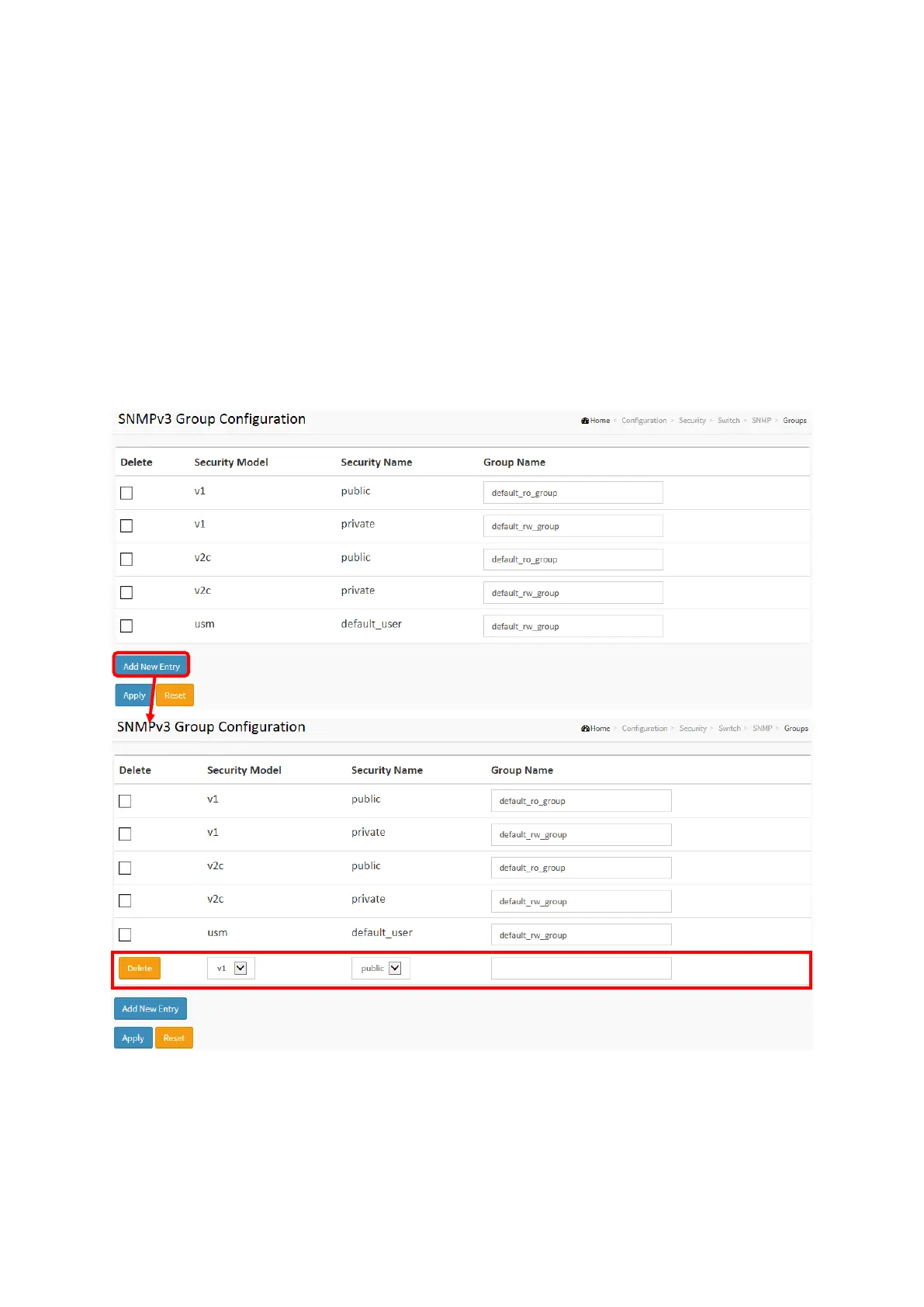
The function is used to configure SNMPv3 group. The Entry index key are Security Model and
Security Name. To create a new group account, please check <Add new group> button, and
enter the group information then check <Save>. Max Group Number: v1: 2, v2: 2, v3:10.
Web Interface
To display the configure SNMP Groups in the web interface:
1. Click SNMP, Groups.
2. Specify the Privilege parameter.
3. Click Apply.
Figure 2-5.1.5.5: The SNMP Groups Configuration
Parameter description:
Delete
Check to delete the entry. It will be deleted during the next save.
Security Model
Indicates the security model that this entry should belong to. Possible security models are:














 To Next Page