Determine the Firmware/Software Build
Z-Max Advanced Programming & Systems Design Guide rac00-sdg
Revision A:11/2005 Page 15
Determine the Firmware/Software Build
Knowing the current version of the operating software in your cabinet is helpful when
communicating with the factory about problems with your cabinet or checking against
the software version on the website to ensure that you have the latest software.
The Software version is one of the available menu options directly off of the main
menu
Step 1: Press the Menu button
Step 2: Press until the display reads:
Step 3: Press Select/Save
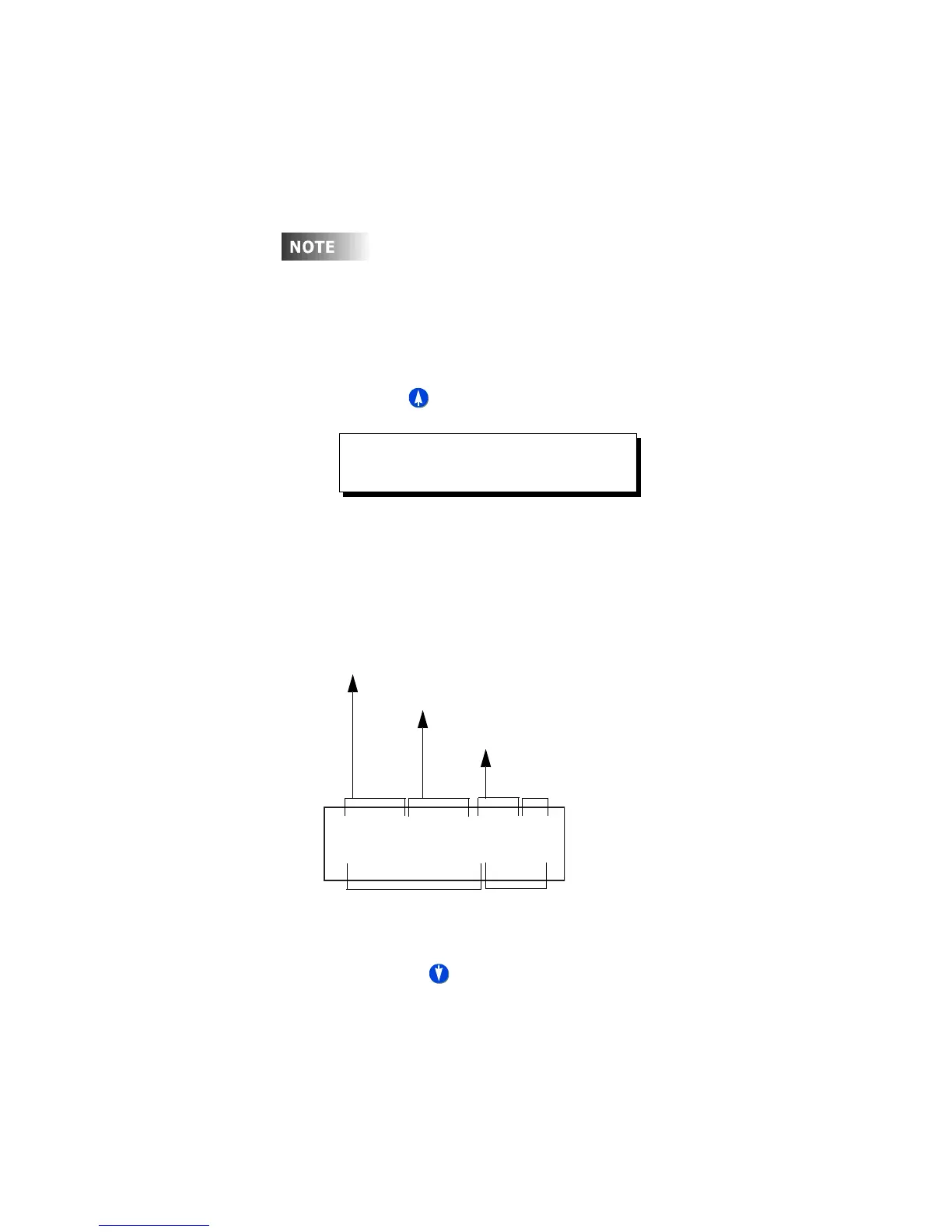
The display will now show you the version of firmware the unit is
running.
How to Decipher the software Build:
Step 4: Pressing in this screen will show you similar screens, indicating
similar software/hardware information regarding other hardware
components in your relay cabinet. This information may be useful when
diagnosing problems with your relay cabinet or with the relay cards,
modem, eithernet, or switch input board modules.
Leviton recommends checking our website www.leviton.com
periodically to ensure that you always have the most current
software in your relay cabinet.
MAIN MENU SELECT
SOFTWARE BUILD
24MHzV1.04/001SM
30JUL041651IDPAS
Luma-Net State (Passive or ID#)
Processor
Speed
Firmware
Version
Database
Version
Cabinet
Type
Build Date and Time
(not applicable to all models)



 To Next Page