Operation LCD Display
Z-Max Advanced Programming & Systems Design Guide rac00-sdg
Revision A:11/2005 Page 55
Operation
This section discusses how your cabinet can be operated from the front panel, and
the actions that can be accessed from the front panel. The next sections on
configuration deal with the specific configuration and programming of your cabinet.
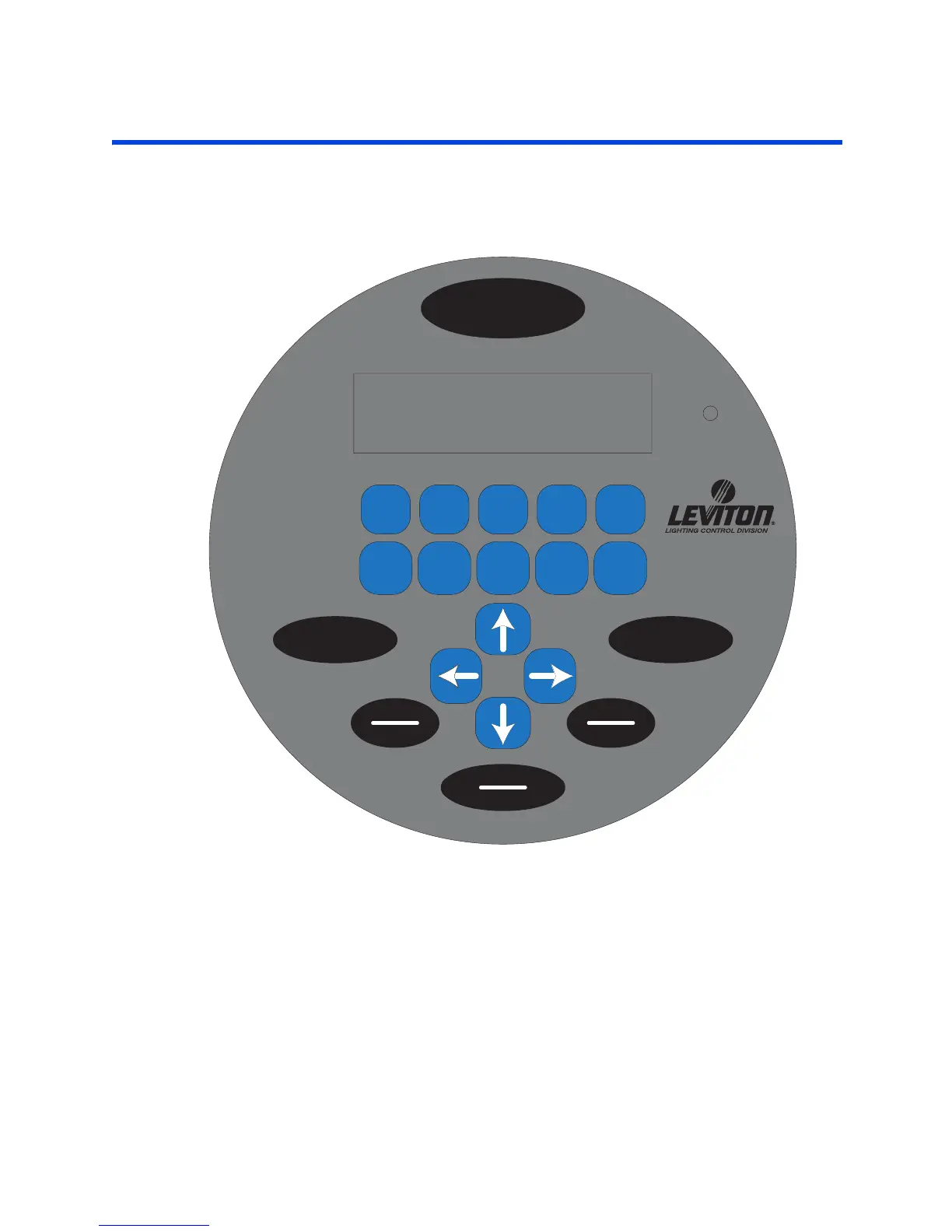
Figure 7: LCD Display
LCD Display
The LCD display helps you determine that the system is operating properly as well as
providing an easy and intuitive means of programming the panel.
When the system is operating normally the top line of the LCD display shows the
current day, time and the status of the event scheduler. The second line shows the
status of your relay cabinet, or in the case of EZ-Max, the status of the four relays in
the cabinet.
CANCELCLEAR
UNLOCKON/OFF
RELAY LOCK
SELECT
SAVE
MNO
PQRS
67
HYPHEN
1
ABC
2
TUV
WXYZ
89
DEF
3
GHI
4
SPACE
0
JKL
5
MENU
MON 12:28a E:OFF
STATUS: NORMAL
Z-MAX
TM
L



 To Next Page