CHAPTER 8 : OPERATION 8 - 3
TRYTON 112 CNC
1.1 Display
The liquid crystal display provides the operator with all the necessary data, both for
handling the bar feed system and for maintenance.
C The upper portion of the display has eleven lines and is reserved for the reading of
text. Error messages are usually displayed with their diagnostics. When there is not
enough space on the screen, you may refer to the instruction manual (see Chapter
9/Malfunction).
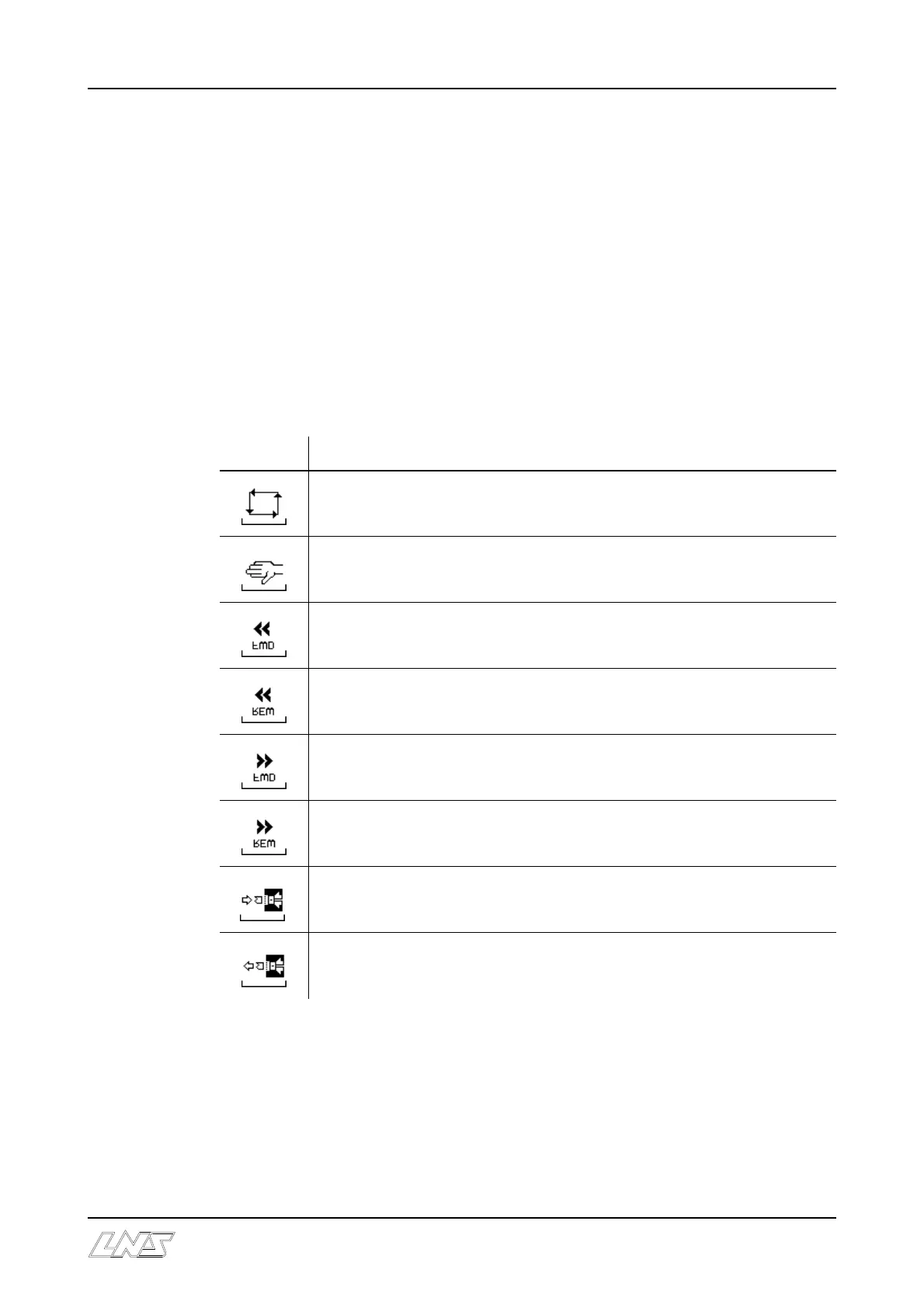
C The lower portion of the display is reserved for the display of icons. The icons
indicate to the operator which functions are attributed to keys f1 through f4.
The icons available are the following :
Icon
Purpose
Switch to automatic mode
Switch to manual mode
Pusher forward (Bar feed located on the right hand side of the lathe)
Pusher reverse (Bar feed located on the left hand side of the lathe)
Pusher forward (Bar feed located on the left hand side of the lathe)
Pusher reverse (Bar feed located on the right hand side of the lathe)
Automatic Top-Cut positioning in manual mode)
Bar stock extraction













 To Next Page