M A E D A Crawler Crane 4.6 SWITCHES
5/2020 CC1908S-1 4-39
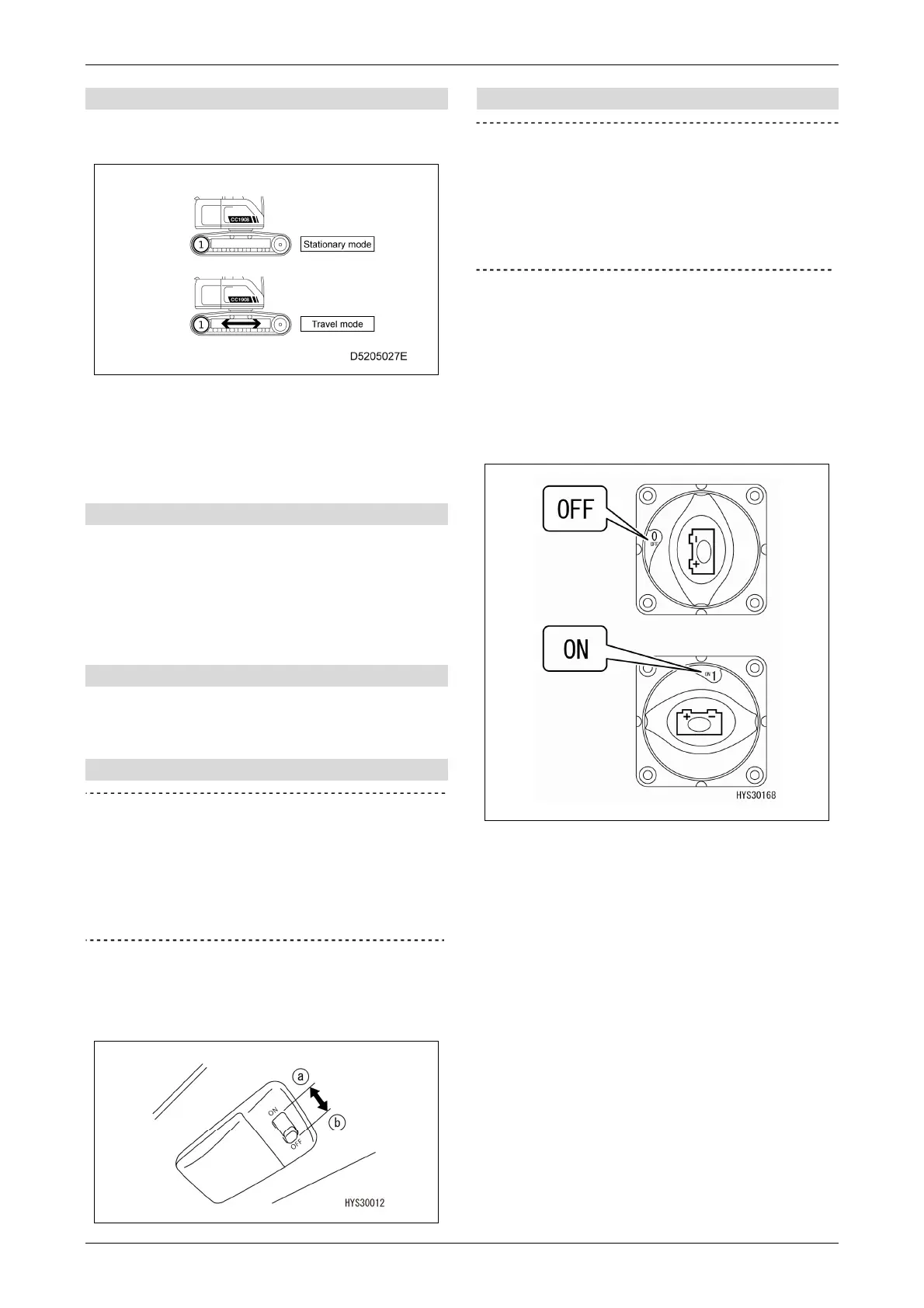
[11] Travel mode selector switch
Press and hold the switch to toggle between
"Stationary mode" and "Travel mode".
Switching to travel mode changes the rated total
load to the Pick & Carry value.
Switching is not possible if the travel prohibited
conditions are met.
[12] Camera selector switch
Displays the multi-assist view screen, and
switches between camera views. For details on
using the camera selector switch and the
multi-assist view screen, refer to "4.2.4
MULTI-ASSIST VIEW SCREEN" on P. 4-14.
[13] Maintenance switch
This switch is not used for crane operations.
It is a maintenance switch for servicing.
[14] Interior lamp switch
IMPORTANT
Forgetting to turn off this switch may drain
the battery. Be sure to turn the switch back to
the "OFF" position after using the interior
lamp. The interior lamp can be turned on even
when the starter switch is in the "OFF"
position.
Use this switch to turn on the interior lamp.
(a) "ON" position: The interior lamp turns on.
(b) "OFF" position: The interior lamp turns off.
[15] Disconnecting switch
IMPORTANT
This switch must normally stay in the "ON"
position. Use this switch temporarily only if it
is necessary to prevent the unexpected
startup of electrical equipment when the
machine is not operating or during inspection
or maintenance.
Use this switch to turn off the battery power supply
to prevent the unexpected startup of electrical
equipment during inspection or maintenance.
OFF: The battery power supply is turned off and
no electricity flows through any of the
electrical systems.
ON: The battery power supply is connected.



 To Next Page