5.7 CAB RADIO OPERATION M A E D A Crawler Crane
5-56 5/2020 CC1908S-1
[3] Balance (BAL) adjustment
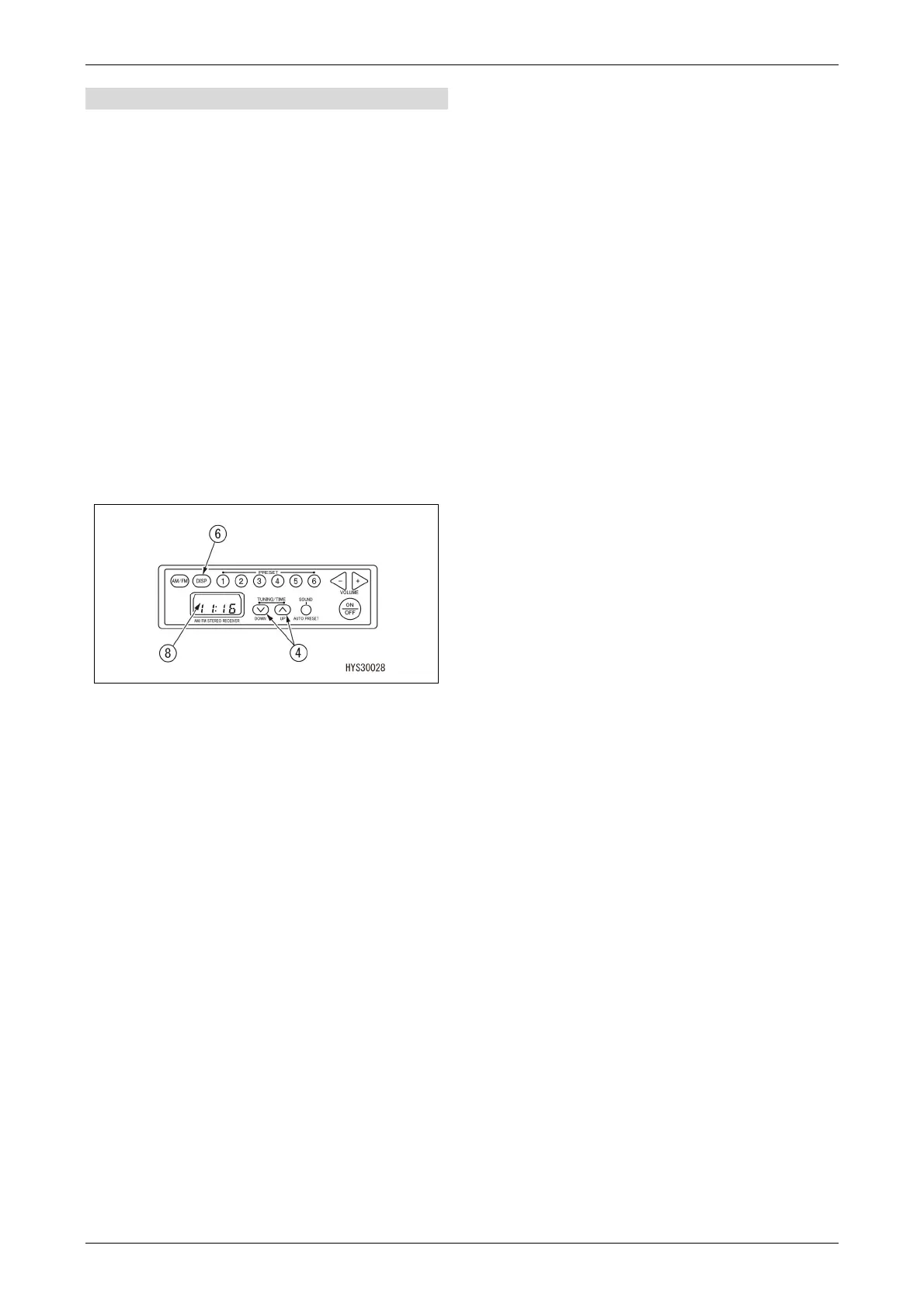
Press the button (7) to display "BAL" on the
display (8).
Use the tuning buttons (4) to adjust the right
and left balance between the speakers.
• > button: Increases the volume for the right
speaker.
• < button: Increases the volume for the left
speaker.
"BAL0" indicates that the right and left
speakers are balanced. (Default value)
In all modes, the display returns
automatically to the original display after 5
seconds has elapsed.
5.7.3.4 CLOCK ADJUSTMENT
Use the display selector button (6) and tuning
buttons (4) to set the time.
1. Press and hold down the display selector
button (6) for at least 1.5 seconds while the
display (8) shows the time. The clock display
flashes.
2. Press and hold down the display selector
button (6) for at least 1.5 seconds. The
"hours" number flashes.
Use the tuning buttons (4) to adjust the
hours.
• > button: Each time the button is pressed,
the time advances by one hour.
• < button: Each time the button is pressed,
the time is put back by one hour.
(Holding down the buttons shifts the hours
continuously.)
3. Press the display selector button (6). The
"minutes" number flashes.
Use the tuning buttons (4) to adjust the
minutes.
• > button: Each time the button is pressed,
the time advances by one minute.
• < button: Each time the button is pressed,
the time is put back by one minute.
(Holding down the buttons shifts the minutes
continuously.)
4. Press the display selector button (6) to exit
time adjustment.



 To Next Page